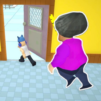
Keyboard Tower: ASMR Climb

Keyboard Tower: ASMR Climb

Action

| lehieu.0405tk

Play on PC with BlueStacks or from our cloud

  • Overview
  • Game Features
  • How to Play

Page Modified On: June 29, 2026

Play Keyboard Tower: ASMR Climb on PC or Mac

Play Keyboard Tower: ASMR Climb by lehieu.0405tk on PC or Mac with BlueStacks. Use a bigger screen, mouse and keyboard controls, and smoother performance while you play.

About the Game

Keyboard Tower: ASMR Climb is an Action game that turns a towering keyboard into your parkour playground. Every tap and swipe sends out crisp mechanical clicks while you vault, slide, and hop from key to key. It’s fast when you want it to be, chill when you need a break, and oddly satisfying the whole way through.

Game Features

  • Satisfying Soundscapes: Hear buttery mechanical keystrokes, soft whooshes, and snappy landings that make every move feel extra clean.
  • Smooth Parkour Flow: Simple tap-and-swipe controls let you chain jumps, wall-hops, and speedy climbs without fuss. Keep your momentum and it just clicks.
  • Zero-Timer Chill: No countdowns breathing down your neck. Play at your pace, chase flowy runs, and try for cleaner lines on the next go.
  • Custom Keyboard Builds: Unlock glossy keycaps, color themes, and layouts to craft a setup that matches your vibe.
  • Short, Snackable Runs: Quick stages perfect for a spare minute—easy to start, hard to put down, and always good for “one more try.”
  • Rewards That Matter: Pick up goodies along the route and trade them in for fresh cosmetics and satisfying little upgrades.
  • Clean Visual Rhythm: Bright, readable obstacles and keys make it easy to plan your next move without losing that smooth tempo.
  • Sweet on BlueStacks: Prefer a bigger display and punchier audio? Playing on BlueStacks makes those clicks and clacks feel extra crisp without changing the laid-back feel.

Start your journey now. Download the game on BlueStacks, invite your friends, and march on a new adventure.


Game Features

Enhancements

  • Macros
  • Multi Instance
  • Multi Instance Sync
  • Eco Mode
  • Enhancements
Macros

Macros

Skip the boring parts of a game. Play Keyboard Tower: ASMR Climb with Macros and get the edge. Simply record a sequence of commands and execute them at any moment.
Multi Instance

Multi Instance

Why limit to one game on your phone when you can play many on your PC? Open multiple instances of Keyboard Tower: ASMR Climb at once with Multi-Instance. Leverage the power of different accounts by doing more.
Multi Instance Sync

Multi Instance Sync

Get the best out of Keyboard Tower: ASMR Climb with Multi-Instance Sync. Play the game from different accounts and build your own empire. Use Multi-instance sync to repeat the action in the main BlueStacks instance on all other instances.
Eco Mode

Eco Mode

Find the rarest heroes by making multiple summons in Keyboard Tower: ASMR Climb. And while you are at it, reduce your PC’s resource consumption with the Eco Mode. Farm efficiently. Get the best results.
Read More

How to Download and Play Keyboard Tower: ASMR Climb on PC or Mac

  • Download and install BlueStacks on your PC or Mac

  • Complete Google sign-in to access the Play Store, or do it later

  • Look for Keyboard Tower: ASMR Climb in the search bar at the top right corner

  • Click to install Keyboard Tower: ASMR Climb from the search results

  • Complete Google sign-in (if you skipped step 2) to install Keyboard Tower: ASMR Climb

  • Click the Keyboard Tower: ASMR Climb icon on the home screen to start playing

video
Watch Video

Minimum System Requirements

With BlueStacks 5, you can get started on a PC that fulfills the following requirements.

  • Operating System

    Microsoft Windows 7 or above, macOS 11 (Big Sur) or above

  • Processor

    Intel, AMD or Apple Silicon Processor

  • RAM

    at least 4GB

  • HDD

    10GB Free Disk Space

Note:

* You must be an Administrator on your PC. Up to date graphics drivers from Microsoft or the chipset vendor.

Keyboard Tower: ASMR Climb - FAQs

  • How to play Keyboard Tower: ASMR Climb on Windows PC & Mac?

    Play Keyboard Tower: ASMR Climb on your PC or Mac by following these simple steps.

    • Click on 'Play Keyboard Tower: ASMR Climb on PC’ to download BlueStacks
    • Install it and log-in to Google Play Store
    • Launch and play the game.
  • Why is BlueStacks the fastest and safest platform to play games on PC?

    BlueStacks respects your privacy and is always safe and secure to use. It does not carry any malware, spyware, or any sort of additional software that could harm your PC.

    It is engineered to optimize speed and performance for a seamless gaming experience.

  • What are Keyboard Tower: ASMR Climb PC requirements?

    Minimum requirement to run Keyboard Tower: ASMR Climb on your PC

    • OS: Microsoft Windows 7 or above MacOS 11 (Big Sur) or above
    • Processor: Intel, AMD or Apple Silicon Processor
    • RAM: Your PC must have at least 4GB of RAM. (Note that having 4GB or more disk space is not a substitute for RAM)
    • HDD: 10GB Free Disk Space.
    • You must be an Administrator on your PC.