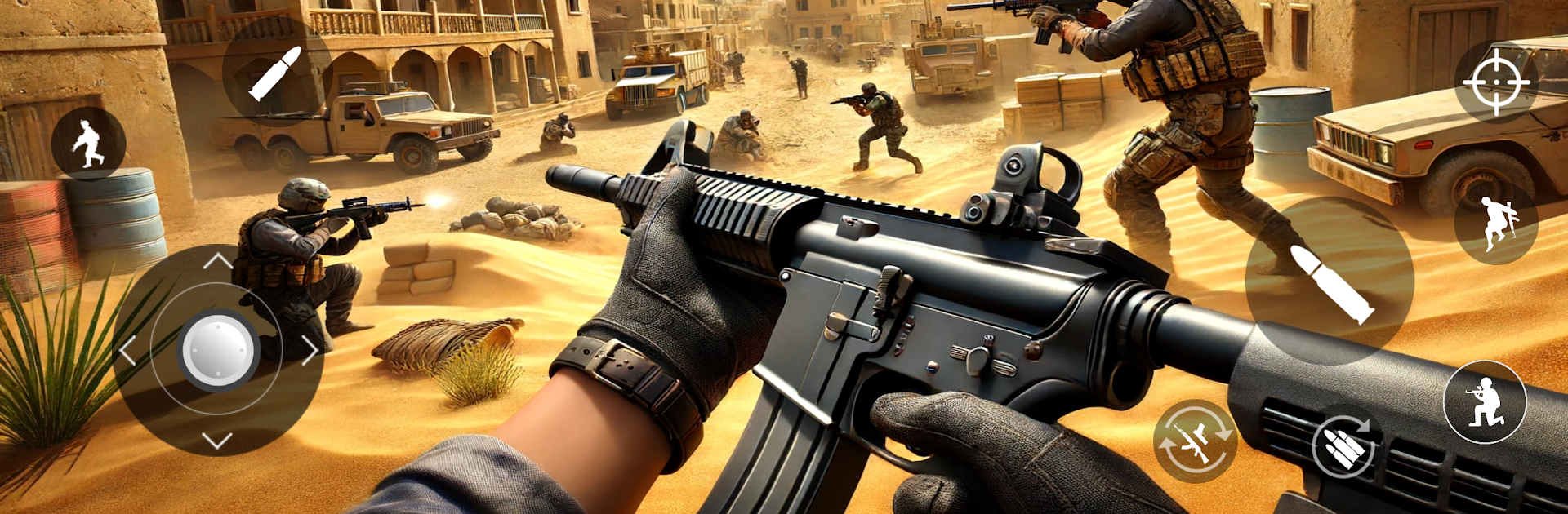
Last Soldier Commando: FPS 3D

Last Soldier Commando: FPS 3D

Action

| Super Fun Casual Games Studio

Play on PC with BlueStacks or from our cloud

  • Overview
  • Game Features
  • How to Play

Page Modified On: June 30, 2025

Play Last Soldier Commando: FPS 3D on PC or Mac

Bring your A-game to Last Soldier Commando: FPS 3D, the Action game sensation from Super Fun Casual Games Studio. Give your gameplay the much-needed boost with precise game controls, high FPS graphics, and top-tier features on your PC or Mac with BlueStacks.

About the Game

Ever wondered what it’s like to be the one soldier everyone counts on? In Last Soldier Commando: FPS 3D, you’re tossed right into the heart of the action. Get ready for fast-paced missions where every decision counts and your quick reflexes could spell the difference between victory and defeat. Whether you prefer sneaking through enemy lines or going in guns blazing, this Action title from Super Fun Casual Games Studio throws you into the thick of secret ops and firefights—no internet required.

Game Features

  • Immersive FPS Combat
    Enjoy smooth, responsive controls that make each movement and shot feel natural, so you can focus on outsmarting the enemy.

  • Detailed 3D Visuals
    Each battleground looks and feels alive, with striking animations and detailed environments that pull you straight into the conflict.

  • Flexible Offline Play
    No connection? No problem. Take on tough missions wherever you are and whenever you feel like it.

  • Runs on All Devices
    Optimized to perform well even on basic or older phones—no need for fancy hardware to jump into the fight.

  • Diverse Missions and Maps
    From gritty cities to remote forests and scorching deserts, brace for new scenarios and unexpected threats as you move through the campaign.

  • Exciting Multiplayer Battles
    Got a competitive streak? Team up or face off against players in action-packed multiplayer matches.

  • Tactical Operations
    Each mission offers a fresh challenge. You’ll be sneaking, sniping, providing cover, or storming enemy hideouts with SWAT teams.

  • Arsenal of Modern Weapons
    Swap between assault rifles, sniper rifles, and more. Tweak your loadout and unlock gear to handle the mission your way.

  • Special Modes for Variety
    Test your limits in survival runs, stealth missions, and high-risk special operations—something to keep you on your toes.

  • Low Data Usage
    Play for hours without burning through your data plan, perfect for those on the go (or with spotty internet).

  • Easy Team Upgrades
    Get the edge with new equipment and upgrades—because it’s not just about firepower, but smart tactics too.

Play Last Soldier Commando: FPS 3D on your favorite device, or even fire it up on your PC using BlueStacks for an extra edge and comfortable controls.

Get ready for a buttery smooth, high-performance gaming action only on BlueStacks.

Game Features

Enhancements

  • Macros
  • Multi Instance
  • Multi Instance Sync
  • Eco Mode
  • Enhancements
Macros

Macros

Skip the boring parts of a game. Play Last Soldier Commando: FPS 3D with Macros and get the edge. Simply record a sequence of commands and execute them at any moment.
Multi Instance

Multi Instance

Why limit to one game on your phone when you can play many on your PC? Open multiple instances of Last Soldier Commando: FPS 3D at once with Multi-Instance. Leverage the power of different accounts by doing more.
Multi Instance Sync

Multi Instance Sync

Get the best out of Last Soldier Commando: FPS 3D with Multi-Instance Sync. Play the game from different accounts and build your own empire. Use Multi-instance sync to repeat the action in the main BlueStacks instance on all other instances.
Eco Mode

Eco Mode

Find the rarest heroes by making multiple summons in Last Soldier Commando: FPS 3D. And while you are at it, reduce your PC’s resource consumption with the Eco Mode. Farm efficiently. Get the best results.
Read More

How to Download and Play Last Soldier Commando: FPS 3D on PC or Mac

  • Download and install BlueStacks on your PC or Mac

  • Complete Google sign-in to access the Play Store, or do it later

  • Look for Last Soldier Commando: FPS 3D in the search bar at the top right corner

  • Click to install Last Soldier Commando: FPS 3D from the search results

  • Complete Google sign-in (if you skipped step 2) to install Last Soldier Commando: FPS 3D

  • Click the Last Soldier Commando: FPS 3D icon on the home screen to start playing

video
Watch Video

Minimum System Requirements

With BlueStacks 5, you can get started on a PC that fulfills the following requirements.

  • Operating System

    Microsoft Windows 7 or above, macOS 11 (Big Sur) or above

  • Processor

    Intel, AMD or Apple Silicon Processor

  • RAM

    at least 4GB

  • HDD

    10GB Free Disk Space

Note:

* You must be an Administrator on your PC. Up to date graphics drivers from Microsoft or the chipset vendor.

Last Soldier Commando: FPS 3D - FAQs

  • How to play Last Soldier Commando: FPS 3D on Windows PC & Mac?

    Play Last Soldier Commando: FPS 3D on your PC or Mac by following these simple steps.

    • Click on 'Play Last Soldier Commando: FPS 3D on PC’ to download BlueStacks
    • Install it and log-in to Google Play Store
    • Launch and play the game.
  • Why is BlueStacks the fastest and safest platform to play games on PC?

    BlueStacks respects your privacy and is always safe and secure to use. It does not carry any malware, spyware, or any sort of additional software that could harm your PC.

    It is engineered to optimize speed and performance for a seamless gaming experience.

  • What are Last Soldier Commando: FPS 3D PC requirements?

    Minimum requirement to run Last Soldier Commando: FPS 3D on your PC

    • OS: Microsoft Windows 7 or above MacOS 11 (Big Sur) or above
    • Processor: Intel, AMD or Apple Silicon Processor
    • RAM: Your PC must have at least 4GB of RAM. (Note that having 4GB or more disk space is not a substitute for RAM)
    • HDD: 10GB Free Disk Space.
    • You must be an Administrator on your PC.