Metal Force: Super Soldier

Metal Force: Super Soldier

Action

| GAME OFFLINE HAY

Play on PC with BlueStacks or from our cloud

  • Overview
  • Game Features
  • How to Play

Page Modified On: December 09, 2025

Play Metal Force: Super Soldier on PC or Mac

Step into the World of Metal Force: Super Soldier, a thrilling Action game from the house of GAME OFFLINE HAY. Play this Android game on BlueStacks App Player and experience immersive gaming on PC or Mac.

About the Game

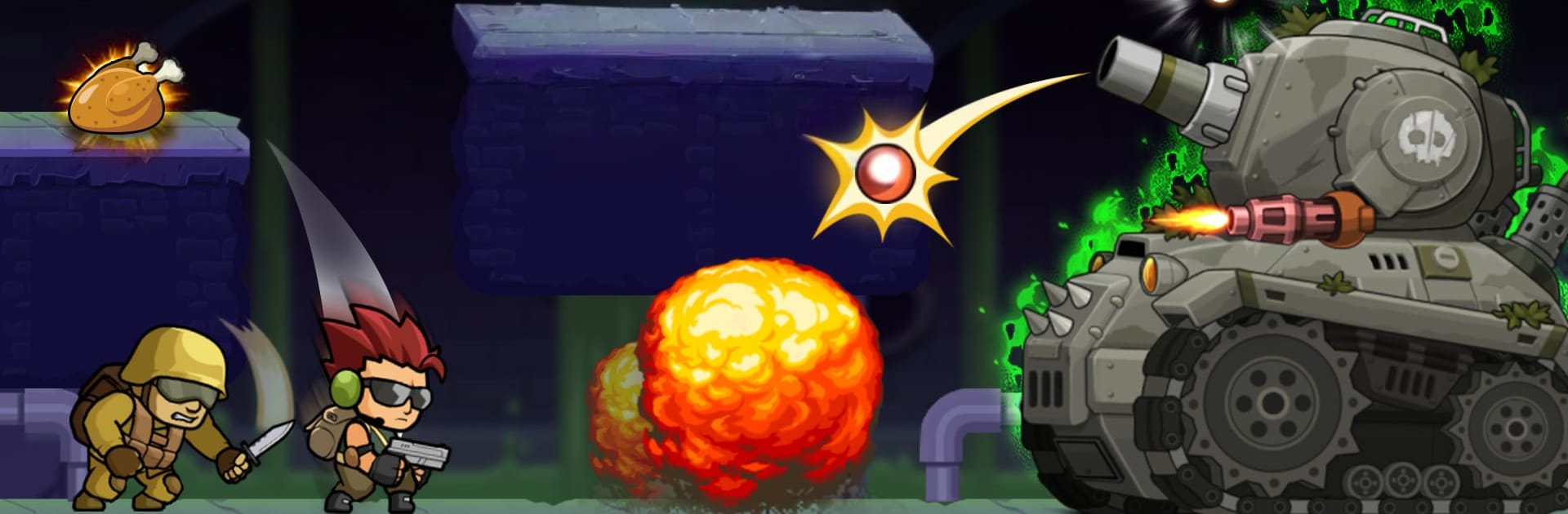
Metal Force: Super Soldier from GAME OFFLINE HAY is a fast, arcade-style Action shooter with big explosions, bigger bosses, and no-nonsense controls. You’ll sprint through war zones, switch between guns and grenades on the fly, jump into vehicles, and clear objectives before the clock runs out. It’s great for quick sessions or longer runs—and if you like playing on a larger screen, it works nicely with BlueStacks on PC.

Game Features

  • Run-and-gun chaos
    Dash, roll, and unload on anything in your path while dodging incoming fire in punchy, side-scrolling stages.

  • Aim your way
    Toggle between manual aiming for precision or auto-aim when you just want to keep moving and spray.

  • Heavy hardware
    Hop into vehicles and face down tanks, flamethrower squads, gunships, and fighter craft throwing everything at you.

  • Boss showdowns
    Each chapter builds to screen-filling battles that test timing, movement, and smart weapon swaps.

  • Timed objectives and star hunts
    Beat missions under pressure and chase three-star ratings if you’re the perfectionist type.

  • Loot, upgrades, and supplies
    Smash crates and stash drops to grab health, ammo, and parts that power up your arsenal.

  • Gear up with style
    Unlock a collection of character skins to change your look while you’re tearing through the front lines.

  • Enemies of every flavor
    Go toe-to-toe with soldiers, robots, zombies, mad dogs, and other troublemakers across escalating encounters.

  • Maps with variety
    Fight through different locations and layouts that keep the pacing fresh and the angles changing.

  • Plays great offline
    No connection required—perfect for commutes, breaks, or whenever you want a quick blast of action.

  • Multiple languages
    Built-in language support makes it easy to jump in and start blasting, wherever you’re playing.

Start your journey now. Download the game on BlueStacks, invite your friends, and march on a new adventure.


Game Features

Enhancements

  • Macros
  • Multi Instance
  • Multi Instance Sync
  • Eco Mode
  • Enhancements
Macros

Macros

Skip the boring parts of a game. Play Metal Force: Super Soldier with Macros and get the edge. Simply record a sequence of commands and execute them at any moment.
Multi Instance

Multi Instance

Why limit to one game on your phone when you can play many on your PC? Open multiple instances of Metal Force: Super Soldier at once with Multi-Instance. Leverage the power of different accounts by doing more.
Multi Instance Sync

Multi Instance Sync

Get the best out of Metal Force: Super Soldier with Multi-Instance Sync. Play the game from different accounts and build your own empire. Use Multi-instance sync to repeat the action in the main BlueStacks instance on all other instances.
Eco Mode

Eco Mode

Find the rarest heroes by making multiple summons in Metal Force: Super Soldier. And while you are at it, reduce your PC’s resource consumption with the Eco Mode. Farm efficiently. Get the best results.
Read More

How to Download and Play Metal Force: Super Soldier on PC or Mac

  • Download and install BlueStacks on your PC or Mac

  • Complete Google sign-in to access the Play Store, or do it later

  • Look for Metal Force: Super Soldier in the search bar at the top right corner

  • Click to install Metal Force: Super Soldier from the search results

  • Complete Google sign-in (if you skipped step 2) to install Metal Force: Super Soldier

  • Click the Metal Force: Super Soldier icon on the home screen to start playing

video
Watch Video

Minimum System Requirements

With BlueStacks 5, you can get started on a PC that fulfills the following requirements.

  • Operating System

    Microsoft Windows 7 or above, macOS 11 (Big Sur) or above

  • Processor

    Intel, AMD or Apple Silicon Processor

  • RAM

    at least 4GB

  • HDD

    10GB Free Disk Space

Note:

* You must be an Administrator on your PC. Up to date graphics drivers from Microsoft or the chipset vendor.

Metal Force: Super Soldier - FAQs

  • How to play Metal Force: Super Soldier on Windows PC & Mac?

    Play Metal Force: Super Soldier on your PC or Mac by following these simple steps.

    • Click on 'Play Metal Force: Super Soldier on PC’ to download BlueStacks
    • Install it and log-in to Google Play Store
    • Launch and play the game.
  • Why is BlueStacks the fastest and safest platform to play games on PC?

    BlueStacks respects your privacy and is always safe and secure to use. It does not carry any malware, spyware, or any sort of additional software that could harm your PC.

    It is engineered to optimize speed and performance for a seamless gaming experience.

  • What are Metal Force: Super Soldier PC requirements?

    Minimum requirement to run Metal Force: Super Soldier on your PC

    • OS: Microsoft Windows 7 or above MacOS 11 (Big Sur) or above
    • Processor: Intel, AMD or Apple Silicon Processor
    • RAM: Your PC must have at least 4GB of RAM. (Note that having 4GB or more disk space is not a substitute for RAM)
    • HDD: 10GB Free Disk Space.
    • You must be an Administrator on your PC.