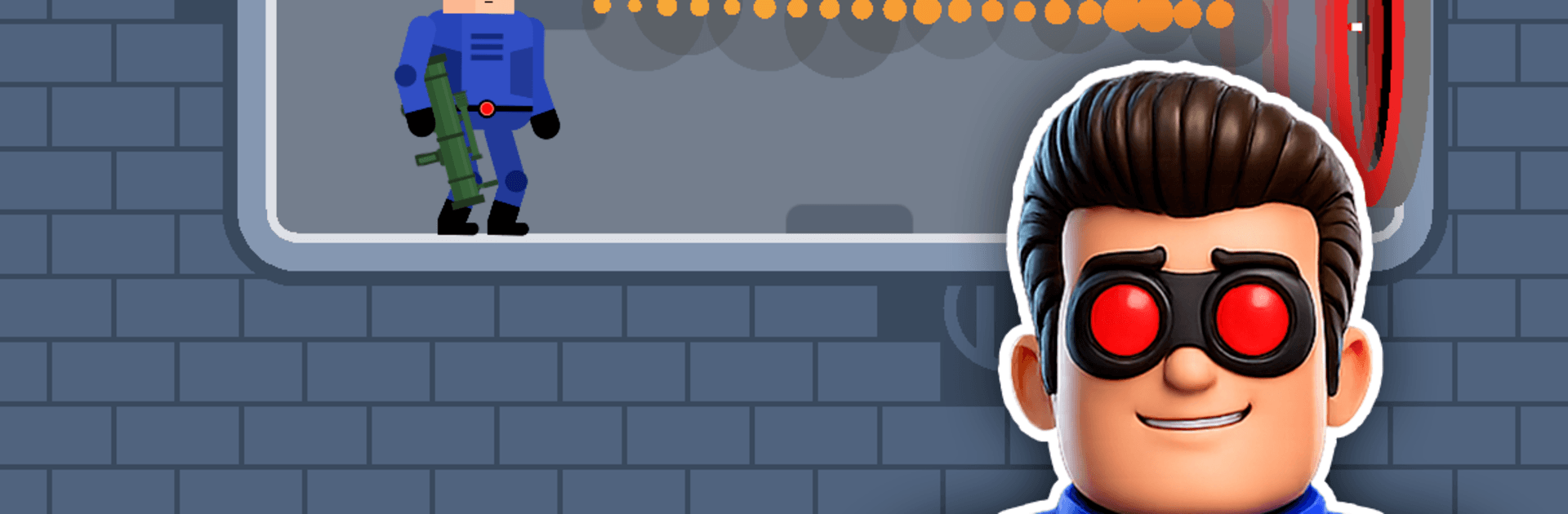
Mr Bullet 2 - Guns & Portals

Mr Bullet 2 - Guns & Portals

Action

| Lion Studios

Play on PC with BlueStacks or from our cloud

  • Overview
  • Game Features
  • How to Play

Page Modified On: August 14, 2026

Play Mr Bullet 2 - Guns & Portals on PC or Mac

Mr Bullet 2 – Guns & Portals brings the Action genre to life, and throws up exciting challenges for gamers. Developed by Lion Studios, this Android game is best experienced on BlueStacks, the World’s #1 app player for PC and Mac users.

About the Game

Mr Bullet 2 – Guns & Portals puts your aim and your brain to work at the same time. This Action game mixes fast, satisfying shots with clever physics and a slick telegun that lets you bend space to your advantage. Expect compact stages, wild ricochets, and plenty of “that shouldn’t have worked… but it did” moments. It also plays nicely on BlueStacks if you like lining up shots with a mouse.

Game Features

  • Telegun Portals: Pop a portal, slip through space, and surprise enemies from angles they never saw coming. Movement isn’t just WASD-style—teleporting is part of the puzzle.

  • Trick-Shot Physics: Bounce bullets off walls, slide shots through tight gaps, and hit targets with banked curves that feel ridiculously cool when they land.

  • Fresh Firepower: Experiment with weapons that act differently—some punch through, some splash, some create chain reactions—so every stage can be cracked in more than one way.

  • Reactive Environments: Use swinging objects, explosive barrels, and moveable gadgets to set up elaborate hits. Sometimes the room is your best weapon.

  • Tight, Bite-Sized Stages: Quick levels with instant restarts keep the pace brisk. Fail fast, try again, and nail that perfect line.

  • Multiple Solutions: There’s rarely a single “right” answer. Go stealthy and precise or get flashy with big bounces and chaos—both can work.

  • Ammo-Smart Challenges: Limited shots mean every trigger pull matters. Plan, improvise, and squeeze maximum value from each bullet.

  • Clean, Snappy Controls: Simple to learn, surprisingly deep to master. Line up, adjust for angles, and fire when it feels just right.

Start playing Mr Bullet 2 – Guns & Portals on BlueStacks and get a smoother, more comfortable PC or Mac setup.


Game Features

Enhancements

  • Macros
  • Multi Instance
  • Multi Instance Sync
  • Eco Mode
  • Enhancements
Macros

Macros

Skip the boring parts of a game. Play Mr Bullet 2 - Guns & Portals with Macros and get the edge. Simply record a sequence of commands and execute them at any moment.
Multi Instance

Multi Instance

Why limit to one game on your phone when you can play many on your PC? Open multiple instances of Mr Bullet 2 - Guns & Portals at once with Multi-Instance. Leverage the power of different accounts by doing more.
Multi Instance Sync

Multi Instance Sync

Get the best out of Mr Bullet 2 - Guns & Portals with Multi-Instance Sync. Play the game from different accounts and build your own empire. Use Multi-instance sync to repeat the action in the main BlueStacks instance on all other instances.
Eco Mode

Eco Mode

Find the rarest heroes by making multiple summons in Mr Bullet 2 - Guns & Portals. And while you are at it, reduce your PC’s resource consumption with the Eco Mode. Farm efficiently. Get the best results.
Read More

How to Download and Play Mr Bullet 2 - Guns & Portals on PC or Mac

  • Download and install BlueStacks on your PC or Mac

  • Complete Google sign-in to access the Play Store, or do it later

  • Look for Mr Bullet 2 - Guns & Portals in the search bar at the top right corner

  • Click to install Mr Bullet 2 - Guns & Portals from the search results

  • Complete Google sign-in (if you skipped step 2) to install Mr Bullet 2 - Guns & Portals

  • Click the Mr Bullet 2 - Guns & Portals icon on the home screen to start playing

video
Watch Video

Minimum System Requirements

With BlueStacks 5, you can get started on a PC that fulfills the following requirements.

  • Operating System

    Microsoft Windows 7 or above, macOS 11 (Big Sur) or above

  • Processor

    Intel, AMD or Apple Silicon Processor

  • RAM

    at least 4GB

  • HDD

    10GB Free Disk Space

Note:

* You must be an Administrator on your PC. Up to date graphics drivers from Microsoft or the chipset vendor.

Mr Bullet 2 - Guns & Portals - FAQs

  • How to play Mr Bullet 2 - Guns & Portals on Windows PC & Mac?

    Play Mr Bullet 2 - Guns & Portals on your PC or Mac by following these simple steps.

    • Click on 'Play Mr Bullet 2 - Guns & Portals on PC’ to download BlueStacks
    • Install it and log-in to Google Play Store
    • Launch and play the game.
  • Why is BlueStacks the fastest and safest platform to play games on PC?

    BlueStacks respects your privacy and is always safe and secure to use. It does not carry any malware, spyware, or any sort of additional software that could harm your PC.

    It is engineered to optimize speed and performance for a seamless gaming experience.

  • What are Mr Bullet 2 - Guns & Portals PC requirements?

    Minimum requirement to run Mr Bullet 2 - Guns & Portals on your PC

    • OS: Microsoft Windows 7 or above MacOS 11 (Big Sur) or above
    • Processor: Intel, AMD or Apple Silicon Processor
    • RAM: Your PC must have at least 4GB of RAM. (Note that having 4GB or more disk space is not a substitute for RAM)
    • HDD: 10GB Free Disk Space.
    • You must be an Administrator on your PC.