My Bear World: Adventure 3D

My Bear World: Adventure 3D

Action

| Yearning Gamerz

Play on PC with BlueStacks or from our cloud

  • Overview
  • Game Features
  • How to Play

Page Modified On: April 21, 2026

Play My Bear World: Adventure 3D on PC or Mac

From the innovators and creators at Yearning Gamerz, My Bear World: Adventure 3D is another fun addition to the World of Action games. Go beyond your mobile screen and play it bigger and better on your PC or Mac. An immersive experience awaits you.

About the Game

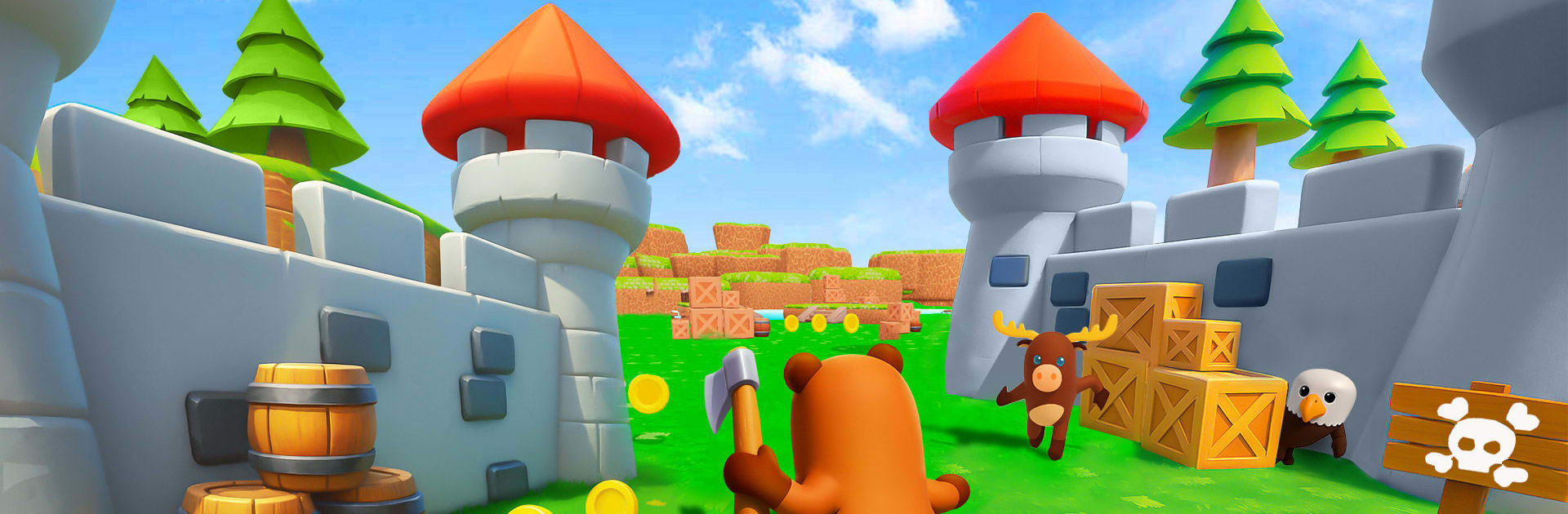
My Bear World: Adventure 3D is a cozy Action game from Yearning Gamerz where you play as a curious little bear roaming a bright, welcoming 3D world. It’s all about relaxed exploration, small acts of kindness, and a story that unfolds as you wander. Expect light platforming, gentle puzzles, and plenty of charming moments with characters who actually feel like neighbors.

Game Features

  • Playful Bear Hero: Control an expressive bear with cute animations and tons of personality in every hop, wave, and head tilt.
  • Gentle Action: Tackle simple platforming and low-stress challenges that keep things fun without turning up the heat.
  • Stroll-At-Your-Pace Story: Unlock new areas as the tale moves forward; there are no countdowns pushing you along.
  • Handcrafted 3D Biomes: Explore sunlit forests, cozy villages, and secret footpaths—each space feels like a place worth poking around.
  • Meet-and-Help Moments: Chat with friendly locals and complete small tasks that lead to rewards, shortcuts, or fresh story bits.
  • Collectibles and Curios: Pick up useful items and little treasures that add flavor to the world and help on your journey.
  • Smooth, Simple Controls: Easy movement and jumping make it approachable for kids, newcomers, and anyone who just wants to relax.
  • Short or Long Sessions: Pop in for a few minutes or settle in for a longer stroll—your progress fits your schedule.
  • Secrets to Discover: Hidden nooks, optional puzzles, and off-the-path surprises keep exploring feel fresh.
  • Nice on PC with BlueStacks: Play comfortably on your desktop with responsive controls and steady performance while you explore.

Start your journey now. Download the game on BlueStacks, invite your friends, and march on a new adventure.


Game Features

Enhancements

  • Macros
  • Multi Instance
  • Multi Instance Sync
  • Eco Mode
  • Enhancements
Macros

Macros

Skip the boring parts of a game. Play My Bear World: Adventure 3D with Macros and get the edge. Simply record a sequence of commands and execute them at any moment.
Multi Instance

Multi Instance

Why limit to one game on your phone when you can play many on your PC? Open multiple instances of My Bear World: Adventure 3D at once with Multi-Instance. Leverage the power of different accounts by doing more.
Multi Instance Sync

Multi Instance Sync

Get the best out of My Bear World: Adventure 3D with Multi-Instance Sync. Play the game from different accounts and build your own empire. Use Multi-instance sync to repeat the action in the main BlueStacks instance on all other instances.
Eco Mode

Eco Mode

Find the rarest heroes by making multiple summons in My Bear World: Adventure 3D. And while you are at it, reduce your PC’s resource consumption with the Eco Mode. Farm efficiently. Get the best results.
Read More

How to Download and Play My Bear World: Adventure 3D on PC or Mac

  • Download and install BlueStacks on your PC or Mac

  • Complete Google sign-in to access the Play Store, or do it later

  • Look for My Bear World: Adventure 3D in the search bar at the top right corner

  • Click to install My Bear World: Adventure 3D from the search results

  • Complete Google sign-in (if you skipped step 2) to install My Bear World: Adventure 3D

  • Click the My Bear World: Adventure 3D icon on the home screen to start playing

video
Watch Video

Minimum System Requirements

With BlueStacks 5, you can get started on a PC that fulfills the following requirements.

  • Operating System

    Microsoft Windows 7 or above, macOS 11 (Big Sur) or above

  • Processor

    Intel, AMD or Apple Silicon Processor

  • RAM

    at least 4GB

  • HDD

    10GB Free Disk Space

Note:

* You must be an Administrator on your PC. Up to date graphics drivers from Microsoft or the chipset vendor.

My Bear World: Adventure 3D - FAQs

  • How to play My Bear World: Adventure 3D on Windows PC & Mac?

    Play My Bear World: Adventure 3D on your PC or Mac by following these simple steps.

    • Click on 'Play My Bear World: Adventure 3D on PC’ to download BlueStacks
    • Install it and log-in to Google Play Store
    • Launch and play the game.
  • Why is BlueStacks the fastest and safest platform to play games on PC?

    BlueStacks respects your privacy and is always safe and secure to use. It does not carry any malware, spyware, or any sort of additional software that could harm your PC.

    It is engineered to optimize speed and performance for a seamless gaming experience.

  • What are My Bear World: Adventure 3D PC requirements?

    Minimum requirement to run My Bear World: Adventure 3D on your PC

    • OS: Microsoft Windows 7 or above MacOS 11 (Big Sur) or above
    • Processor: Intel, AMD or Apple Silicon Processor
    • RAM: Your PC must have at least 4GB of RAM. (Note that having 4GB or more disk space is not a substitute for RAM)
    • HDD: 10GB Free Disk Space.
    • You must be an Administrator on your PC.