Paint Brawl
Paint Brawl

Paint Brawl

Action

| Boom-808

Play on PC with BlueStacks or from our cloud

  • Overview
  • Game Features
  • How to Play

Page Modified On: May 05, 2026

Play Paint Brawl on PC or Mac

Join millions to experience Paint Brawl, an exciting Action game from Boom-808. With BlueStacks App Player, you are always a step ahead of your opponent, ready to outplay them with faster gameplay and better control with the mouse and keyboard on your PC or Mac.

About the Game

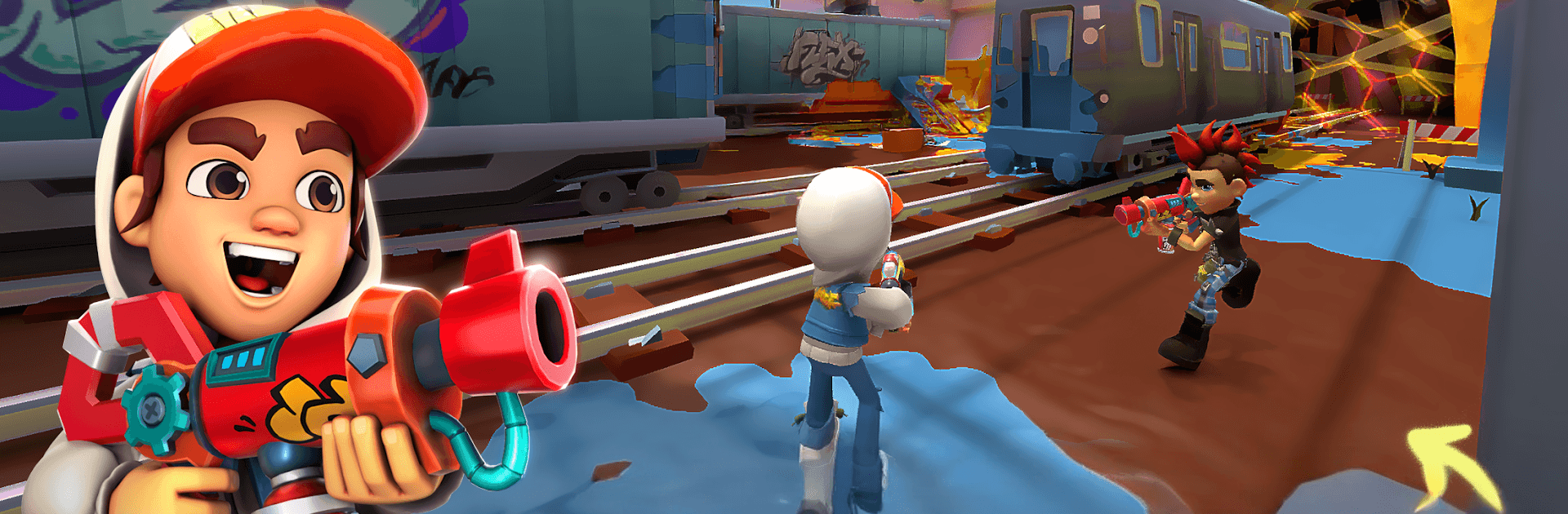
Paint Brawl from Boom-808 is a colorful, chaotic Action battler where teams of four sling paint for control of the map. Matches are quick and scrappy: cover turf, watch your flanks, and don’t get knocked out—or you’ll sit in respawn and give up ground. Prefer a keyboard and mouse? You can hop in on PC with BlueStacks, too.

Game Features

  • 4v4 Turf Wars: Win by coating more of the arena than the other team. Getting splashed means a short timeout, so surviving skirmishes matters just as much as spreading paint.

  • Real-Time PvP: Queue up against players worldwide in fast matchmaking. Rise through competitive tiers and snag rewards as your skills sharpen.

  • Distinct Arenas, New Plans: Each map pushes different routes, angles, and choke points. Swap strategies on the fly to hold key zones or stage sneaky flanks.

  • Build Your Crew: Collect a roster of unique characters and assemble a squad that fits your playstyle—brawlers up front, painters in back, or a balanced mix.

  • Custom Paint Arsenal: Craft your loadout with a range of weapons, from punchy sprayers to long-range paint launchers. Mix and match gear to cover wide areas or burst down opponents.

  • Deep Upgrades: Level up characters and weapons from common all the way to infinite rarity. Unlock new abilities and perks that open up fresh ways to play.

  • Missions That Matter: Knock out daily, weekly, and monthly goals to earn resources, cosmetics, and upgrade materials—perfect for steady progress without grinding yourself into the floor.

  • Momentum Moments: Smart team wipes and well-timed pushes can flip a match in seconds. Coordinate ultimates, protect painters, and snag last-second territory swings.

  • Optional Purchases: Includes in-game purchases; some items are randomized.

Slay your opponents with your epic moves. Play it your way on BlueStacks and dominate the battlefield.


Game Features

Enhancements

  • Macros
  • Multi Instance
  • Multi Instance Sync
  • Eco Mode
  • Enhancements
Macros

Macros

Skip the boring parts of a game. Play Paint Brawl with Macros and get the edge. Simply record a sequence of commands and execute them at any moment.
Multi Instance

Multi Instance

Why limit to one game on your phone when you can play many on your PC? Open multiple instances of Paint Brawl at once with Multi-Instance. Leverage the power of different accounts by doing more.
Multi Instance Sync

Multi Instance Sync

Get the best out of Paint Brawl with Multi-Instance Sync. Play the game from different accounts and build your own empire. Use Multi-instance sync to repeat the action in the main BlueStacks instance on all other instances.
Eco Mode

Eco Mode

Find the rarest heroes by making multiple summons in Paint Brawl. And while you are at it, reduce your PC’s resource consumption with the Eco Mode. Farm efficiently. Get the best results.
Read More

How to Download and Play Paint Brawl on PC or Mac

  • Download and install BlueStacks on your PC or Mac

  • Complete Google sign-in to access the Play Store, or do it later

  • Look for Paint Brawl in the search bar at the top right corner

  • Click to install Paint Brawl from the search results

  • Complete Google sign-in (if you skipped step 2) to install Paint Brawl

  • Click the Paint Brawl icon on the home screen to start playing

video
Watch Video

Minimum System Requirements

With BlueStacks 5, you can get started on a PC that fulfills the following requirements.

  • Operating System

    Microsoft Windows 7 or above, macOS 11 (Big Sur) or above

  • Processor

    Intel, AMD or Apple Silicon Processor

  • RAM

    at least 4GB

  • HDD

    10GB Free Disk Space

Note:

* You must be an Administrator on your PC. Up to date graphics drivers from Microsoft or the chipset vendor.

Paint Brawl - FAQs

  • How to play Paint Brawl on Windows PC & Mac?

    Play Paint Brawl on your PC or Mac by following these simple steps.

    • Click on 'Play Paint Brawl on PC’ to download BlueStacks
    • Install it and log-in to Google Play Store
    • Launch and play the game.
  • Why is BlueStacks the fastest and safest platform to play games on PC?

    BlueStacks respects your privacy and is always safe and secure to use. It does not carry any malware, spyware, or any sort of additional software that could harm your PC.

    It is engineered to optimize speed and performance for a seamless gaming experience.

  • What are Paint Brawl PC requirements?

    Minimum requirement to run Paint Brawl on your PC

    • OS: Microsoft Windows 7 or above MacOS 11 (Big Sur) or above
    • Processor: Intel, AMD or Apple Silicon Processor
    • RAM: Your PC must have at least 4GB of RAM. (Note that having 4GB or more disk space is not a substitute for RAM)
    • HDD: 10GB Free Disk Space.
    • You must be an Administrator on your PC.