People Stick Playground

People Stick Playground

Action

| Solutech Pro

Play on PC with BlueStacks or from our cloud

  • Overview
  • Game Features
  • How to Play

Page Modified On: January 13, 2026

Play People Stick Playground on PC or Mac

Join millions to experience People Stick Playground, an exciting Action game from Solutech Pro. With BlueStacks App Player, you are always a step ahead of your opponent, ready to outplay them with faster gameplay and better control with the mouse and keyboard on your PC or Mac.

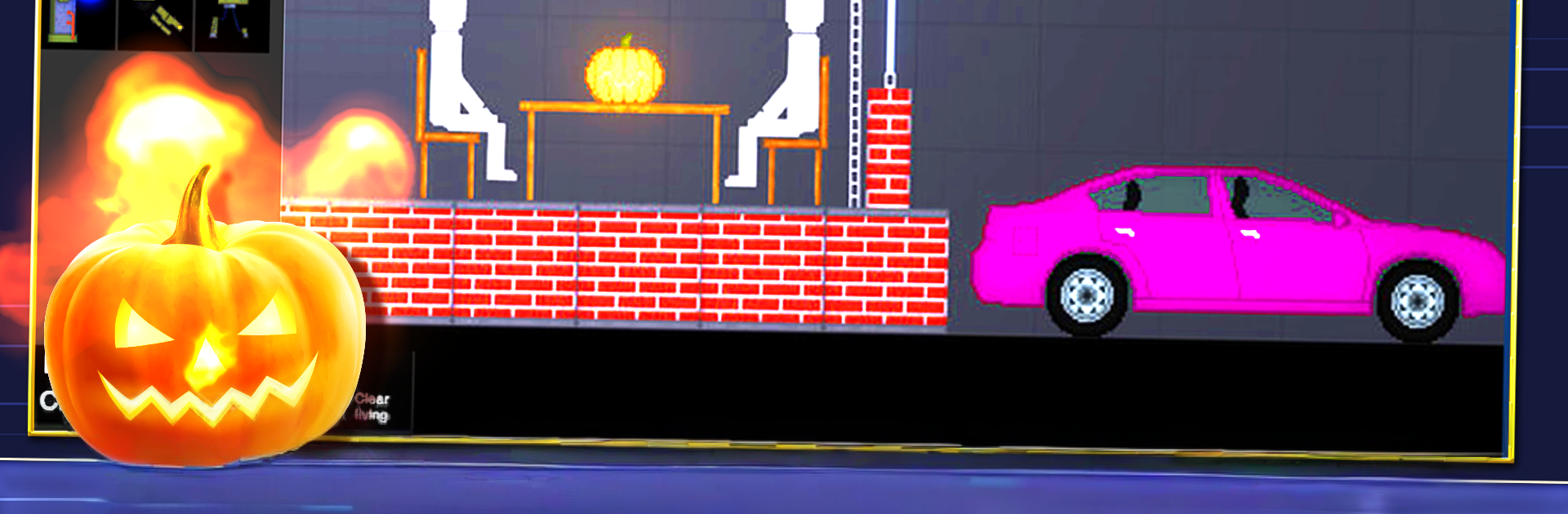
People Stick Playground is basically a big toy box full of physics chaos. The player drops stick people, crates, glass panels, cars, strange machines, then wires or smashes them together to see what breaks first. It is not about missions or score. It is about experiments. Flip on electricity and watch circuits arc, set something on fire and see it spread, stack pressure with explosives until the whole rig shakes itself apart. The ragdolls flop in that silly, heavy way that makes small accidents turn into ridiculous pileups. Stuff dents, shatters, and explodes with a lot of crunchy detail, which is half the fun. There is a reset button and it will get used a lot, because the best moments come from building a chain of parts and watching it all go, then tweaking one piece and trying again.

There is a mod scene that adds more tools, maps, and odd gadgets, so the sandbox keeps growing if someone wants more than the default set. It suits anyone who enjoys poking at systems and letting cause and effect do the storytelling. On PC through BlueStacks, the mouse makes it easier to grab tiny parts, rotate things cleanly, and line up wires without fighting touch controls, so building feels smoother. The look is simple stick art, but the physics and sounds sell the impact, and that mix of clean visuals and messy outcomes is weirdly relaxing. It can be a 5 minute stress test or a whole evening of tinkering, depends how deep the next contraption goes.

Make your gaming sessions memorable with precise controls that give you an edge in close combats and visuals that pop up, bringing every character to life.


Game Features

Enhancements

  • Macros
  • Multi Instance
  • Multi Instance Sync
  • Eco Mode
  • Enhancements
Macros

Macros

Skip the boring parts of a game. Play People Stick Playground with Macros and get the edge. Simply record a sequence of commands and execute them at any moment.
Multi Instance

Multi Instance

Why limit to one game on your phone when you can play many on your PC? Open multiple instances of People Stick Playground at once with Multi-Instance. Leverage the power of different accounts by doing more.
Multi Instance Sync

Multi Instance Sync

Get the best out of People Stick Playground with Multi-Instance Sync. Play the game from different accounts and build your own empire. Use Multi-instance sync to repeat the action in the main BlueStacks instance on all other instances.
Eco Mode

Eco Mode

Find the rarest heroes by making multiple summons in People Stick Playground. And while you are at it, reduce your PC’s resource consumption with the Eco Mode. Farm efficiently. Get the best results.
Read More

How to Download and Play People Stick Playground on PC or Mac

  • Download and install BlueStacks on your PC or Mac

  • Complete Google sign-in to access the Play Store, or do it later

  • Look for People Stick Playground in the search bar at the top right corner

  • Click to install People Stick Playground from the search results

  • Complete Google sign-in (if you skipped step 2) to install People Stick Playground

  • Click the People Stick Playground icon on the home screen to start playing

video
Watch Video

Minimum System Requirements

With BlueStacks 5, you can get started on a PC that fulfills the following requirements.

  • Operating System

    Microsoft Windows 7 or above, macOS 11 (Big Sur) or above

  • Processor

    Intel, AMD or Apple Silicon Processor

  • RAM

    at least 4GB

  • HDD

    10GB Free Disk Space

Note:

* You must be an Administrator on your PC. Up to date graphics drivers from Microsoft or the chipset vendor.

People Stick Playground - FAQs

  • How to play People Stick Playground on Windows PC & Mac?

    Play People Stick Playground on your PC or Mac by following these simple steps.

    • Click on 'Play People Stick Playground on PC’ to download BlueStacks
    • Install it and log-in to Google Play Store
    • Launch and play the game.
  • Why is BlueStacks the fastest and safest platform to play games on PC?

    BlueStacks respects your privacy and is always safe and secure to use. It does not carry any malware, spyware, or any sort of additional software that could harm your PC.

    It is engineered to optimize speed and performance for a seamless gaming experience.

  • What are People Stick Playground PC requirements?

    Minimum requirement to run People Stick Playground on your PC

    • OS: Microsoft Windows 7 or above MacOS 11 (Big Sur) or above
    • Processor: Intel, AMD or Apple Silicon Processor
    • RAM: Your PC must have at least 4GB of RAM. (Note that having 4GB or more disk space is not a substitute for RAM)
    • HDD: 10GB Free Disk Space.
    • You must be an Administrator on your PC.