Minicraft: Block Craft & Build

Minicraft: Block Craft & Build

Simulation

| NURACLOTHING VENTURES

Play on PC with BlueStacks or from our cloud

  • Overview
  • Game Features
  • How to Play

Page Modified On: April 13, 2026

Play Minicraft: Block Craft & Build on PC or Mac

Step into the World of Minicraft: Block Craft & Build, a thrilling Simulation game from the house of NURACLOTHING VENTURES. Play this Android game on BlueStacks App Player and experience immersive gaming on PC or Mac.

About the Game

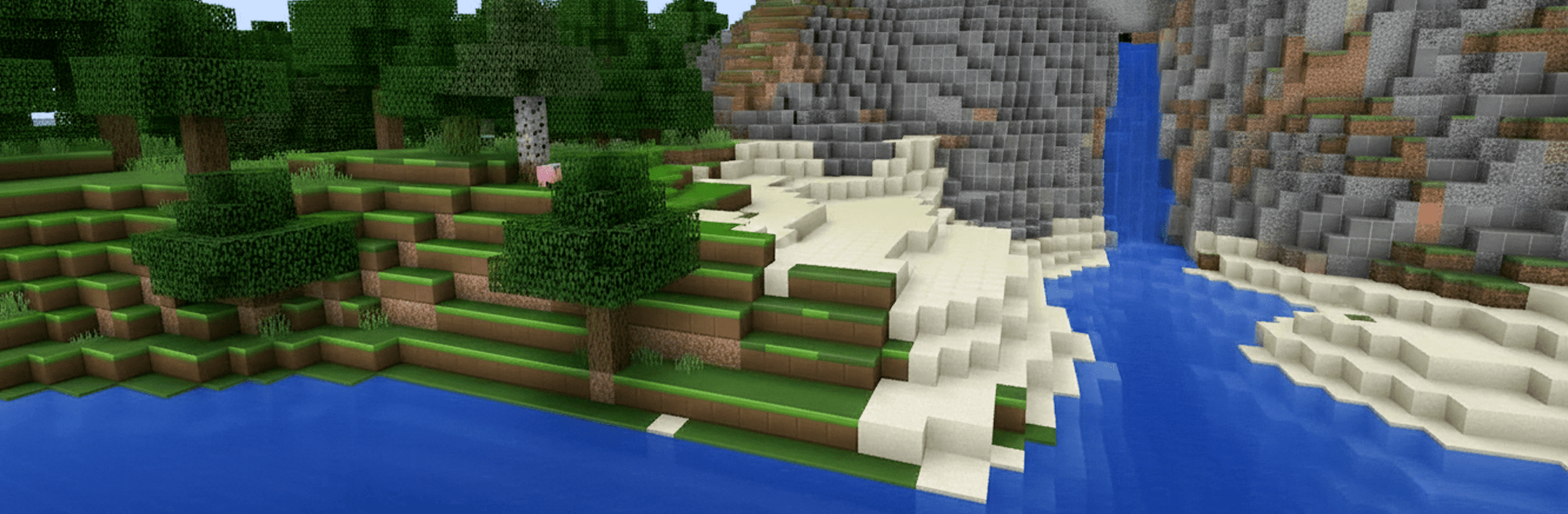
Minicraft: Block Craft & Build is a laid-back yet surprisingly deep Simulation sandbox from NURACLOTHING VENTURES. It drops you in a bright, blocky 3D world where you can build for hours, go exploring just to see what’s over that next hill, or test your survival chops when night falls. Prefer a keyboard and mouse? It runs smoothly on PC with BlueStacks too.

Game Features

  • Vast open world: Wander through forests, snowy peaks, wide oceans, and twisting caves in a procedurally generated world that always feels fresh.
  • Two play styles: Kick back in Creative Mode with unlimited blocks and free flight, or jump into Survival Mode where you’ll mine resources, craft gear, and face tougher threats after dark.
  • Effortless building: Snap blocks into place, sketch out houses or sprawling cities, and experiment with detailed designs without wrestling with clunky menus.
  • Mining and crafting: Dig for ores and rare materials, then craft tools, weapons, armor, and handy items that push your builds and adventures further.
  • Enchanting and potions: Power up your favorite gear with useful perks and brew potions that help you last longer in the wild.
  • Automation and logic: Set up simple machines, traps, and smart contraptions to harvest resources or defend your base while you focus on bigger projects.
  • Play with friends: Team up to tackle giant builds, share resources, or host friendly challenges in a flexible multiplayer setup.
  • Biomes and beyond: Discover distinct biomes with unique resources, then step into extra dimensions for tougher foes and rare loot that shake up your routine.

Start your journey now. Download the game on BlueStacks, invite your friends, and march on a new adventure.


Game Features

Enhancements

  • Macros
  • Multi Instance
  • Multi Instance Sync
  • Script
  • Enhancements
Macros

Macros

Automate the predictable in Minicraft: Block Craft & Build and transform your gameplay with Macros. Get access to inventive Macros in the BlueStacks Macro Community
Multi Instance

Multi Instance

Play Minicraft: Block Craft & Build on one window. And chat with your friend on the other. Press CTRL + Shift + 8 to open the Multi-Instance Manager. And start creating fresh instances or clone an existing one.
Multi Instance Sync

Multi Instance Sync

Play Minicraft: Block Craft & Build with the power of Multi-Instance Sync. Replicate what you are doing on the main instance on all other instances. Level up faster, play more.
Script

Script

Script your way to gaming glory in Minicraft: Block Craft & Build with BlueStacks Script. Write and run a set of commands to automate repeated tasks. Trigger the command by assigning it to any key.
Read More

How to Download and Play Minicraft: Block Craft & Build on PC or Mac

  • Download and install BlueStacks on your PC or Mac

  • Complete Google sign-in to access the Play Store, or do it later

  • Look for Minicraft: Block Craft & Build in the search bar at the top right corner

  • Click to install Minicraft: Block Craft & Build from the search results

  • Complete Google sign-in (if you skipped step 2) to install Minicraft: Block Craft & Build

  • Click the Minicraft: Block Craft & Build icon on the home screen to start playing

video
Watch Video

Minimum System Requirements

With BlueStacks 5, you can get started on a PC that fulfills the following requirements.

  • Operating System

    Microsoft Windows 7 or above, macOS 11 (Big Sur) or above

  • Processor

    Intel, AMD or Apple Silicon Processor

  • RAM

    at least 4GB

  • HDD

    10GB Free Disk Space

Note:

* You must be an Administrator on your PC. Up to date graphics drivers from Microsoft or the chipset vendor.

Minicraft: Block Craft & Build - FAQs

  • How to play Minicraft: Block Craft & Build on Windows PC & Mac?

    Play Minicraft: Block Craft & Build on your PC or Mac by following these simple steps.

    • Click on 'Play Minicraft: Block Craft & Build on PC’ to download BlueStacks
    • Install it and log-in to Google Play Store
    • Launch and play the game.
  • Why is BlueStacks the fastest and safest platform to play games on PC?

    BlueStacks respects your privacy and is always safe and secure to use. It does not carry any malware, spyware, or any sort of additional software that could harm your PC.

    It is engineered to optimize speed and performance for a seamless gaming experience.

  • What are Minicraft: Block Craft & Build PC requirements?

    Minimum requirement to run Minicraft: Block Craft & Build on your PC

    • OS: Microsoft Windows 7 or above MacOS 11 (Big Sur) or above
    • Processor: Intel, AMD or Apple Silicon Processor
    • RAM: Your PC must have at least 4GB of RAM. (Note that having 4GB or more disk space is not a substitute for RAM)
    • HDD: 10GB Free Disk Space.
    • You must be an Administrator on your PC.