RAPIRA
RAPIRA

RAPIRA

Action

| Tags Play

Play on PC with BlueStacks or from our cloud

  • Overview
  • Game Features
  • How to Play

Page Modified On: December 22, 2025

Play RAPIRA on PC or Mac

RAPIRA brings the Action genre to life, and throws up exciting challenges for gamers. Developed by Tags Play, this Android game is best experienced on BlueStacks, the World’s #1 app player for PC and Mac users.

About the Game

RAPIRA from Tags Play is a punchy, competitive first-person shooter that’s all about smart plays and sharp aim. This Action experience centers on bomb scenarios, tight team coordination, and a ranked climb that rewards pure skill. Want to play on the go or with a keyboard and mouse on BlueStacks? You’ve got options.

Game Features

  • Tactical maps: Battle across handcrafted locations with tight chokepoints, open lanes, vertical vantage points, and sneaky flanks. Control space, read rotations, and turn one good setup into a round win.
  • Bomb-focused combat: Terrorists push to plant while counter-terrorists lock down sites and defuse. Every callout and crossfire matters when each round can swing the match.
  • Ranked and MMR climb: Queue up for Matchmaking or the 2v2 Wingman mode, raise your MMR and Rank, and work your way onto the global leaderboard. Clean, competitive, no fluff.
  • Multiple ways to play: Jump into classic bomb matches, team deathmatch for nonstop action, pure aim duels, or sniper-only AWM showdowns when you want that high-stakes pick.
  • Crisp gunfeel and visuals: Expect believable recoil, snappy reloads, and detailed weapon models. Soft shadows, clear long-range rendering, and effects like smoke, muzzle flashes, and shell casings keep firefights readable at high, steady frame rates.
  • Build your fighter: Choose an agent look, throw on masks, bandanas, and accessories, and skin everything—from rifles to grenades and knives. Drop graffiti after a clutch round and give your operator a vibe that fits your side.
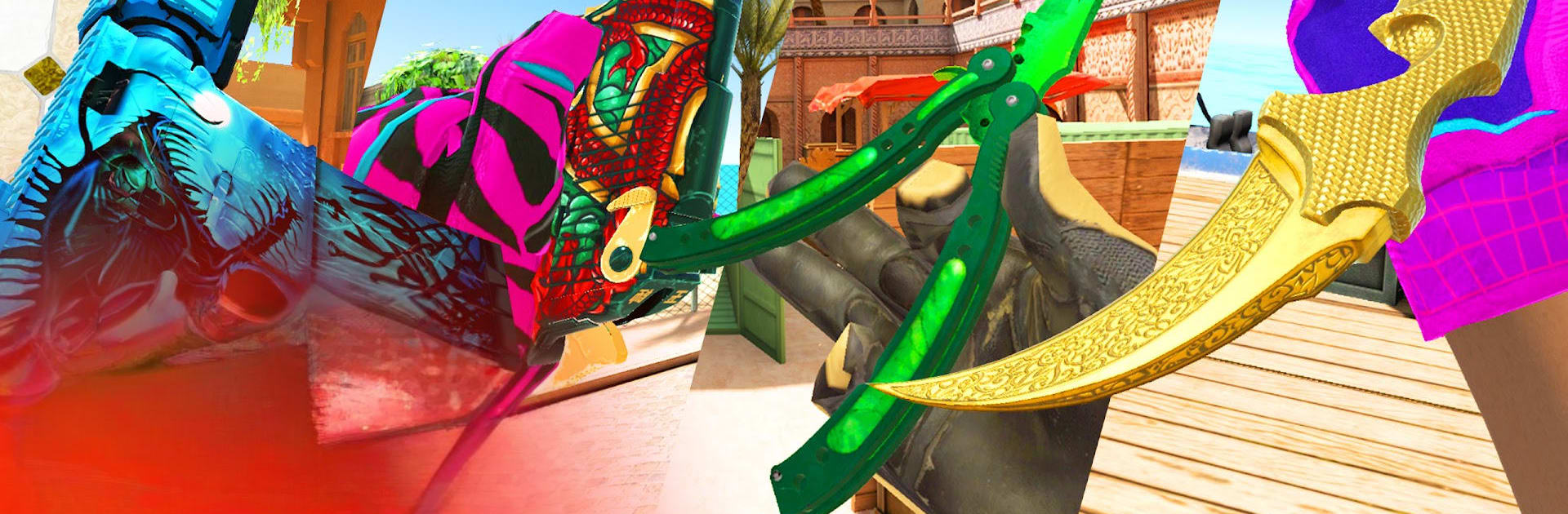
  • Skins and rare drops: Hunt down stylish finishes for knives (yes, including karambits), rifles, and more. Open cases, grow your inventory, and chase side-specific skins that match your playstyle.
  • Player trading: Use the in-game market to trade with others, complete sets, and snag deals that make your loadouts feel truly yours.
  • Community-driven development: Share ideas, create content, and help shape how RAPIRA looks and plays as it evolves.

Ready to top the leaderboard? We bet you do. Let precise controls and sharp visuals optimized on BlueStacks lead you to victory.


Game Features

Enhancements

  • Macros
  • Multi Instance
  • Multi Instance Sync
  • Eco Mode
  • Enhancements
Macros

Macros

Skip the boring parts of a game. Play RAPIRA with Macros and get the edge. Simply record a sequence of commands and execute them at any moment.
Multi Instance

Multi Instance

Why limit to one game on your phone when you can play many on your PC? Open multiple instances of RAPIRA at once with Multi-Instance. Leverage the power of different accounts by doing more.
Multi Instance Sync

Multi Instance Sync

Get the best out of RAPIRA with Multi-Instance Sync. Play the game from different accounts and build your own empire. Use Multi-instance sync to repeat the action in the main BlueStacks instance on all other instances.
Eco Mode

Eco Mode

Find the rarest heroes by making multiple summons in RAPIRA. And while you are at it, reduce your PC’s resource consumption with the Eco Mode. Farm efficiently. Get the best results.
Read More

How to Download and Play RAPIRA on PC or Mac

  • Download and install BlueStacks on your PC or Mac

  • Complete Google sign-in to access the Play Store, or do it later

  • Look for RAPIRA in the search bar at the top right corner

  • Click to install RAPIRA from the search results

  • Complete Google sign-in (if you skipped step 2) to install RAPIRA

  • Click the RAPIRA icon on the home screen to start playing

video
Watch Video

Minimum System Requirements

With BlueStacks 5, you can get started on a PC that fulfills the following requirements.

  • Operating System

    Microsoft Windows 7 or above, macOS 11 (Big Sur) or above

  • Processor

    Intel, AMD or Apple Silicon Processor

  • RAM

    at least 4GB

  • HDD

    10GB Free Disk Space

Note:

* You must be an Administrator on your PC. Up to date graphics drivers from Microsoft or the chipset vendor.

RAPIRA - FAQs

  • How to play RAPIRA on Windows PC & Mac?

    Play RAPIRA on your PC or Mac by following these simple steps.

    • Click on 'Play RAPIRA on PC’ to download BlueStacks
    • Install it and log-in to Google Play Store
    • Launch and play the game.
  • Why is BlueStacks the fastest and safest platform to play games on PC?

    BlueStacks respects your privacy and is always safe and secure to use. It does not carry any malware, spyware, or any sort of additional software that could harm your PC.

    It is engineered to optimize speed and performance for a seamless gaming experience.

  • What are RAPIRA PC requirements?

    Minimum requirement to run RAPIRA on your PC

    • OS: Microsoft Windows 7 or above MacOS 11 (Big Sur) or above
    • Processor: Intel, AMD or Apple Silicon Processor
    • RAM: Your PC must have at least 4GB of RAM. (Note that having 4GB or more disk space is not a substitute for RAM)
    • HDD: 10GB Free Disk Space.
    • You must be an Administrator on your PC.