Rise of Battle Royale

Rise of Battle Royale

Action

| Tnodes

Play on PC with BlueStacks or from our cloud

  • Overview
  • Game Features
  • How to Play

Page Modified On: December 15, 2025

Play Rise of Battle Royale on PC or Mac

Rise of Battle Royale brings the Action genre to life, and throws up exciting challenges for gamers. Developed by Tnodes, this Android game is best experienced on BlueStacks, the World’s #1 app player for PC and Mac users.

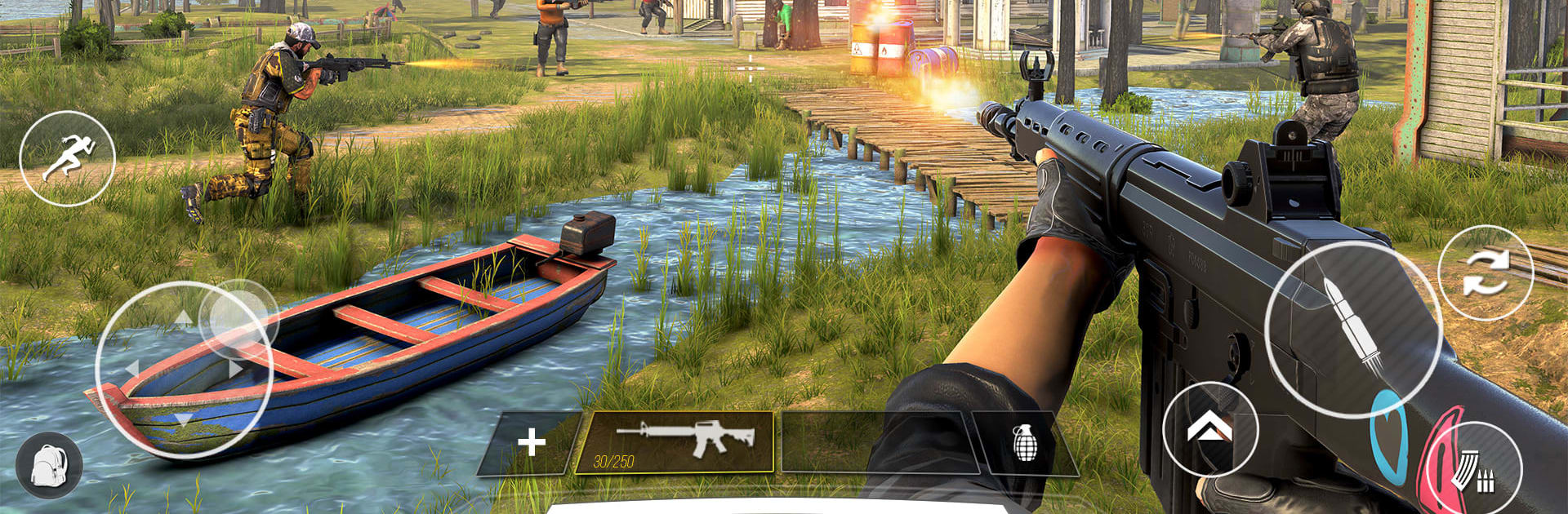
Rise of Battle Royale plays like a classic last‑one‑standing shooter, but the field is crawling with zombies that will not leave fights alone. Players drop anywhere, rummage through buildings for guns, armor, grenades, even a machete or two, then try to outlast big lobbies while the safe circle keeps squeezing everyone together. The twist changes how matches flow. Zombies wander between squads, pull aggro off noisy gunfire, and can ruin a duel by stumbling in at the worst time. Smart players kite them toward enemies or clear a few for extra loot, but staying too long gets loud and messy, so there is a constant push‑pull between greed and survival.

Guns feel varied enough to matter. Assault rifles for mid range, pump shotguns for tight corners, SMGs for fast clears, plus throwables and explosives to flush campers. There are vehicles and different maps too, like busted city blocks, damp villages, and old factories with lots of angles. Solo runs are tense and sneaky, while squad mode is louder, about callouts and trading revives. Character skins and weapon skins add some style, and loadouts can be tuned a bit to fit how someone likes to fight. On PC through BlueStacks the mouse aim and keybinds make looting and peeking faster, which helps when a pack of undead decides to third‑party right as another team rolls up.

Ready to top the leaderboard? We bet you do. Let precise controls and sharp visuals optimized on BlueStacks lead you to victory.


Game Features

Enhancements

  • Macros
  • Multi Instance
  • Multi Instance Sync
  • Eco Mode
  • Enhancements
Macros

Macros

Skip the boring parts of a game. Play Rise of Battle Royale with Macros and get the edge. Simply record a sequence of commands and execute them at any moment.
Multi Instance

Multi Instance

Why limit to one game on your phone when you can play many on your PC? Open multiple instances of Rise of Battle Royale at once with Multi-Instance. Leverage the power of different accounts by doing more.
Multi Instance Sync

Multi Instance Sync

Get the best out of Rise of Battle Royale with Multi-Instance Sync. Play the game from different accounts and build your own empire. Use Multi-instance sync to repeat the action in the main BlueStacks instance on all other instances.
Eco Mode

Eco Mode

Find the rarest heroes by making multiple summons in Rise of Battle Royale. And while you are at it, reduce your PC’s resource consumption with the Eco Mode. Farm efficiently. Get the best results.
Read More

How to Download and Play Rise of Battle Royale on PC or Mac

  • Download and install BlueStacks on your PC or Mac

  • Complete Google sign-in to access the Play Store, or do it later

  • Look for Rise of Battle Royale in the search bar at the top right corner

  • Click to install Rise of Battle Royale from the search results

  • Complete Google sign-in (if you skipped step 2) to install Rise of Battle Royale

  • Click the Rise of Battle Royale icon on the home screen to start playing

video
Watch Video

Minimum System Requirements

With BlueStacks 5, you can get started on a PC that fulfills the following requirements.

  • Operating System

    Microsoft Windows 7 or above, macOS 11 (Big Sur) or above

  • Processor

    Intel, AMD or Apple Silicon Processor

  • RAM

    at least 4GB

  • HDD

    10GB Free Disk Space

Note:

* You must be an Administrator on your PC. Up to date graphics drivers from Microsoft or the chipset vendor.

Rise of Battle Royale - FAQs

  • How to play Rise of Battle Royale on Windows PC & Mac?

    Play Rise of Battle Royale on your PC or Mac by following these simple steps.

    • Click on 'Play Rise of Battle Royale on PC’ to download BlueStacks
    • Install it and log-in to Google Play Store
    • Launch and play the game.
  • Why is BlueStacks the fastest and safest platform to play games on PC?

    BlueStacks respects your privacy and is always safe and secure to use. It does not carry any malware, spyware, or any sort of additional software that could harm your PC.

    It is engineered to optimize speed and performance for a seamless gaming experience.

  • What are Rise of Battle Royale PC requirements?

    Minimum requirement to run Rise of Battle Royale on your PC

    • OS: Microsoft Windows 7 or above MacOS 11 (Big Sur) or above
    • Processor: Intel, AMD or Apple Silicon Processor
    • RAM: Your PC must have at least 4GB of RAM. (Note that having 4GB or more disk space is not a substitute for RAM)
    • HDD: 10GB Free Disk Space.
    • You must be an Administrator on your PC.