
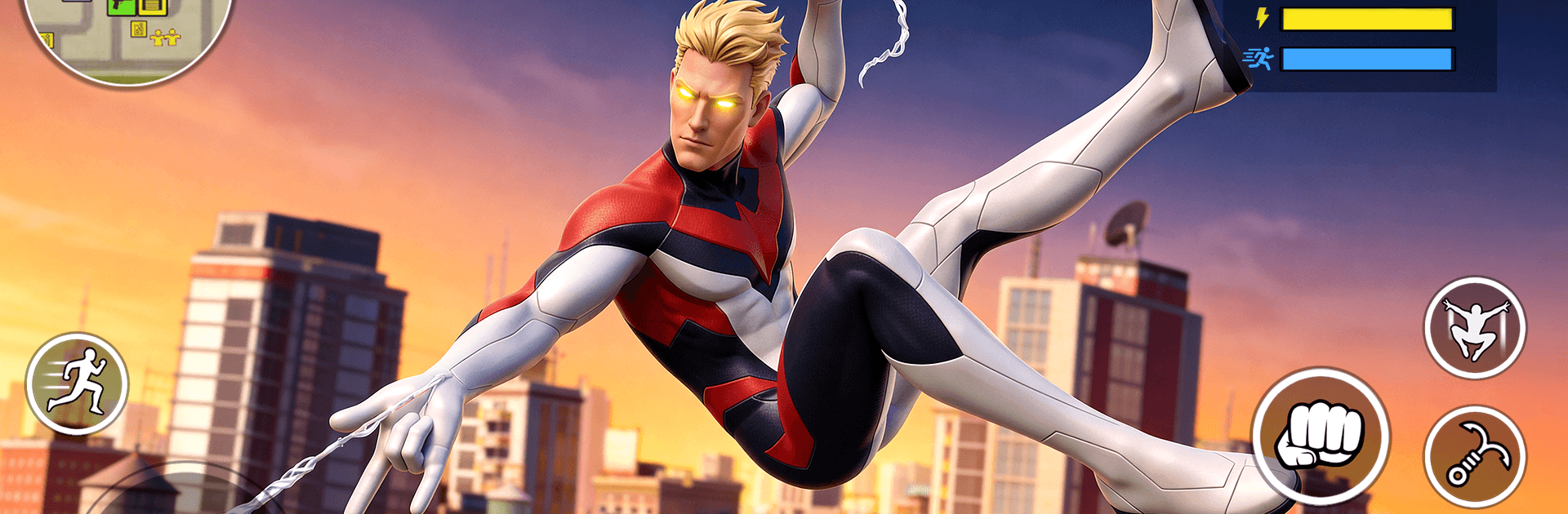
Rope Flying Hero Prime

Rope Flying Hero Prime

Action

| AN NGUYEN AUTO

Play on PC with BlueStacks or from our cloud

  • Overview
  • Game Features
  • How to Play

Page Modified On: May 25, 2026

Play Rope Flying Hero Prime on PC or Mac

Step into the World of Rope Flying Hero Prime, a thrilling Action game from the house of AN NGUYEN AUTO. Play this Android game on BlueStacks App Player and experience immersive gaming on PC or Mac.

About the Game

Rope Flying Hero Prime drops you into a fast, open-world Action playground where you’re a rope-slinging vigilante with serious moves. Swing between high-rises, crash crime rings, and choose whether you’re the city’s guardian angel or a one‑person whirlwind of chaos. Want a bigger screen and comfy controls? It also plays smoothly on PC with BlueStacks.

Game Features

  • Signature Swinging: Snap a line to rooftops and arc across blocks with snappy, momentum-based movement that makes traversal feel effortless and fun.
  • Crunchy Combat: Throw tight combos, mix punches and kicks, then finish with special abilities that launch foes skyward or clear a crowd.
  • Big Open City: Roam busy streets, rooftops, and back alleys packed with side gigs, hidden stashes, and plenty of trouble to clean up (or cause).
  • Wheels and Mayhem: Jump into cars or bikes for high-speed chases, rapid getaways, or just to test how many cones you can clip in a single sprint.
  • Missions That Escalate: Tackle quick-hit objectives, tense hostage rescues, boss showdowns, and timed pursuits that push your reflexes.
  • Play Your Style: Chase criminals roof to roof, glide in low and stealthy, or drop in loud—your tools and powers support more than one approach.
  • Polished 3D Look: Crisp cityscapes, clean effects, and smooth performance keep the action readable when the punches (and you) start flying.

Start playing Rope Flying Hero Prime on BlueStacks and get a smoother, more comfortable PC or Mac setup.


Game Features

Enhancements

  • Macros
  • Multi Instance
  • Multi Instance Sync
  • Eco Mode
  • Enhancements
Macros

Macros

Skip the boring parts of a game. Play Rope Flying Hero Prime with Macros and get the edge. Simply record a sequence of commands and execute them at any moment.
Multi Instance

Multi Instance

Why limit to one game on your phone when you can play many on your PC? Open multiple instances of Rope Flying Hero Prime at once with Multi-Instance. Leverage the power of different accounts by doing more.
Multi Instance Sync

Multi Instance Sync

Get the best out of Rope Flying Hero Prime with Multi-Instance Sync. Play the game from different accounts and build your own empire. Use Multi-instance sync to repeat the action in the main BlueStacks instance on all other instances.
Eco Mode

Eco Mode

Find the rarest heroes by making multiple summons in Rope Flying Hero Prime. And while you are at it, reduce your PC’s resource consumption with the Eco Mode. Farm efficiently. Get the best results.
Read More

How to Download and Play Rope Flying Hero Prime on PC or Mac

  • Download and install BlueStacks on your PC or Mac

  • Complete Google sign-in to access the Play Store, or do it later

  • Look for Rope Flying Hero Prime in the search bar at the top right corner

  • Click to install Rope Flying Hero Prime from the search results

  • Complete Google sign-in (if you skipped step 2) to install Rope Flying Hero Prime

  • Click the Rope Flying Hero Prime icon on the home screen to start playing

video
Watch Video

Minimum System Requirements

With BlueStacks 5, you can get started on a PC that fulfills the following requirements.

  • Operating System

    Microsoft Windows 7 or above, macOS 11 (Big Sur) or above

  • Processor

    Intel, AMD or Apple Silicon Processor

  • RAM

    at least 4GB

  • HDD

    10GB Free Disk Space

Note:

* You must be an Administrator on your PC. Up to date graphics drivers from Microsoft or the chipset vendor.

Rope Flying Hero Prime - FAQs

  • How to play Rope Flying Hero Prime on Windows PC & Mac?

    Play Rope Flying Hero Prime on your PC or Mac by following these simple steps.

    • Click on 'Play Rope Flying Hero Prime on PC’ to download BlueStacks
    • Install it and log-in to Google Play Store
    • Launch and play the game.
  • Why is BlueStacks the fastest and safest platform to play games on PC?

    BlueStacks respects your privacy and is always safe and secure to use. It does not carry any malware, spyware, or any sort of additional software that could harm your PC.

    It is engineered to optimize speed and performance for a seamless gaming experience.

  • What are Rope Flying Hero Prime PC requirements?

    Minimum requirement to run Rope Flying Hero Prime on your PC

    • OS: Microsoft Windows 7 or above MacOS 11 (Big Sur) or above
    • Processor: Intel, AMD or Apple Silicon Processor
    • RAM: Your PC must have at least 4GB of RAM. (Note that having 4GB or more disk space is not a substitute for RAM)
    • HDD: 10GB Free Disk Space.
    • You must be an Administrator on your PC.







