ScarFall 2.0 : Battle Royale

ScarFall 2.0 : Battle Royale

Action

| Xsquads Tech Private Limited

Play on PC with BlueStacks or from our cloud

  • Overview
  • Game Features
  • How to Play

Page Modified On: April 01, 2026

Play ScarFall 2.0 : Battle Royale on PC or Mac

Step into the World of ScarFall 2.0 : Battle Royale, a thrilling Action game from the house of Xsquads Tech Private Limited. Play this Android game on BlueStacks App Player and experience immersive gaming on PC or Mac.

About the Game

ScarFall 2.0 : Battle Royale drops you into fast, tactical firefights where quick thinking and smooth teamwork make all the difference. This Indian-made Action shooter from Xsquads Tech Private Limited mixes survival tension with arcade-fast gunplay across bold, recognizable locations. Expect real-time battles, flexible loadouts, and fresh seasonal twists that keep every match feeling new. Prefer playing on PC? It also feels right at home on BlueStacks.

Game Features

  • Carnival-Themed ScarPass: A festive season brings bright outfits, flashy weapon skins, and event rewards inspired by music, rides, and celebration. Show up loud, then back it up with skill.
  • Three Ways to Fight: Hop into Classic Battle Royale on the Andaman map with 40 players and up to three respawns, go Hardcore in Mumbai with 100 players and no second chances, or lock in quick Team Deathmatch bouts—tight 4v4s in Snow Park or big 8v8 clashes in Goa.
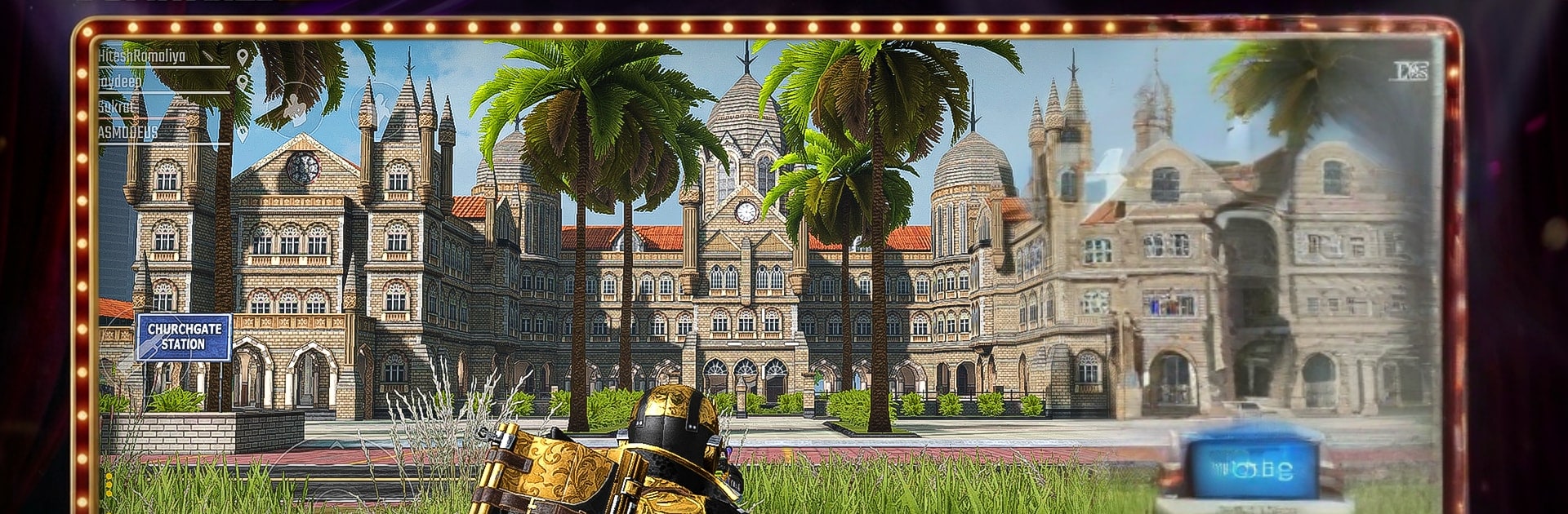
  • Iconic Indian Maps: Battle across Mumbai’s stations, rooftops, and moving local trains; take long shots over Andaman’s open islands; push lanes in Goa’s beachside town; or scrap up close in the icy Snow Park arena.
  • Real-Time Multiplayer: Smooth online play keeps squads synced and firefights crisp, with live voice chat for planning flanks, clutch revives, and last‑second callouts.
  • Custom Loadouts: Build your kit around the way you like to fight—assault rifles for all-out pressure, snipers for patient picks, and more.
  • Vehicles That Change Fights: Cut across the map with the Chakdo, Rickshaw, Jeep, Bike, or take to the skies in a Helicopter for bold rotations and surprise pushes.
  • Train Tactics in Mumbai: Use the city’s moving local trains to reposition fast, break sightlines, or crash a fight from an unexpected angle.
  • Ranked Competition: Climb leagues and chase leaderboard glory with your squad, one clutch win at a time.
  • Optimized and Responsive: A low MB download built for smooth performance and clean visuals on a wide range of phones, from entry-level to high-end.

Slay your opponents with your epic moves. Play it your way on BlueStacks and dominate the battlefield.


Game Features

Enhancements

  • Macros
  • Multi Instance
  • Multi Instance Sync
  • Eco Mode
  • Enhancements
Macros

Macros

Skip the boring parts of a game. Play ScarFall 2.0 : Battle Royale with Macros and get the edge. Simply record a sequence of commands and execute them at any moment.
Multi Instance

Multi Instance

Why limit to one game on your phone when you can play many on your PC? Open multiple instances of ScarFall 2.0 : Battle Royale at once with Multi-Instance. Leverage the power of different accounts by doing more.
Multi Instance Sync

Multi Instance Sync

Get the best out of ScarFall 2.0 : Battle Royale with Multi-Instance Sync. Play the game from different accounts and build your own empire. Use Multi-instance sync to repeat the action in the main BlueStacks instance on all other instances.
Eco Mode

Eco Mode

Find the rarest heroes by making multiple summons in ScarFall 2.0 : Battle Royale. And while you are at it, reduce your PC’s resource consumption with the Eco Mode. Farm efficiently. Get the best results.
Read More

How to Download and Play ScarFall 2.0 : Battle Royale on PC or Mac

  • Download and install BlueStacks on your PC or Mac

  • Complete Google sign-in to access the Play Store, or do it later

  • Look for ScarFall 2.0 : Battle Royale in the search bar at the top right corner

  • Click to install ScarFall 2.0 : Battle Royale from the search results

  • Complete Google sign-in (if you skipped step 2) to install ScarFall 2.0 : Battle Royale

  • Click the ScarFall 2.0 : Battle Royale icon on the home screen to start playing

video
Watch Video

Minimum System Requirements

With BlueStacks 5, you can get started on a PC that fulfills the following requirements.

  • Operating System

    Microsoft Windows 7 or above, macOS 11 (Big Sur) or above

  • Processor

    Intel, AMD or Apple Silicon Processor

  • RAM

    at least 4GB

  • HDD

    10GB Free Disk Space

Note:

* You must be an Administrator on your PC. Up to date graphics drivers from Microsoft or the chipset vendor.

ScarFall 2.0 : Battle Royale - FAQs

  • How to play ScarFall 2.0 : Battle Royale on Windows PC & Mac?

    Play ScarFall 2.0 : Battle Royale on your PC or Mac by following these simple steps.

    • Click on 'Play ScarFall 2.0 : Battle Royale on PC’ to download BlueStacks
    • Install it and log-in to Google Play Store
    • Launch and play the game.
  • Why is BlueStacks the fastest and safest platform to play games on PC?

    BlueStacks respects your privacy and is always safe and secure to use. It does not carry any malware, spyware, or any sort of additional software that could harm your PC.

    It is engineered to optimize speed and performance for a seamless gaming experience.

  • What are ScarFall 2.0 : Battle Royale PC requirements?

    Minimum requirement to run ScarFall 2.0 : Battle Royale on your PC

    • OS: Microsoft Windows 7 or above MacOS 11 (Big Sur) or above
    • Processor: Intel, AMD or Apple Silicon Processor
    • RAM: Your PC must have at least 4GB of RAM. (Note that having 4GB or more disk space is not a substitute for RAM)
    • HDD: 10GB Free Disk Space.
    • You must be an Administrator on your PC.