Stick Shinobi Fighting

Stick Shinobi Fighting

Action

| NAGOO STUDIO

Play on PC with BlueStacks or from our cloud

  • Overview
  • Game Features
  • How to Play

Page Modified On: October 03, 2025

Play Stick Shinobi Fighting on PC or Mac

Step into the World of Stick Shinobi Fighting, a thrilling Action game from the house of NAGOO STUDIO. Play this Android game on BlueStacks App Player and experience immersive gaming on PC or Mac.

About the Game

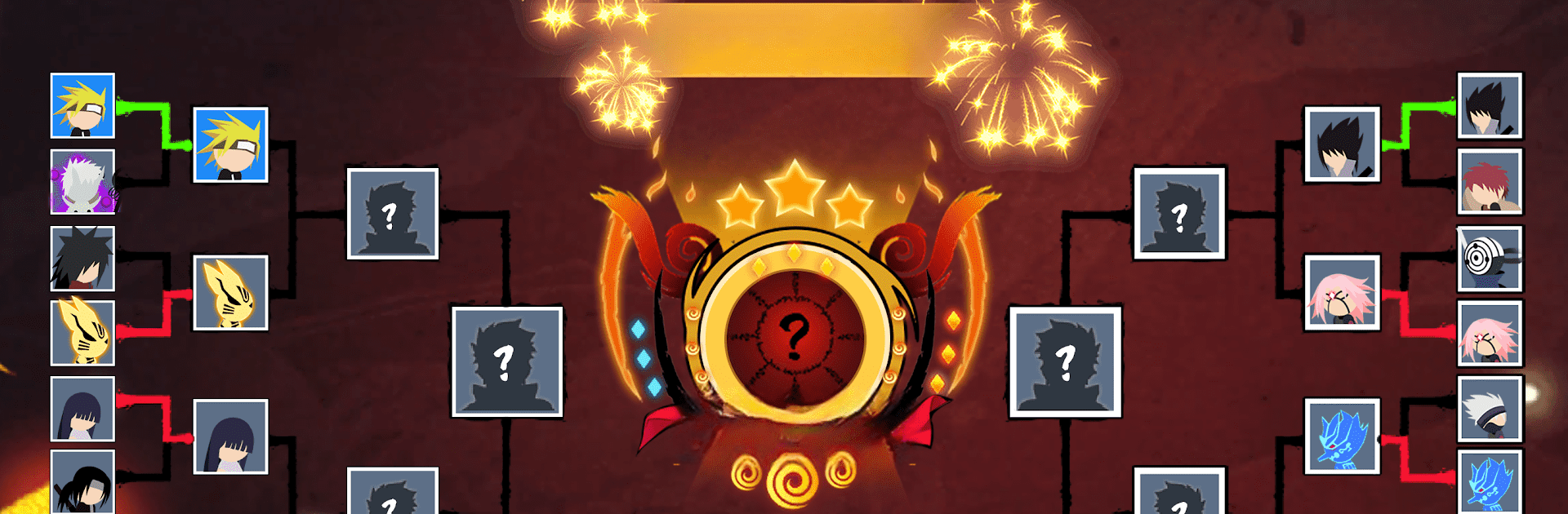
Stick Shinobi Fighting is a fast, one-on-one Action brawler from NAGOO STUDIO where quick reactions and clean combos carry you from rookie to unstoppable. Pick a fighter with a style that fits, push through a ladder of arenas, and face bosses that really don’t mess around. Prefer playing on a bigger screen? It runs nicely on BlueStacks with keyboard-and-mouse controls.

Game Features

  • Unpredictable Stages — Battle across varied arenas, from a peaceful green jungle to harsh sand valleys and icy mountain paths. Each area changes how fights feel and keeps you on your toes.
  • Boss Fights That Matter — Every map ends with a serious showdown against veterans, rogues, or elite shinobi. Learning their patterns is half the fun—and the other half is finally beating them.
  • Big Roster, Distinct Styles — Choose from a lineup of ninjas and warriors, each with unique moves, reach, and ultimate skills. Try different picks to find combos that click.
  • One-on-One Intensity — Tight duels with quick momentum swings. A single smart dodge or well-timed skill can flip the entire match.
  • 10 Maps, 300 Levels, 30 Bosses — A long road of challenges that ramps from simple to brutal, rewarding practice and persistence.
  • Progression and Power-Ups — Earn resources, boost strength, and unlock bonuses as your results improve. Better performance means better rewards.
  • Starter Character Pack — Jump in with a set of core fighters so you can experiment right away.
  • Punchy Visuals and Sound — Crisp effects and distinct audio for each fighter make every slash, slam, and ultimate feel impactful. Turn the volume up and let the hits land.

Get ready for a buttery smooth, high-performance gaming action only on BlueStacks.

Game Features

Enhancements

  • Macros
  • Multi Instance
  • Multi Instance Sync
  • Eco Mode
  • Enhancements
Macros

Macros

Skip the boring parts of a game. Play Stick Shinobi Fighting with Macros and get the edge. Simply record a sequence of commands and execute them at any moment.
Multi Instance

Multi Instance

Why limit to one game on your phone when you can play many on your PC? Open multiple instances of Stick Shinobi Fighting at once with Multi-Instance. Leverage the power of different accounts by doing more.
Multi Instance Sync

Multi Instance Sync

Get the best out of Stick Shinobi Fighting with Multi-Instance Sync. Play the game from different accounts and build your own empire. Use Multi-instance sync to repeat the action in the main BlueStacks instance on all other instances.
Eco Mode

Eco Mode

Find the rarest heroes by making multiple summons in Stick Shinobi Fighting. And while you are at it, reduce your PC’s resource consumption with the Eco Mode. Farm efficiently. Get the best results.
Read More

How to Download and Play Stick Shinobi Fighting on PC or Mac

  • Download and install BlueStacks on your PC or Mac

  • Complete Google sign-in to access the Play Store, or do it later

  • Look for Stick Shinobi Fighting in the search bar at the top right corner

  • Click to install Stick Shinobi Fighting from the search results

  • Complete Google sign-in (if you skipped step 2) to install Stick Shinobi Fighting

  • Click the Stick Shinobi Fighting icon on the home screen to start playing

video
Watch Video

Minimum System Requirements

With BlueStacks 5, you can get started on a PC that fulfills the following requirements.

  • Operating System

    Microsoft Windows 7 or above, macOS 11 (Big Sur) or above

  • Processor

    Intel, AMD or Apple Silicon Processor

  • RAM

    at least 4GB

  • HDD

    10GB Free Disk Space

Note:

* You must be an Administrator on your PC. Up to date graphics drivers from Microsoft or the chipset vendor.

Stick Shinobi Fighting - FAQs

  • How to play Stick Shinobi Fighting on Windows PC & Mac?

    Play Stick Shinobi Fighting on your PC or Mac by following these simple steps.

    • Click on 'Play Stick Shinobi Fighting on PC’ to download BlueStacks
    • Install it and log-in to Google Play Store
    • Launch and play the game.
  • Why is BlueStacks the fastest and safest platform to play games on PC?

    BlueStacks respects your privacy and is always safe and secure to use. It does not carry any malware, spyware, or any sort of additional software that could harm your PC.

    It is engineered to optimize speed and performance for a seamless gaming experience.

  • What are Stick Shinobi Fighting PC requirements?

    Minimum requirement to run Stick Shinobi Fighting on your PC

    • OS: Microsoft Windows 7 or above MacOS 11 (Big Sur) or above
    • Processor: Intel, AMD or Apple Silicon Processor
    • RAM: Your PC must have at least 4GB of RAM. (Note that having 4GB or more disk space is not a substitute for RAM)
    • HDD: 10GB Free Disk Space.
    • You must be an Administrator on your PC.