Strike Back: Elite Force - FPS

Strike Back: Elite Force - FPS

Action

| Brayang Studio

Play on PC with BlueStacks or from our cloud

  • Overview
  • Game Features
  • How to Play

Page Modified On: September 12, 2025

Play Strike Back: Elite Force - FPS on PC or Mac

From the innovators and creators at Brayang Studio, Strike Back: Elite Force – FPS is another fun addition to the World of Action games. Go beyond your mobile screen and play it bigger and better on your PC or Mac. An immersive experience awaits you.

About the Game

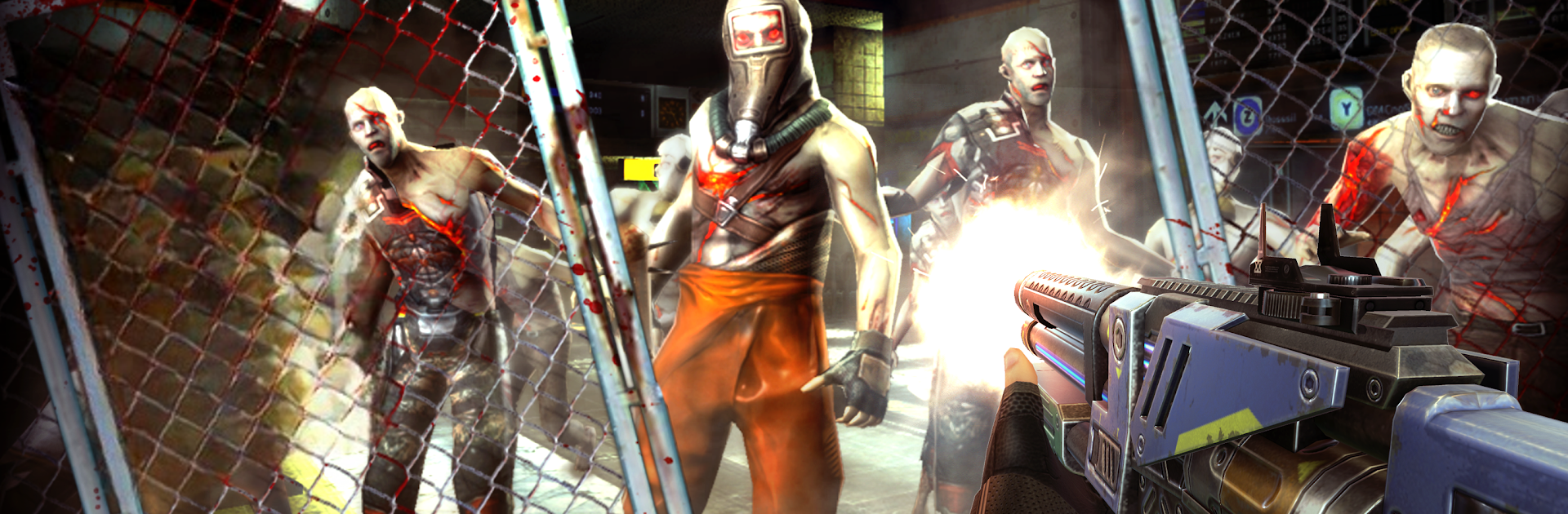
Strike Back: Elite Force – FPS is a fast, punchy Action shooter from Brayang Studio where a botched military experiment turns an elite army into something far more dangerous. You’ll jump into short, high-intensity missions, switching between stealthy sniping and loud, explosive firefights as the story pushes you deeper into a global crisis. Prefer a bigger screen and precise aim? It also plays smoothly on PC with BlueStacks.

Game Features

  • Massive mission list: Work through hundreds of handcrafted objectives—urban ruins, secret labs, open war zones—each with different routes, sightlines, and challenges.
  • Enemies that make you think: Rooftop snipers with rockets, armored brutes, turret cannons, medics who keep squads alive, buzzing drones, and explosive scuttlers. Every type forces a change in strategy.
  • Boss fights with bite: Face off against towering war machines and airborne threats that test positioning, timing, and resource management.
  • Play your way: Go silent with scoped headshots and smart vantage points, or kick down the door with assault rifles and machine guns when subtlety’s overrated.
  • A squad that matters: Rescue and recruit operators, then bring them along. Hank loves grenades, Jimmy keeps the team going with heals, and Lena’s your RPG ace for ground-and-air takedowns.
  • Arsenal with attitude: Sniper rifles, ARs, MGs, RPGs, grenades, medkits—and experimental toys like the eerie Ghost Gun—give you options for every encounter.
  • Progress that sticks: Upgrade weapons and gear, unlock skills, and chase high scores alone or with your alliance as you push into tougher missions.
  • A sci-fi twist on the battlefield: An incident at Area 47 lets alien biotech hijack a fortified army. Team up with Jones and cut through the mess before it spreads.

Make your gaming sessions memorable with precise controls that give you an edge in close combats and visuals that pop up, bringing every character to life.


Game Features

Enhancements

  • Macros
  • Multi Instance
  • Multi Instance Sync
  • Eco Mode
  • Enhancements
Macros

Macros

Skip the boring parts of a game. Play Strike Back: Elite Force - FPS with Macros and get the edge. Simply record a sequence of commands and execute them at any moment.
Multi Instance

Multi Instance

Why limit to one game on your phone when you can play many on your PC? Open multiple instances of Strike Back: Elite Force - FPS at once with Multi-Instance. Leverage the power of different accounts by doing more.
Multi Instance Sync

Multi Instance Sync

Get the best out of Strike Back: Elite Force - FPS with Multi-Instance Sync. Play the game from different accounts and build your own empire. Use Multi-instance sync to repeat the action in the main BlueStacks instance on all other instances.
Eco Mode

Eco Mode

Find the rarest heroes by making multiple summons in Strike Back: Elite Force - FPS. And while you are at it, reduce your PC’s resource consumption with the Eco Mode. Farm efficiently. Get the best results.
Read More

How to Download and Play Strike Back: Elite Force - FPS on PC or Mac

  • Download and install BlueStacks on your PC or Mac

  • Complete Google sign-in to access the Play Store, or do it later

  • Look for Strike Back: Elite Force - FPS in the search bar at the top right corner

  • Click to install Strike Back: Elite Force - FPS from the search results

  • Complete Google sign-in (if you skipped step 2) to install Strike Back: Elite Force - FPS

  • Click the Strike Back: Elite Force - FPS icon on the home screen to start playing

video
Watch Video

Minimum System Requirements

With BlueStacks 5, you can get started on a PC that fulfills the following requirements.

  • Operating System

    Microsoft Windows 7 or above, macOS 11 (Big Sur) or above

  • Processor

    Intel, AMD or Apple Silicon Processor

  • RAM

    at least 4GB

  • HDD

    10GB Free Disk Space

Note:

* You must be an Administrator on your PC. Up to date graphics drivers from Microsoft or the chipset vendor.

Strike Back: Elite Force - FPS - FAQs

  • How to play Strike Back: Elite Force - FPS on Windows PC & Mac?

    Play Strike Back: Elite Force - FPS on your PC or Mac by following these simple steps.

    • Click on 'Play Strike Back: Elite Force - FPS on PC’ to download BlueStacks
    • Install it and log-in to Google Play Store
    • Launch and play the game.
  • Why is BlueStacks the fastest and safest platform to play games on PC?

    BlueStacks respects your privacy and is always safe and secure to use. It does not carry any malware, spyware, or any sort of additional software that could harm your PC.

    It is engineered to optimize speed and performance for a seamless gaming experience.

  • What are Strike Back: Elite Force - FPS PC requirements?

    Minimum requirement to run Strike Back: Elite Force - FPS on your PC

    • OS: Microsoft Windows 7 or above MacOS 11 (Big Sur) or above
    • Processor: Intel, AMD or Apple Silicon Processor
    • RAM: Your PC must have at least 4GB of RAM. (Note that having 4GB or more disk space is not a substitute for RAM)
    • HDD: 10GB Free Disk Space.
    • You must be an Administrator on your PC.