
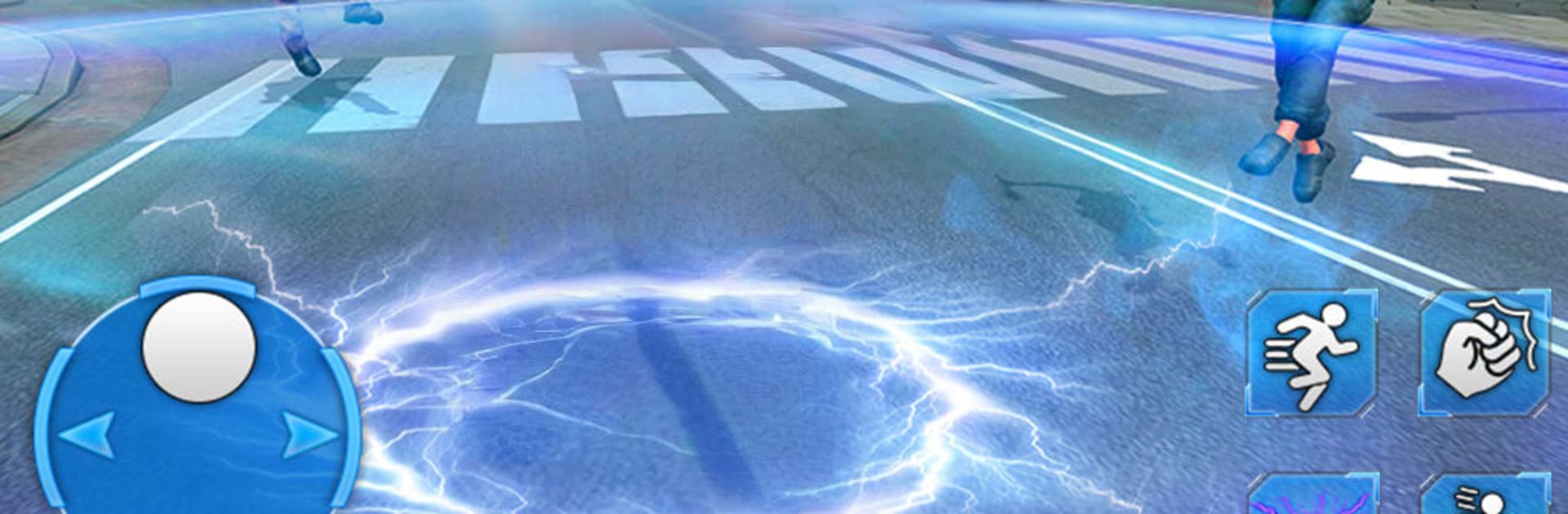
Super Speed Superhero Robot

Super Speed Superhero Robot

Action

| Frenzy Tech Studio

Play on PC with BlueStacks or from our cloud

  • Overview
  • Game Features
  • How to Play

Page Modified On: November 10, 2025

Play Super Speed Superhero Robot on PC or Mac

Explore a whole new adventure with Super Speed Superhero Robot, a Action game created by Frenzy Tech Studio. Experience great gameplay with BlueStacks, the most popular gaming platform to play Android games on your PC or Mac.

About the Game

Super Speed Superhero Robot puts you in the boots of a lightning-fast android protector racing through a sprawling city on the brink. Created by Frenzy Tech Studio, it’s all about quick thinking, split-second saves, and crunchy brawls against rogue tech. Genre: Action. Expect fast rescues, kinetic combat, and that satisfying rush of outrunning chaos.

Game Features

  • Blazing Movement
    Sprint across busy streets, leap between rooftops, and close huge distances in seconds. When trouble pops up, you’re already on the way.

  • Heroic Rescue Calls
    Respond to accidents and city emergencies before anyone else. Pull civilians out of danger, secure zones, and keep the streets moving.

  • Electric-Powered Combat
    Use crackling punches, charged kicks, and focused energy bolts to drop enemy robots and shut down troublemakers fast.

  • City Under Siege
    A New York–style metropolis needs constant help. One moment it’s a crash downtown; the next, a mech squad is wrecking a plaza. Prioritize, adapt, and handle it.

  • Take Down Gangs and Mechs
    Clean up criminal hotspots, assist officers, and dismantle heavy metal threats with speed-driven combos.

  • Smooth, Reactive Controls
    Quick turns, instant dashes, and responsive targeting keep the action sharp, whether you’re rescuing or throwing hands.

  • Missions with Momentum
    Short, punchy objectives stack into bigger challenges—perfect for quick sessions or longer streaks when you’re in the zone.

  • Play Your Way
    Prefer a bigger screen and tighter inputs? Run it on PC with BlueStacks for crisp visuals and comfortable controls while you zip through the city.

Get ready for a buttery smooth, high-performance gaming action only on BlueStacks.

Game Features

Enhancements

  • Macros
  • Multi Instance
  • Multi Instance Sync
  • Eco Mode
  • Enhancements
Macros

Macros

Skip the boring parts of a game. Play Super Speed Superhero Robot with Macros and get the edge. Simply record a sequence of commands and execute them at any moment.
Multi Instance

Multi Instance

Why limit to one game on your phone when you can play many on your PC? Open multiple instances of Super Speed Superhero Robot at once with Multi-Instance. Leverage the power of different accounts by doing more.
Multi Instance Sync

Multi Instance Sync

Get the best out of Super Speed Superhero Robot with Multi-Instance Sync. Play the game from different accounts and build your own empire. Use Multi-instance sync to repeat the action in the main BlueStacks instance on all other instances.
Eco Mode

Eco Mode

Find the rarest heroes by making multiple summons in Super Speed Superhero Robot. And while you are at it, reduce your PC’s resource consumption with the Eco Mode. Farm efficiently. Get the best results.
Read More

How to Download and Play Super Speed Superhero Robot on PC or Mac

  • Download and install BlueStacks on your PC or Mac

  • Complete Google sign-in to access the Play Store, or do it later

  • Look for Super Speed Superhero Robot in the search bar at the top right corner

  • Click to install Super Speed Superhero Robot from the search results

  • Complete Google sign-in (if you skipped step 2) to install Super Speed Superhero Robot

  • Click the Super Speed Superhero Robot icon on the home screen to start playing

video
Watch Video

Minimum System Requirements

With BlueStacks 5, you can get started on a PC that fulfills the following requirements.

  • Operating System

    Microsoft Windows 7 or above, macOS 11 (Big Sur) or above

  • Processor

    Intel, AMD or Apple Silicon Processor

  • RAM

    at least 4GB

  • HDD

    10GB Free Disk Space

Note:

* You must be an Administrator on your PC. Up to date graphics drivers from Microsoft or the chipset vendor.

Super Speed Superhero Robot - FAQs

  • How to play Super Speed Superhero Robot on Windows PC & Mac?

    Play Super Speed Superhero Robot on your PC or Mac by following these simple steps.

    • Click on 'Play Super Speed Superhero Robot on PC’ to download BlueStacks
    • Install it and log-in to Google Play Store
    • Launch and play the game.
  • Why is BlueStacks the fastest and safest platform to play games on PC?

    BlueStacks respects your privacy and is always safe and secure to use. It does not carry any malware, spyware, or any sort of additional software that could harm your PC.

    It is engineered to optimize speed and performance for a seamless gaming experience.

  • What are Super Speed Superhero Robot PC requirements?

    Minimum requirement to run Super Speed Superhero Robot on your PC

    • OS: Microsoft Windows 7 or above MacOS 11 (Big Sur) or above
    • Processor: Intel, AMD or Apple Silicon Processor
    • RAM: Your PC must have at least 4GB of RAM. (Note that having 4GB or more disk space is not a substitute for RAM)
    • HDD: 10GB Free Disk Space.
    • You must be an Administrator on your PC.








