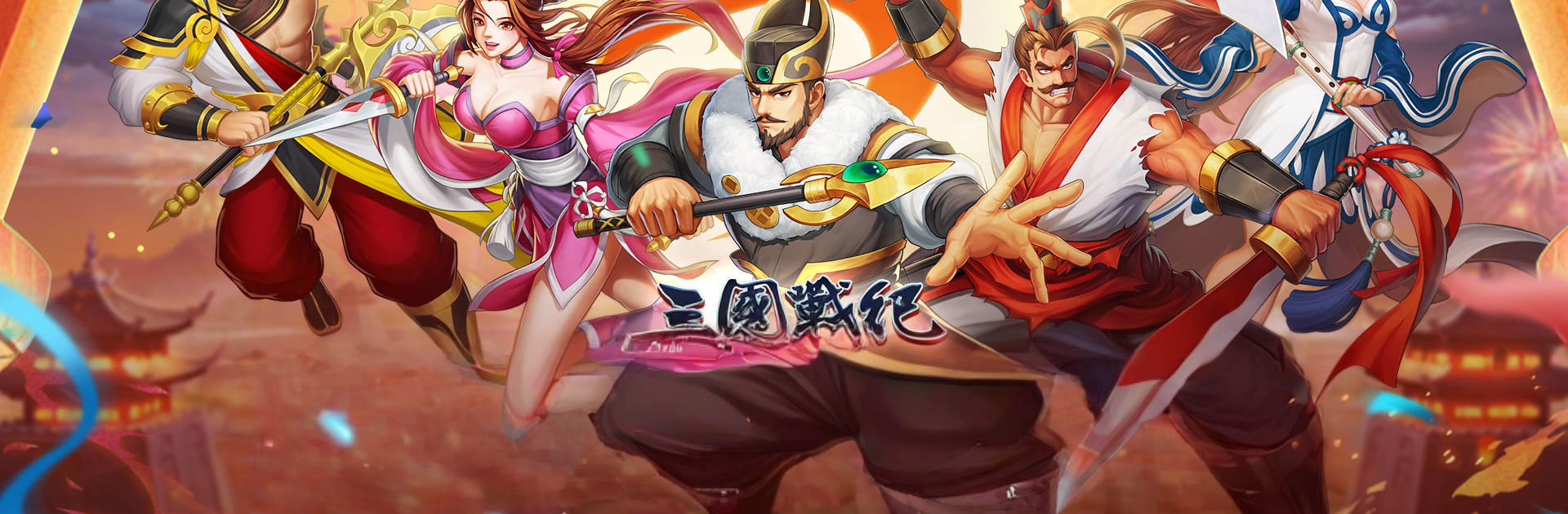
三國戰紀 - 經典街機無雙競技
三國戰紀 - 經典街機無雙競技

三國戰紀 - 經典街機無雙競技

Action

| International Games System Co., Ltd.

Play on PC with BlueStacks or from our cloud

  • Overview
  • Game Features
  • How to Play

Page Modified On: October 23, 2025

Play 三國戰紀 - 經典街機無雙競技 on PC or Mac

三國戰紀 – 經典街機無雙競技 brings the Action genre to life, and throws up exciting challenges for gamers. Developed by International Games System Co., Ltd., this Android game is best experienced on BlueStacks, the World’s #1 app player for PC and Mac users.

三國戰紀 feels like someone rebuilt a classic arcade cabinet on a phone, then handed players a way to bring it to PC. It is a side scrolling brawler with chunky hits, long crowd juggles, and those big screen clearing specials that make the whole fight pop. The roster is stacked with Three Kingdoms names, so players swap between Guan Yu, Zhang Fei, Zhao Yun, Zhuge Liang, Cao Cao and more, then mix teams across Wei, Shu, and Wu to cover different skills. The stages run through famous battles and set pieces, with Mandarin and Cantonese voices that really sell the old school vibe. Combat is simple to learn but not brainless, timing a launch, cancel, and finisher still matters, and the items are straight arcade chaos. Ice or fire blades, lightning pops, talismans that change the flow, it is all here.

On PC with BlueStacks, the game benefits a lot. Keyboard controls map cleanly, the framerate feels steady, and mashing through mobs with keys feels close to a stick. There is a ranked PVP ladder with cross server matches for quick scraps, co op boss runs for players who want a squad, and a steady drip of daily rewards so there is always something to clear. The “hit” feel is heavy, enemies fly, coins burst out, and stages move fast, so it scratches that one more run itch without long waits or cluttered menus. It is new enough to keep busy, but mostly it is a straight shot of arcade nostalgia that still plays smooth today.

Make your gaming sessions memorable with precise controls that give you an edge in close combats and visuals that pop up, bringing every character to life.


Game Features

Enhancements

  • Macros
  • Multi Instance
  • Multi Instance Sync
  • Eco Mode
  • Enhancements
Macros

Macros

Skip the boring parts of a game. Play 三國戰紀 - 經典街機無雙競技 with Macros and get the edge. Simply record a sequence of commands and execute them at any moment.
Multi Instance

Multi Instance

Why limit to one game on your phone when you can play many on your PC? Open multiple instances of 三國戰紀 - 經典街機無雙競技 at once with Multi-Instance. Leverage the power of different accounts by doing more.
Multi Instance Sync

Multi Instance Sync

Get the best out of 三國戰紀 - 經典街機無雙競技 with Multi-Instance Sync. Play the game from different accounts and build your own empire. Use Multi-instance sync to repeat the action in the main BlueStacks instance on all other instances.
Eco Mode

Eco Mode

Find the rarest heroes by making multiple summons in 三國戰紀 - 經典街機無雙競技. And while you are at it, reduce your PC’s resource consumption with the Eco Mode. Farm efficiently. Get the best results.
Read More

How to Download and Play 三國戰紀 - 經典街機無雙競技 on PC or Mac

  • Download and install BlueStacks on your PC or Mac

  • Complete Google sign-in to access the Play Store, or do it later

  • Look for 三國戰紀 - 經典街機無雙競技 in the search bar at the top right corner

  • Click to install 三國戰紀 - 經典街機無雙競技 from the search results

  • Complete Google sign-in (if you skipped step 2) to install 三國戰紀 - 經典街機無雙競技

  • Click the 三國戰紀 - 經典街機無雙競技 icon on the home screen to start playing

video
Watch Video

Minimum System Requirements

With BlueStacks 5, you can get started on a PC that fulfills the following requirements.

  • Operating System

    Microsoft Windows 7 or above, macOS 11 (Big Sur) or above

  • Processor

    Intel, AMD or Apple Silicon Processor

  • RAM

    at least 4GB

  • HDD

    10GB Free Disk Space

Note:

* You must be an Administrator on your PC. Up to date graphics drivers from Microsoft or the chipset vendor.

三國戰紀 - 經典街機無雙競技 - FAQs

  • How to play 三國戰紀 - 經典街機無雙競技 on Windows PC & Mac?

    Play 三國戰紀 - 經典街機無雙競技 on your PC or Mac by following these simple steps.

    • Click on 'Play 三國戰紀 - 經典街機無雙競技 on PC’ to download BlueStacks
    • Install it and log-in to Google Play Store
    • Launch and play the game.
  • Why is BlueStacks the fastest and safest platform to play games on PC?

    BlueStacks respects your privacy and is always safe and secure to use. It does not carry any malware, spyware, or any sort of additional software that could harm your PC.

    It is engineered to optimize speed and performance for a seamless gaming experience.

  • What are 三國戰紀 - 經典街機無雙競技 PC requirements?

    Minimum requirement to run 三國戰紀 - 經典街機無雙競技 on your PC

    • OS: Microsoft Windows 7 or above MacOS 11 (Big Sur) or above
    • Processor: Intel, AMD or Apple Silicon Processor
    • RAM: Your PC must have at least 4GB of RAM. (Note that having 4GB or more disk space is not a substitute for RAM)
    • HDD: 10GB Free Disk Space.
    • You must be an Administrator on your PC.