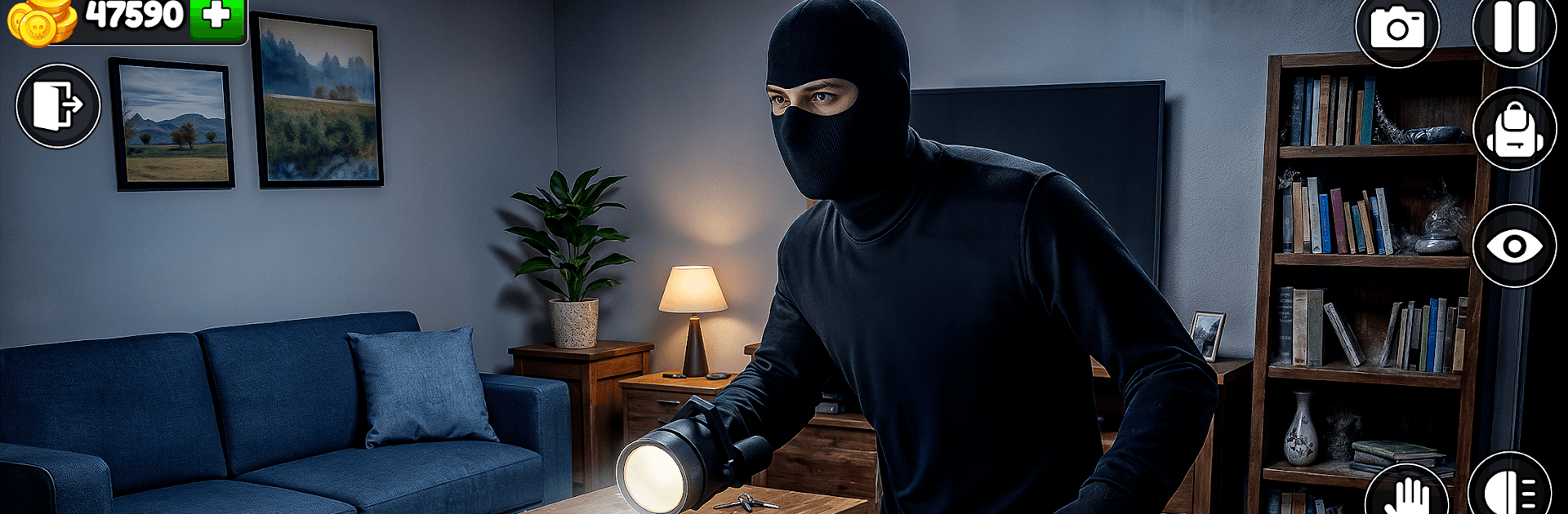
Thief Simulator: Rob A House

Thief Simulator: Rob A House

Action

| CLEAN UP PRIVATE Ltd

Play on PC with BlueStacks or from our cloud

  • Overview
  • Game Features
  • How to Play

Page Modified On: May 11, 2026

Play Thief Simulator: Rob A House on PC or Mac

Thief Simulator: Rob A House brings the Action genre to life, and throws up exciting challenges for gamers. Developed by CLEAN UP PRIVATE Ltd, this Android game is best experienced on BlueStacks, the World’s #1 app player for PC and Mac users.

About the Game

Thief Simulator: Rob A House is a sneaky, first-person caper that turns every break-in into a tense little puzzle. It’s an Action game from CLEAN UP PRIVATE Ltd where patience pays off—watch the house, pick your moment, grab the good stuff, and slip out before anyone knows you were there. It’s all about smart planning, smooth moves, and that heartbeat spike when an alarm chirps.

Game Features

  • Stealth that counts: Hug blind spots, watch camera arcs, and move quietly to dodge owners and roaming guards.
  • Plan the job: Case each place, choose your entry, and set a route that avoids alarms, cameras, and locked doors.
  • Tools of the trade: Use gear to cut power to systems, pop locks, and quietly deal with security without tipping off the whole block.
  • Distinct homes, real stakes: Every house has its own layout, traps, and security quirks—no two runs feel the same.
  • Loot with intent: Weigh risk vs. reward as you snag jewelry, electronics, cash, and other valuables without getting greedy.
  • Nail the getaway: Once the bag is heavy, find the clean exit before the owners—or the cops—shut you down.
  • Grow your skillset: Spend your haul on upgrades and better tools to take on tougher targets with tighter security.
  • Clean, responsive feel: Simple controls, clear visuals, and punchy audio sell the tension of a quiet step and a creaky floorboard.
  • Offline heists: Play anywhere, even without a connection.
  • PC-friendly option: Prefer keyboard and mouse? It plays great on BlueStacks.

Ready to top the leaderboard? We bet you do. Let precise controls and sharp visuals optimized on BlueStacks lead you to victory.


Game Features

Enhancements

  • Macros
  • Multi Instance
  • Multi Instance Sync
  • Eco Mode
  • Enhancements
Macros

Macros

Skip the boring parts of a game. Play Thief Simulator: Rob A House with Macros and get the edge. Simply record a sequence of commands and execute them at any moment.
Multi Instance

Multi Instance

Why limit to one game on your phone when you can play many on your PC? Open multiple instances of Thief Simulator: Rob A House at once with Multi-Instance. Leverage the power of different accounts by doing more.
Multi Instance Sync

Multi Instance Sync

Get the best out of Thief Simulator: Rob A House with Multi-Instance Sync. Play the game from different accounts and build your own empire. Use Multi-instance sync to repeat the action in the main BlueStacks instance on all other instances.
Eco Mode

Eco Mode

Find the rarest heroes by making multiple summons in Thief Simulator: Rob A House. And while you are at it, reduce your PC’s resource consumption with the Eco Mode. Farm efficiently. Get the best results.
Read More

How to Download and Play Thief Simulator: Rob A House on PC or Mac

  • Download and install BlueStacks on your PC or Mac

  • Complete Google sign-in to access the Play Store, or do it later

  • Look for Thief Simulator: Rob A House in the search bar at the top right corner

  • Click to install Thief Simulator: Rob A House from the search results

  • Complete Google sign-in (if you skipped step 2) to install Thief Simulator: Rob A House

  • Click the Thief Simulator: Rob A House icon on the home screen to start playing

video
Watch Video

Minimum System Requirements

With BlueStacks 5, you can get started on a PC that fulfills the following requirements.

  • Operating System

    Microsoft Windows 7 or above, macOS 11 (Big Sur) or above

  • Processor

    Intel, AMD or Apple Silicon Processor

  • RAM

    at least 4GB

  • HDD

    10GB Free Disk Space

Note:

* You must be an Administrator on your PC. Up to date graphics drivers from Microsoft or the chipset vendor.

Thief Simulator: Rob A House - FAQs

  • How to play Thief Simulator: Rob A House on Windows PC & Mac?

    Play Thief Simulator: Rob A House on your PC or Mac by following these simple steps.

    • Click on 'Play Thief Simulator: Rob A House on PC’ to download BlueStacks
    • Install it and log-in to Google Play Store
    • Launch and play the game.
  • Why is BlueStacks the fastest and safest platform to play games on PC?

    BlueStacks respects your privacy and is always safe and secure to use. It does not carry any malware, spyware, or any sort of additional software that could harm your PC.

    It is engineered to optimize speed and performance for a seamless gaming experience.

  • What are Thief Simulator: Rob A House PC requirements?

    Minimum requirement to run Thief Simulator: Rob A House on your PC

    • OS: Microsoft Windows 7 or above MacOS 11 (Big Sur) or above
    • Processor: Intel, AMD or Apple Silicon Processor
    • RAM: Your PC must have at least 4GB of RAM. (Note that having 4GB or more disk space is not a substitute for RAM)
    • HDD: 10GB Free Disk Space.
    • You must be an Administrator on your PC.