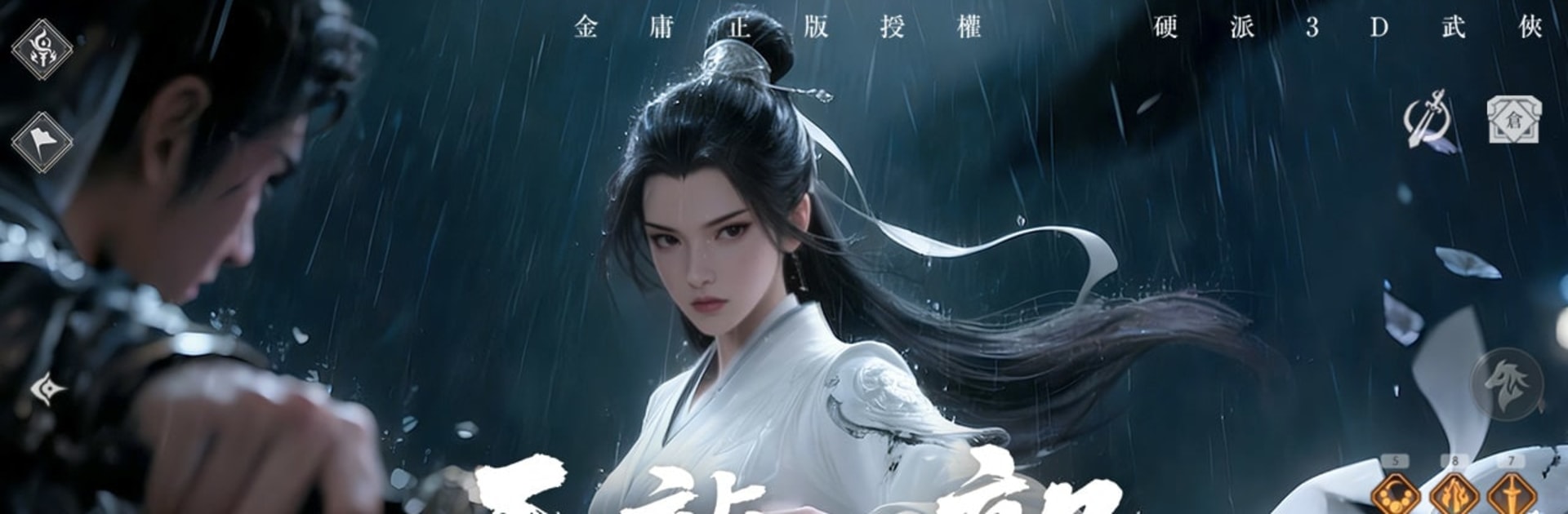
天龍八部榮耀版-登入送金龍
天龍八部榮耀版-登入送金龍

天龍八部榮耀版-登入送金龍

Action

| 初心遊戲

Play on PC with BlueStacks or from our cloud

  • Overview
  • Game Features
  • How to Play

Page Modified On: December 22, 2025

Play 天龍八部榮耀版-登入送金龍 on PC or Mac

Join millions to experience 天龍八部榮耀版-登入送金龍, an exciting Action game from 初心遊戲. With BlueStacks App Player, you are always a step ahead of your opponent, ready to outplay them with faster gameplay and better control with the mouse and keyboard on your PC or Mac.

This is a wuxia MMO that leans hard into Jin Yong’s novels, with big dramatic story beats and familiar names like Qiao Feng, Duan Yu, and Xu Zhu showing up early. Players pick a sect and build a role from classic MMO jobs, so a Beggars’ Sect bruiser hits like a truck, Tianshan dances around with speed, and Emei brings healing and control. The skill names are pure nostalgia bait in the best way, with things like Eighteen Dragon Palms and Six Meridian Divine Sword flashing across the screen. Combat is flashy but not stressful, since an auto-play option handles routine quests and farming. On PC through BlueStacks, that auto stuff can tick along while chatting or checking something, and keyboard aiming makes group fights less messy.

The pet system is surprisingly deep. Rare beasts can be captured and raised, from cute squirrels to full on dragons, and they can possess the character for chunky stat boosts and extra skills. The Zhenlong Chess Game pops in as a brainy change of pace, like a tiny puzzle break between brawls. There is a full trading scene too. Players price gear in shops, flip materials, or just gather and craft with herbalism and mining to keep the gold flowing. Fashion fans will notice the costume and mount options right away, and there is even a free Chonglou outfit on login right now. A new class just landed, so the roster feels busy. It all plays smooth on a monitor, looks colourful, and the pace feels generous rather than grindy, which suits this series well.

Get ready for a buttery smooth, high-performance gaming action only on BlueStacks.

Game Features

Enhancements

  • Macros
  • Multi Instance
  • Multi Instance Sync
  • Eco Mode
  • Enhancements
Macros

Macros

Skip the boring parts of a game. Play 天龍八部榮耀版-登入送金龍 with Macros and get the edge. Simply record a sequence of commands and execute them at any moment.
Multi Instance

Multi Instance

Why limit to one game on your phone when you can play many on your PC? Open multiple instances of 天龍八部榮耀版-登入送金龍 at once with Multi-Instance. Leverage the power of different accounts by doing more.
Multi Instance Sync

Multi Instance Sync

Get the best out of 天龍八部榮耀版-登入送金龍 with Multi-Instance Sync. Play the game from different accounts and build your own empire. Use Multi-instance sync to repeat the action in the main BlueStacks instance on all other instances.
Eco Mode

Eco Mode

Find the rarest heroes by making multiple summons in 天龍八部榮耀版-登入送金龍. And while you are at it, reduce your PC’s resource consumption with the Eco Mode. Farm efficiently. Get the best results.
Read More

How to Download and Play 天龍八部榮耀版-登入送金龍 on PC or Mac

  • Download and install BlueStacks on your PC or Mac

  • Complete Google sign-in to access the Play Store, or do it later

  • Look for 天龍八部榮耀版-登入送金龍 in the search bar at the top right corner

  • Click to install 天龍八部榮耀版-登入送金龍 from the search results

  • Complete Google sign-in (if you skipped step 2) to install 天龍八部榮耀版-登入送金龍

  • Click the 天龍八部榮耀版-登入送金龍 icon on the home screen to start playing

video
Watch Video

Minimum System Requirements

With BlueStacks 5, you can get started on a PC that fulfills the following requirements.

  • Operating System

    Microsoft Windows 7 or above, macOS 11 (Big Sur) or above

  • Processor

    Intel, AMD or Apple Silicon Processor

  • RAM

    at least 4GB

  • HDD

    10GB Free Disk Space

Note:

* You must be an Administrator on your PC. Up to date graphics drivers from Microsoft or the chipset vendor.

天龍八部榮耀版-登入送金龍 - FAQs

  • How to play 天龍八部榮耀版-登入送金龍 on Windows PC & Mac?

    Play 天龍八部榮耀版-登入送金龍 on your PC or Mac by following these simple steps.

    • Click on 'Play 天龍八部榮耀版-登入送金龍 on PC’ to download BlueStacks
    • Install it and log-in to Google Play Store
    • Launch and play the game.
  • Why is BlueStacks the fastest and safest platform to play games on PC?

    BlueStacks respects your privacy and is always safe and secure to use. It does not carry any malware, spyware, or any sort of additional software that could harm your PC.

    It is engineered to optimize speed and performance for a seamless gaming experience.

  • What are 天龍八部榮耀版-登入送金龍 PC requirements?

    Minimum requirement to run 天龍八部榮耀版-登入送金龍 on your PC

    • OS: Microsoft Windows 7 or above MacOS 11 (Big Sur) or above
    • Processor: Intel, AMD or Apple Silicon Processor
    • RAM: Your PC must have at least 4GB of RAM. (Note that having 4GB or more disk space is not a substitute for RAM)
    • HDD: 10GB Free Disk Space.
    • You must be an Administrator on your PC.