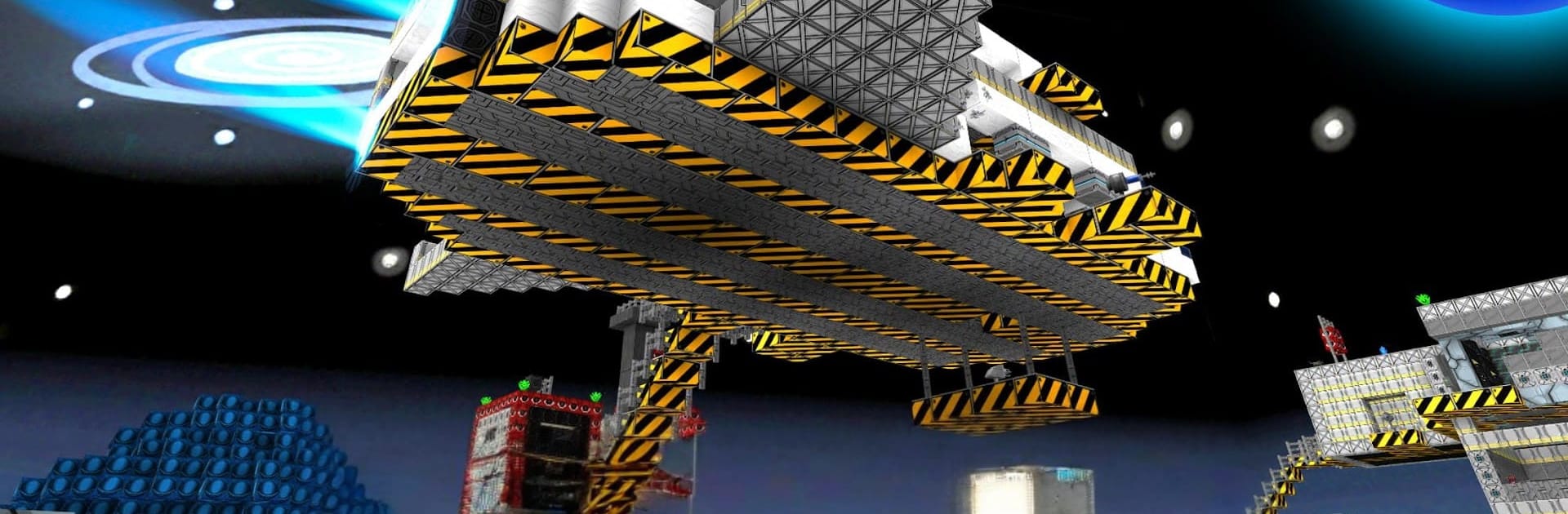
Time Craft - Epic Wars

Time Craft - Epic Wars

Action

| Dodisoft

Play on PC with BlueStacks or from our cloud

  • Overview
  • Game Features
  • How to Play

Page Modified On: November 10, 2025

Play Time Craft - Epic Wars on PC or Mac

Bring your A-game to Time Craft – Epic Wars, the Action game sensation from Dodisoft. Give your gameplay the much-needed boost with precise game controls, high FPS graphics, and top-tier features on your PC or Mac with BlueStacks.

Time Craft – Epic Wars is a blocky shooter that jumps between the Stone Age, a scrappy steampunk era, and a clean sci‑fi future. It plays like a mashup of arena combat and light crafting. Matches are about holding ground and breaking it too, so while players are blasting with period weapons, they are also digging tunnels under walls, popping secret gates, building ladders and little shelters with rocks and dirt. The maps lean into the theme hard, from village forts to bridges and ships, and the time period actually matters because the gear and siege machines fit the era. One round might be clubs, bows, and chunky catapults, the next is steam rifles and clanking cannons, then it jumps to lasers and something that flattens a gate in seconds.

There are quick modes that everyone knows, Team Deathmatch and Capture the Flag, plus a wild Gun Beast mode where weapons rotate and chaos follows. It supports solo queue or teams, online fights or offline practice to learn map angles and sneaky paths. Picking a map, a hero skin, and a loadout is simple, then it throws the player right in. There is a big list of weapons and quite a few siege toys, so there is always some new trick to try. On PC with BlueStacks, mouse aim and keyboard movement help a lot, and the bigger screen makes spotting tunnels and flanks easier. It feels fast when the push starts, then slows for a second while someone sets a ladder or digs, then explodes again when the siege engines go off. If the idea of defending a castle with friends, then swapping eras and storming a starbase sounds fun, this lands that feeling without getting too complicated.

Start your journey now. Download the game on BlueStacks, invite your friends, and march on a new adventure.


Game Features

Enhancements

  • Macros
  • Multi Instance
  • Multi Instance Sync
  • Eco Mode
  • Enhancements
Macros

Macros

Skip the boring parts of a game. Play Time Craft - Epic Wars with Macros and get the edge. Simply record a sequence of commands and execute them at any moment.
Multi Instance

Multi Instance

Why limit to one game on your phone when you can play many on your PC? Open multiple instances of Time Craft - Epic Wars at once with Multi-Instance. Leverage the power of different accounts by doing more.
Multi Instance Sync

Multi Instance Sync

Get the best out of Time Craft - Epic Wars with Multi-Instance Sync. Play the game from different accounts and build your own empire. Use Multi-instance sync to repeat the action in the main BlueStacks instance on all other instances.
Eco Mode

Eco Mode

Find the rarest heroes by making multiple summons in Time Craft - Epic Wars. And while you are at it, reduce your PC’s resource consumption with the Eco Mode. Farm efficiently. Get the best results.
Read More

How to Download and Play Time Craft - Epic Wars on PC or Mac

  • Download and install BlueStacks on your PC or Mac

  • Complete Google sign-in to access the Play Store, or do it later

  • Look for Time Craft - Epic Wars in the search bar at the top right corner

  • Click to install Time Craft - Epic Wars from the search results

  • Complete Google sign-in (if you skipped step 2) to install Time Craft - Epic Wars

  • Click the Time Craft - Epic Wars icon on the home screen to start playing

video
Watch Video

Minimum System Requirements

With BlueStacks 5, you can get started on a PC that fulfills the following requirements.

  • Operating System

    Microsoft Windows 7 or above, macOS 11 (Big Sur) or above

  • Processor

    Intel, AMD or Apple Silicon Processor

  • RAM

    at least 4GB

  • HDD

    10GB Free Disk Space

Note:

* You must be an Administrator on your PC. Up to date graphics drivers from Microsoft or the chipset vendor.

Time Craft - Epic Wars - FAQs

  • How to play Time Craft - Epic Wars on Windows PC & Mac?

    Play Time Craft - Epic Wars on your PC or Mac by following these simple steps.

    • Click on 'Play Time Craft - Epic Wars on PC’ to download BlueStacks
    • Install it and log-in to Google Play Store
    • Launch and play the game.
  • Why is BlueStacks the fastest and safest platform to play games on PC?

    BlueStacks respects your privacy and is always safe and secure to use. It does not carry any malware, spyware, or any sort of additional software that could harm your PC.

    It is engineered to optimize speed and performance for a seamless gaming experience.

  • What are Time Craft - Epic Wars PC requirements?

    Minimum requirement to run Time Craft - Epic Wars on your PC

    • OS: Microsoft Windows 7 or above MacOS 11 (Big Sur) or above
    • Processor: Intel, AMD or Apple Silicon Processor
    • RAM: Your PC must have at least 4GB of RAM. (Note that having 4GB or more disk space is not a substitute for RAM)
    • HDD: 10GB Free Disk Space.
    • You must be an Administrator on your PC.