Castle Crafter - World Craft

Castle Crafter - World Craft

Action

| Dodisoft

Play on PC with BlueStacks or from our cloud

  • Overview
  • Game Features
  • How to Play

Page Modified On: November 20, 2025

Play Castle Crafter - World Craft on PC or Mac

Step into the World of Castle Crafter – World Craft, a thrilling Action game from the house of Dodisoft. Play this Android game on BlueStacks App Player and experience immersive gaming on PC or Mac.

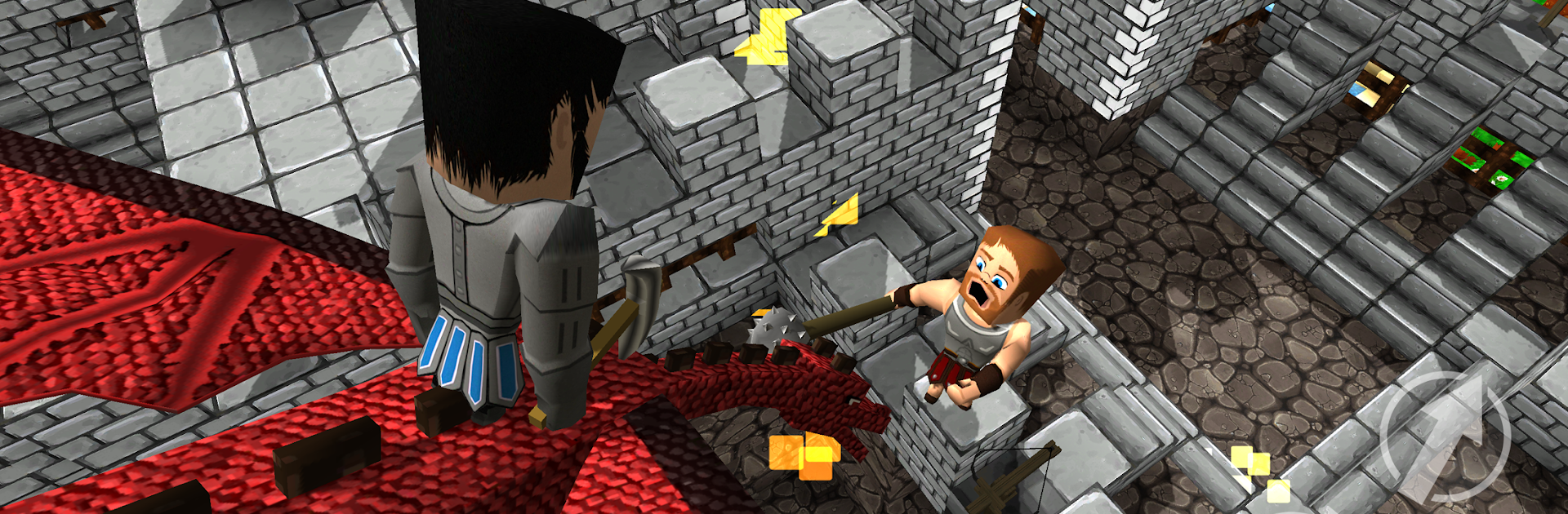
Castle Crafter is that blocky castle siege game that leans hard into build and battle. It has the chunky pixel look, bright maps, and a focus on sneaking, tunneling, and quick skirmishes. Players pick a pixel hero and jump into castles that are actually fun to fight through, with tight corridors, ramparts, and spots to dig under if patience beats charging the gate. Weapons are simple but clear to read in a fight, with sword, pickaxe, and bow and arrow up close, and siege toys like catapults, ballista, and flaming arrows when distance helps. On PC with BlueStacks, placing blocks and hitting bow shots feel steadier, and the frame rate helps during messy castle pushes.

There are four modes that keep it from feeling samey. Capture the Flag splits attackers and defenders, so there is a real cat-and-mouse vibe with secret tunnels, ladders, and bridge drops. Team Deathmatch is straight to the point, reds versus blues, while Deathmatch is every player for themselves. World Exploration lets players roam the maps offline to test routes, build small shelters, or set up odd strategies without a timer breathing on their neck. Voice chat is built in, so calling out a hidden gate or a scuba route under the walls actually works, which is rare in craft-style games. Performance is solid, the interface is clean, and there are a handful of different castle and environment themes so it does not feel like one flat arena repeated all day.

Get ready for a buttery smooth, high-performance gaming action only on BlueStacks.

Game Features

Enhancements

  • Macros
  • Multi Instance
  • Multi Instance Sync
  • Eco Mode
  • Enhancements
Macros

Macros

Skip the boring parts of a game. Play Castle Crafter - World Craft with Macros and get the edge. Simply record a sequence of commands and execute them at any moment.
Multi Instance

Multi Instance

Why limit to one game on your phone when you can play many on your PC? Open multiple instances of Castle Crafter - World Craft at once with Multi-Instance. Leverage the power of different accounts by doing more.
Multi Instance Sync

Multi Instance Sync

Get the best out of Castle Crafter - World Craft with Multi-Instance Sync. Play the game from different accounts and build your own empire. Use Multi-instance sync to repeat the action in the main BlueStacks instance on all other instances.
Eco Mode

Eco Mode

Find the rarest heroes by making multiple summons in Castle Crafter - World Craft. And while you are at it, reduce your PC’s resource consumption with the Eco Mode. Farm efficiently. Get the best results.
Read More

How to Download and Play Castle Crafter - World Craft on PC or Mac

  • Download and install BlueStacks on your PC or Mac

  • Complete Google sign-in to access the Play Store, or do it later

  • Look for Castle Crafter - World Craft in the search bar at the top right corner

  • Click to install Castle Crafter - World Craft from the search results

  • Complete Google sign-in (if you skipped step 2) to install Castle Crafter - World Craft

  • Click the Castle Crafter - World Craft icon on the home screen to start playing

video
Watch Video

Minimum System Requirements

With BlueStacks 5, you can get started on a PC that fulfills the following requirements.

  • Operating System

    Microsoft Windows 7 or above, macOS 11 (Big Sur) or above

  • Processor

    Intel, AMD or Apple Silicon Processor

  • RAM

    at least 4GB

  • HDD

    10GB Free Disk Space

Note:

* You must be an Administrator on your PC. Up to date graphics drivers from Microsoft or the chipset vendor.

Castle Crafter - World Craft - FAQs

  • How to play Castle Crafter - World Craft on Windows PC & Mac?

    Play Castle Crafter - World Craft on your PC or Mac by following these simple steps.

    • Click on 'Play Castle Crafter - World Craft on PC’ to download BlueStacks
    • Install it and log-in to Google Play Store
    • Launch and play the game.
  • Why is BlueStacks the fastest and safest platform to play games on PC?

    BlueStacks respects your privacy and is always safe and secure to use. It does not carry any malware, spyware, or any sort of additional software that could harm your PC.

    It is engineered to optimize speed and performance for a seamless gaming experience.

  • What are Castle Crafter - World Craft PC requirements?

    Minimum requirement to run Castle Crafter - World Craft on your PC

    • OS: Microsoft Windows 7 or above MacOS 11 (Big Sur) or above
    • Processor: Intel, AMD or Apple Silicon Processor
    • RAM: Your PC must have at least 4GB of RAM. (Note that having 4GB or more disk space is not a substitute for RAM)
    • HDD: 10GB Free Disk Space.
    • You must be an Administrator on your PC.