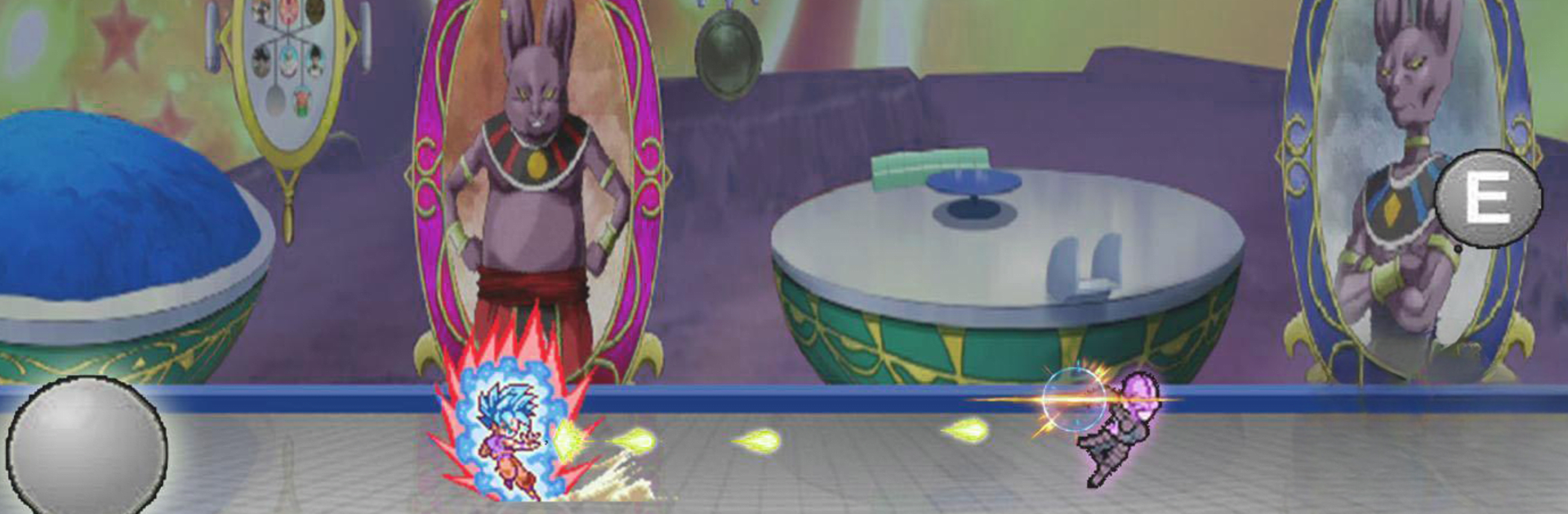
Legend Warriors Tourney Battle

Legend Warriors Tourney Battle

Action

| inamoch Ltd

Play on PC with BlueStacks or from our cloud

  • Overview
  • Game Features
  • How to Play

Page Modified On: August 22, 2025

Play Legend Warriors Tourney Battle on PC or Mac

Explore a whole new adventure with Legend Warriors Tourney Battle, a Action game created by inamoch Ltd. Experience great gameplay with BlueStacks, the most popular gaming platform to play Android games on your PC or Mac.

About the Game

Ever wanted to throw down with some of the coolest heroes from your favorite anime universes? Legend Warriors Tourney Battle lets you do just that. Whether you’re looking to shred through epic brawls or perfect wild combos, this action-packed game from inamoch Ltd throws you straight into the heart of the battle. It’s got an old-school vibe with pixel art and flashy effects, so get ready to unleash your inner fighting legend.

Game Features

  • Choose Your Favorite Heroes:
    Unlock and play as all sorts of anime-inspired warriors—think dragon fighters, shadowy ninjas, soul reapers, and superpowered champs. There’s always someone new to master.

  • Multiple Modes for Any Mood:
    Test your skills in 1v1 Vs Mode, outlast the competition in a global Tournament, tackle epic boss fights and story arcs, take on the rising challenge of Tower Mode, or get swarmed by endless enemies in Invasion.

  • Signature Moves and Transformations:
    Every character’s got their own set of wild attacks—launch a ki ball, drop fire dragon balls, pop up an energy barrier, or explode with an energy blast. Hit those combos and don’t forget to transform when the heat’s on.

  • Power Up and Customize:
    Boost your fighter’s stats, switch up abilities, and get creative with custom loadouts so you can match your playstyle or just show off.

  • Classic Pixel Style, Big Flashy Effects:
    Expect vintage pixel-art looks combined with bold energy auras, dramatic backgrounds, and booming action—perfect for nostalgic fans and newcomers alike.

  • Battle on BlueStacks:
    If you want a little more screen real estate and smoother fights, Legend Warriors Tourney Battle plays great on BlueStacks for PC.

Get ready for a buttery smooth, high-performance gaming action only on BlueStacks.

Game Features

Enhancements

  • Macros
  • Multi Instance
  • Multi Instance Sync
  • Eco Mode
  • Enhancements
Macros

Macros

Skip the boring parts of a game. Play Legend Warriors Tourney Battle with Macros and get the edge. Simply record a sequence of commands and execute them at any moment.
Multi Instance

Multi Instance

Why limit to one game on your phone when you can play many on your PC? Open multiple instances of Legend Warriors Tourney Battle at once with Multi-Instance. Leverage the power of different accounts by doing more.
Multi Instance Sync

Multi Instance Sync

Get the best out of Legend Warriors Tourney Battle with Multi-Instance Sync. Play the game from different accounts and build your own empire. Use Multi-instance sync to repeat the action in the main BlueStacks instance on all other instances.
Eco Mode

Eco Mode

Find the rarest heroes by making multiple summons in Legend Warriors Tourney Battle. And while you are at it, reduce your PC’s resource consumption with the Eco Mode. Farm efficiently. Get the best results.
Read More

How to Download and Play Legend Warriors Tourney Battle on PC or Mac

  • Download and install BlueStacks on your PC or Mac

  • Complete Google sign-in to access the Play Store, or do it later

  • Look for Legend Warriors Tourney Battle in the search bar at the top right corner

  • Click to install Legend Warriors Tourney Battle from the search results

  • Complete Google sign-in (if you skipped step 2) to install Legend Warriors Tourney Battle

  • Click the Legend Warriors Tourney Battle icon on the home screen to start playing

video
Watch Video

Minimum System Requirements

With BlueStacks 5, you can get started on a PC that fulfills the following requirements.

  • Operating System

    Microsoft Windows 7 or above, macOS 11 (Big Sur) or above

  • Processor

    Intel, AMD or Apple Silicon Processor

  • RAM

    at least 4GB

  • HDD

    10GB Free Disk Space

Note:

* You must be an Administrator on your PC. Up to date graphics drivers from Microsoft or the chipset vendor.

Legend Warriors Tourney Battle - FAQs

  • How to play Legend Warriors Tourney Battle on Windows PC & Mac?

    Play Legend Warriors Tourney Battle on your PC or Mac by following these simple steps.

    • Click on 'Play Legend Warriors Tourney Battle on PC’ to download BlueStacks
    • Install it and log-in to Google Play Store
    • Launch and play the game.
  • Why is BlueStacks the fastest and safest platform to play games on PC?

    BlueStacks respects your privacy and is always safe and secure to use. It does not carry any malware, spyware, or any sort of additional software that could harm your PC.

    It is engineered to optimize speed and performance for a seamless gaming experience.

  • What are Legend Warriors Tourney Battle PC requirements?

    Minimum requirement to run Legend Warriors Tourney Battle on your PC

    • OS: Microsoft Windows 7 or above MacOS 11 (Big Sur) or above
    • Processor: Intel, AMD or Apple Silicon Processor
    • RAM: Your PC must have at least 4GB of RAM. (Note that having 4GB or more disk space is not a substitute for RAM)
    • HDD: 10GB Free Disk Space.
    • You must be an Administrator on your PC.