Two guys & Zombies (bluetooth game)

Two guys & Zombies (bluetooth game)

Action

| Two players

Play on PC with BlueStacks or from our cloud

  • Overview
  • Game Features
  • How to Play

Page Modified On: June 17, 2026

Play Two guys & Zombies (bluetooth game) on PC or Mac

Two guys & Zombies (bluetooth game) brings the Action genre to life, and throws up exciting challenges for gamers. Developed by Two players, this Android game is best experienced on BlueStacks, the World’s #1 app player for PC and Mac users.

About the Game

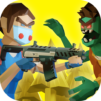
Two guys & Zombies (bluetooth game) is a fast, scrappy zombie shooter built for couch-style co-op—without the couch. Team up over Bluetooth, grab a cowboy and a cop, and try to hold a small patch of city against an ever-growing swarm. It’s all about quick decisions, tight teamwork, and smart upgrades. Prefer a bigger screen and comfy controls? It plays smoothly on BlueStacks, too.

Game Features

  • Local Bluetooth Co-op: Connect in seconds—one player hosts, the other joins. No Wi-Fi needed, just you, a friend, and a mountain of undead coming from both sides.
  • Two Heroes, One Goal: Jump in as a cowboy and a policeman and watch each other’s backs. When your partner builds, you cover; when you reload, they hold the line.
  • Wave-Based Mayhem: Survive as many waves as you can to earn diamonds, then invest them in abilities that push your runs further and make your duo tougher.
  • Build and Fortify: Throw up barricades, drop turrets, and shape the battlefield to slow the horde. A well-placed wall can turn chaos into control.
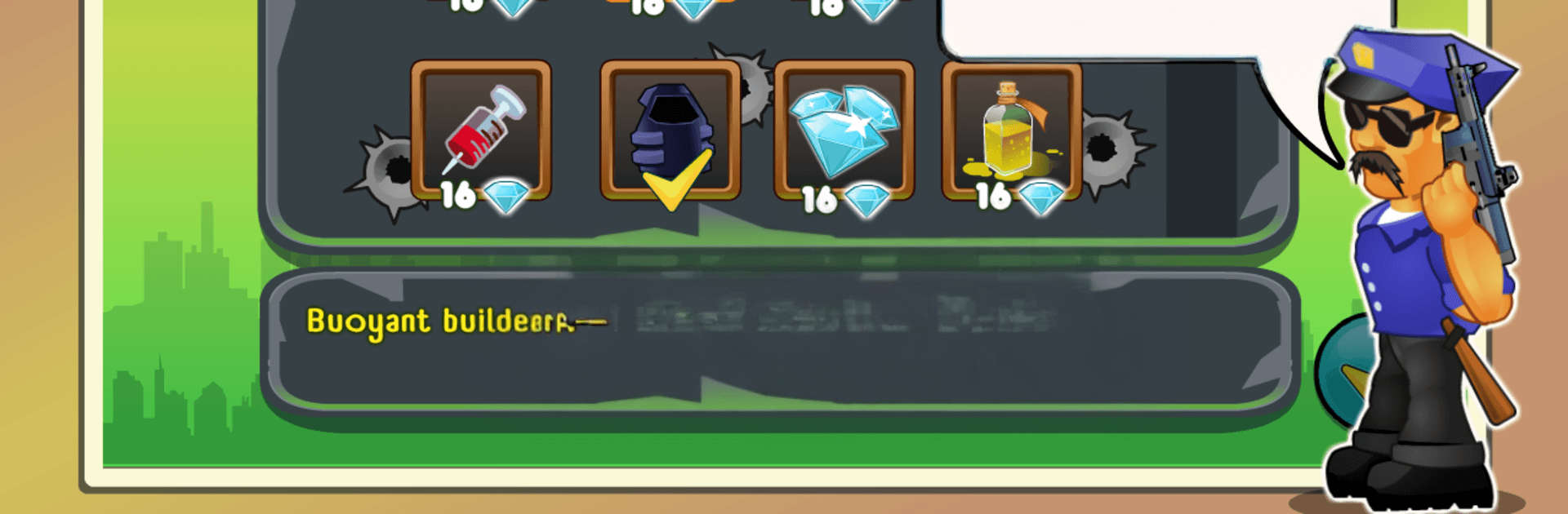
  • Deep Hero Upgrades: Boost speed for cleaner retreats, toughen your armor to soak hits, and tune your loadout so your playstyle actually feels different from run to run.
  • Big Toy Box of Weapons: Start simple with a pistol and work your way up to heavy hitters like a grenade launcher. Each tool changes how you deal with crowds and specials.
  • Varied Locations: Fight through a range of hand-drawn 2D spots around the city, each with its own paths, choke points, and ambush angles.
  • Clean Look, Catchy Sound: Bright cartoon visuals keep the action readable, and the soundtrack keeps your pulse up when the streets flood with zombies.

Get ready for a buttery smooth, high-performance gaming action only on BlueStacks.

Game Features

Enhancements

  • Macros
  • Multi Instance
  • Multi Instance Sync
  • Eco Mode
  • Enhancements
Macros

Macros

Skip the boring parts of a game. Play Two guys & Zombies (bluetooth game) with Macros and get the edge. Simply record a sequence of commands and execute them at any moment.
Multi Instance

Multi Instance

Why limit to one game on your phone when you can play many on your PC? Open multiple instances of Two guys & Zombies (bluetooth game) at once with Multi-Instance. Leverage the power of different accounts by doing more.
Multi Instance Sync

Multi Instance Sync

Get the best out of Two guys & Zombies (bluetooth game) with Multi-Instance Sync. Play the game from different accounts and build your own empire. Use Multi-instance sync to repeat the action in the main BlueStacks instance on all other instances.
Eco Mode

Eco Mode

Find the rarest heroes by making multiple summons in Two guys & Zombies (bluetooth game). And while you are at it, reduce your PC’s resource consumption with the Eco Mode. Farm efficiently. Get the best results.
Read More

How to Download and Play Two guys & Zombies (bluetooth game) on PC or Mac

  • Download and install BlueStacks on your PC or Mac

  • Complete Google sign-in to access the Play Store, or do it later

  • Look for Two guys & Zombies (bluetooth game) in the search bar at the top right corner

  • Click to install Two guys & Zombies (bluetooth game) from the search results

  • Complete Google sign-in (if you skipped step 2) to install Two guys & Zombies (bluetooth game)

  • Click the Two guys & Zombies (bluetooth game) icon on the home screen to start playing

video
Watch Video

Minimum System Requirements

With BlueStacks 5, you can get started on a PC that fulfills the following requirements.

  • Operating System

    Microsoft Windows 7 or above, macOS 11 (Big Sur) or above

  • Processor

    Intel, AMD or Apple Silicon Processor

  • RAM

    at least 4GB

  • HDD

    10GB Free Disk Space

Note:

* You must be an Administrator on your PC. Up to date graphics drivers from Microsoft or the chipset vendor.

Two guys & Zombies (bluetooth game) - FAQs

  • How to play Two guys & Zombies (bluetooth game) on Windows PC & Mac?

    Play Two guys & Zombies (bluetooth game) on your PC or Mac by following these simple steps.

    • Click on 'Play Two guys & Zombies (bluetooth game) on PC’ to download BlueStacks
    • Install it and log-in to Google Play Store
    • Launch and play the game.
  • Why is BlueStacks the fastest and safest platform to play games on PC?

    BlueStacks respects your privacy and is always safe and secure to use. It does not carry any malware, spyware, or any sort of additional software that could harm your PC.

    It is engineered to optimize speed and performance for a seamless gaming experience.

  • What are Two guys & Zombies (bluetooth game) PC requirements?

    Minimum requirement to run Two guys & Zombies (bluetooth game) on your PC

    • OS: Microsoft Windows 7 or above MacOS 11 (Big Sur) or above
    • Processor: Intel, AMD or Apple Silicon Processor
    • RAM: Your PC must have at least 4GB of RAM. (Note that having 4GB or more disk space is not a substitute for RAM)
    • HDD: 10GB Free Disk Space.
    • You must be an Administrator on your PC.