Zed Outbreak
Zed Outbreak

Zed Outbreak

Action

| Zedhi Games

Play on PC with BlueStacks or from our cloud

  • Overview
  • Game Features
  • How to Play

Page Modified On: September 25, 2026

Play Zed Outbreak on PC or Mac

Explore a whole new adventure with Zed Outbreak, a Action game created by Zedhi Games. Experience great gameplay with BlueStacks, the most popular gaming platform to play Android games on your PC or Mac.

About the Game

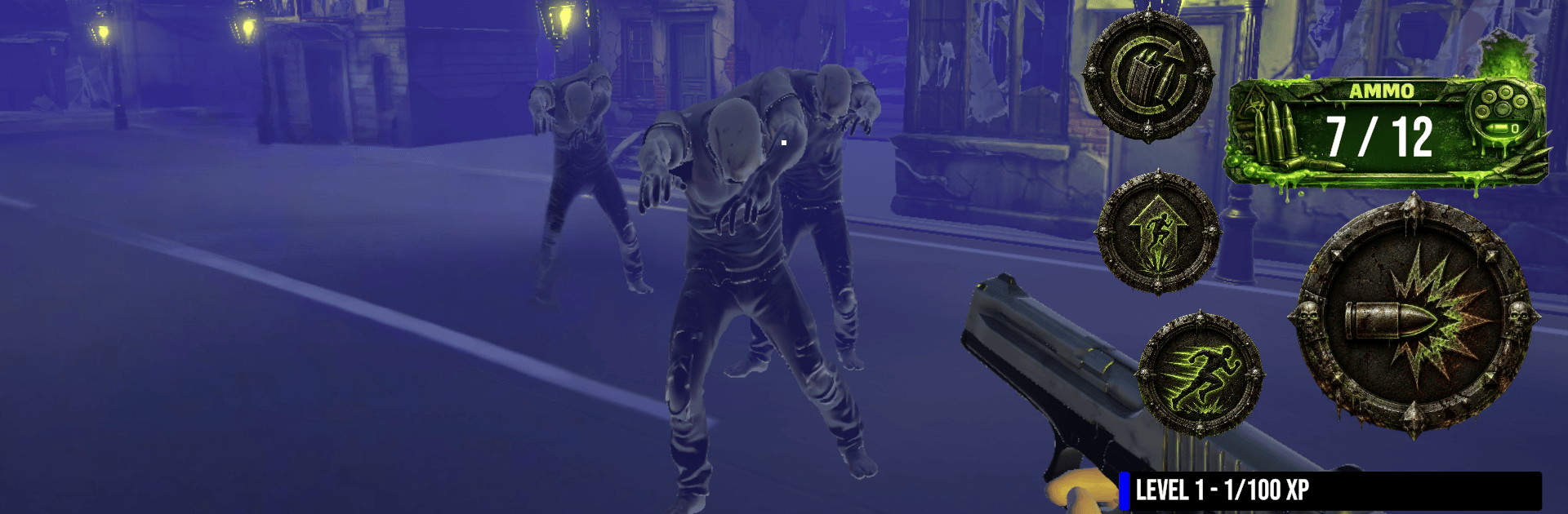
Zed Outbreak throws you into a city overrun with the infected and asks a simple question: how long can you last? It blends tense survival with scrappy competitive firefights, giving you nonstop moments of “uh-oh” followed by “got it.” It’s an Action first-person shooter with wave-based chaos, quick free-for-all matches, and a ton of ways to tweak your gear. Prefer a bigger screen and precise aim? It plays great on BlueStacks.

Game Features

  • Classic Survival Zones: Push through Backstreets, Carnival, Docks, and Favela while waves get nastier, ammo gets tight, and decisions actually matter.
  • Boss Patterns You Can Learn: Expect dog bosses every five waves, hulking zombie bosses every seven, and a brutal boss-only showdown every twentieth—plan reloads and routes accordingly.
  • Fast Free‑For‑All Multiplayer: Jump into up to five‑player brawls across Docks City and Carnival Area, chase First Blood, headshots, long shots, revenge kills, and multi‑kills, and climb the leaderboard for XP and Honor Medals.
  • Build and Upgrade Your Arsenal: Run pistols, SMGs, rifles, shotguns, grenade launchers, knives, or katanas, then upgrade each weapon through five tiers to boost damage, fire rate, and mag size.
  • Make a Survivor That’s Yours: Mix outfits, hats, glasses, masks, and tactical web gear; your look and equipped weapon show up in online matches.
  • Steady Progress, No Grind Walls: Knock out rotating Daily Missions, move along a personal Season Pass track, and collect Gold, Honor Medals, and XP with optional XP/HP boosters.
  • Unlocks and Finds to Chase: Open new weapons and cosmetics, check weekly offers, and crack loot boxes for surprises that round out your loadout.
  • Jump In Fast, Keep Your Data: Start instantly as a Guest and lock in your progress later when you’re ready.

Get ready for a buttery smooth, high-performance gaming action only on BlueStacks.

Game Features

Enhancements

  • Macros
  • Multi Instance
  • Multi Instance Sync
  • Eco Mode
  • Enhancements
Macros

Macros

Skip the boring parts of a game. Play Zed Outbreak with Macros and get the edge. Simply record a sequence of commands and execute them at any moment.
Multi Instance

Multi Instance

Why limit to one game on your phone when you can play many on your PC? Open multiple instances of Zed Outbreak at once with Multi-Instance. Leverage the power of different accounts by doing more.
Multi Instance Sync

Multi Instance Sync

Get the best out of Zed Outbreak with Multi-Instance Sync. Play the game from different accounts and build your own empire. Use Multi-instance sync to repeat the action in the main BlueStacks instance on all other instances.
Eco Mode

Eco Mode

Find the rarest heroes by making multiple summons in Zed Outbreak. And while you are at it, reduce your PC’s resource consumption with the Eco Mode. Farm efficiently. Get the best results.
Read More

How to Download and Play Zed Outbreak on PC or Mac

  • Download and install BlueStacks on your PC or Mac

  • Complete Google sign-in to access the Play Store, or do it later

  • Look for Zed Outbreak in the search bar at the top right corner

  • Click to install Zed Outbreak from the search results

  • Complete Google sign-in (if you skipped step 2) to install Zed Outbreak

  • Click the Zed Outbreak icon on the home screen to start playing

video
Watch Video

Minimum System Requirements

With BlueStacks 5, you can get started on a PC that fulfills the following requirements.

  • Operating System

    Microsoft Windows 7 or above, macOS 11 (Big Sur) or above

  • Processor

    Intel, AMD or Apple Silicon Processor

  • RAM

    at least 4GB

  • HDD

    10GB Free Disk Space

Note:

* You must be an Administrator on your PC. Up to date graphics drivers from Microsoft or the chipset vendor.

Zed Outbreak - FAQs

  • How to play Zed Outbreak on Windows PC & Mac?

    Play Zed Outbreak on your PC or Mac by following these simple steps.

    • Click on 'Play Zed Outbreak on PC’ to download BlueStacks
    • Install it and log-in to Google Play Store
    • Launch and play the game.
  • Why is BlueStacks the fastest and safest platform to play games on PC?

    BlueStacks respects your privacy and is always safe and secure to use. It does not carry any malware, spyware, or any sort of additional software that could harm your PC.

    It is engineered to optimize speed and performance for a seamless gaming experience.

  • What are Zed Outbreak PC requirements?

    Minimum requirement to run Zed Outbreak on your PC

    • OS: Microsoft Windows 7 or above MacOS 11 (Big Sur) or above
    • Processor: Intel, AMD or Apple Silicon Processor
    • RAM: Your PC must have at least 4GB of RAM. (Note that having 4GB or more disk space is not a substitute for RAM)
    • HDD: 10GB Free Disk Space.
    • You must be an Administrator on your PC.