Zombie Cubes 2
Zombie Cubes 2

Zombie Cubes 2

Action

| AML Studios

Play on PC with BlueStacks or from our cloud

  • Overview
  • Game Features
  • How to Play

Page Modified On: August 14, 2025

Play Zombie Cubes 2 on PC or Mac

Zombie Cubes 2 brings the Action genre to life, and throws up exciting challenges for gamers. Developed by MayoNinja Games, this Android game is best experienced on BlueStacks, the World’s #1 app player for PC and Mac users.

About the Game

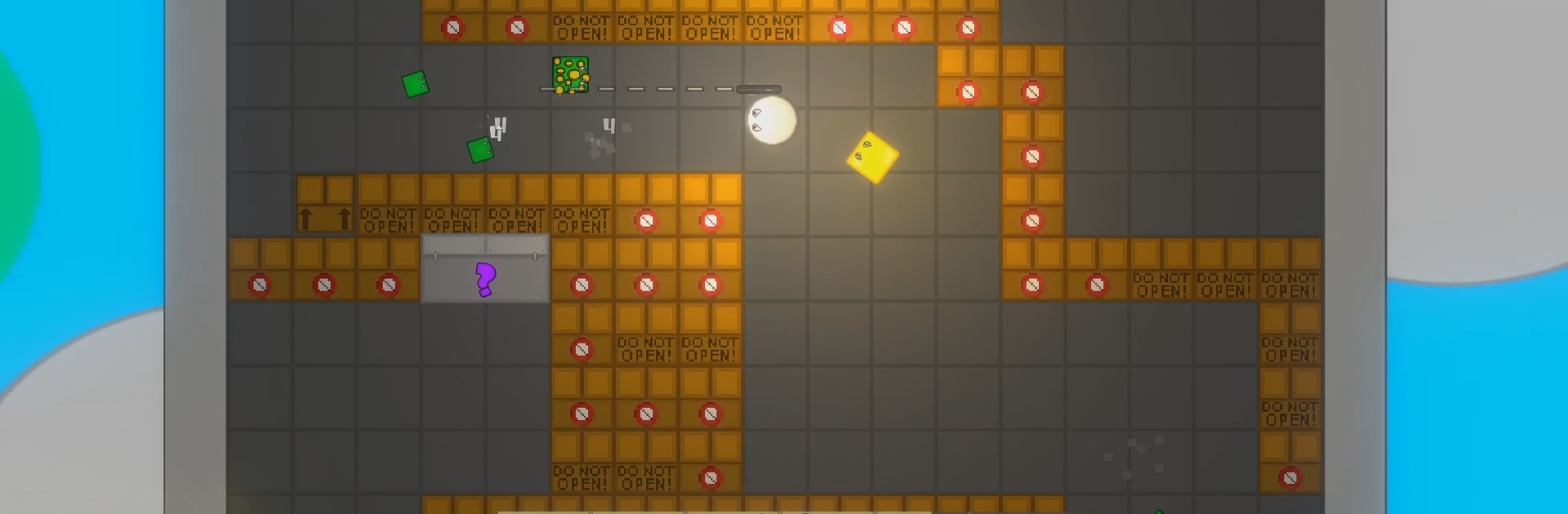
If you’re itching for some action-packed, zombie-blasting fun, Zombie Cubes 2 is ready to deliver. This isn’t just another survival shooter—it feels like a playful sandbox where swarms of blocky undead challenge your reflexes, wits, and urge to hoard power-ups. Expect wild maps, creative traps, and a surprisingly silly cast of cube-shaped enemies all out to test your mettle. Whether you’re aiming for the highest score or just trying to survive another wave, Zombie Cubes 2 from MayoNinja Games keeps things fast, chaotic, and just plain fun.

Game Features

  • Wave-based Mayhem
    Each round throws more and tougher cubes your way, so be prepared to keep moving and strategizing if you want to beat your high score or top your friends.

  • Unique Maps and Secret Finds
    There’s more than meets the eye—explore different maps, battle quirky bosses, and keep an eye out for those hidden surprises that make each run a little different.

  • Power-Ups Galore
    Don’t go it alone—pick up special power-ups to boost your firepower or snag an edge just when you need it most.

  • Vending Machine Weapon Upgrades
    You’ll spot handy “Up-A-Grade” vending machines scattered around, letting you tweak and upgrade your guns on the fly for maximum zombie-busting madness.

  • Crafty Trap System
    Got some clever ideas? Craft and set your own traps to mess with the incoming hordes! Outwit those zombies with gadgets and gizmos of your own design.

Playing Zombie Cubes 2 even feels more lively on BlueStacks, letting you appreciate those fresh visuals and quick action with some extra breathing room.

Start your journey now. Download the game on BlueStacks, invite your friends, and march on a new adventure.


Game Features

Enhancements

  • Macros
  • Multi Instance
  • Multi Instance Sync
  • Eco Mode
  • Enhancements
Macros

Macros

Skip the boring parts of a game. Play Zombie Cubes 2 with Macros and get the edge. Simply record a sequence of commands and execute them at any moment.
Multi Instance

Multi Instance

Why limit to one game on your phone when you can play many on your PC? Open multiple instances of Zombie Cubes 2 at once with Multi-Instance. Leverage the power of different accounts by doing more.
Multi Instance Sync

Multi Instance Sync

Get the best out of Zombie Cubes 2 with Multi-Instance Sync. Play the game from different accounts and build your own empire. Use Multi-instance sync to repeat the action in the main BlueStacks instance on all other instances.
Eco Mode

Eco Mode

Find the rarest heroes by making multiple summons in Zombie Cubes 2. And while you are at it, reduce your PC’s resource consumption with the Eco Mode. Farm efficiently. Get the best results.
Read More

How to Download and Play Zombie Cubes 2 on PC or Mac

  • Download and install BlueStacks on your PC or Mac

  • Complete Google sign-in to access the Play Store, or do it later

  • Look for Zombie Cubes 2 in the search bar at the top right corner

  • Click to install Zombie Cubes 2 from the search results

  • Complete Google sign-in (if you skipped step 2) to install Zombie Cubes 2

  • Click the Zombie Cubes 2 icon on the home screen to start playing

video
Watch Video

Minimum System Requirements

With BlueStacks 5, you can get started on a PC that fulfills the following requirements.

  • Operating System

    Microsoft Windows 7 or above, macOS 11 (Big Sur) or above

  • Processor

    Intel, AMD or Apple Silicon Processor

  • RAM

    at least 4GB

  • HDD

    10GB Free Disk Space

Note:

* You must be an Administrator on your PC. Up to date graphics drivers from Microsoft or the chipset vendor.

Zombie Cubes 2 - FAQs

  • How to play Zombie Cubes 2 on Windows PC & Mac?

    Play Zombie Cubes 2 on your PC or Mac by following these simple steps.

    • Click on 'Play Zombie Cubes 2 on PC’ to download BlueStacks
    • Install it and log-in to Google Play Store
    • Launch and play the game.
  • Why is BlueStacks the fastest and safest platform to play games on PC?

    BlueStacks respects your privacy and is always safe and secure to use. It does not carry any malware, spyware, or any sort of additional software that could harm your PC.

    It is engineered to optimize speed and performance for a seamless gaming experience.

  • What are Zombie Cubes 2 PC requirements?

    Minimum requirement to run Zombie Cubes 2 on your PC

    • OS: Microsoft Windows 7 or above MacOS 11 (Big Sur) or above
    • Processor: Intel, AMD or Apple Silicon Processor
    • RAM: Your PC must have at least 4GB of RAM. (Note that having 4GB or more disk space is not a substitute for RAM)
    • HDD: 10GB Free Disk Space.
    • You must be an Administrator on your PC.