2 Player Game: 1v1 Two Player

2 Player Game: 1v1 Two Player

Adventure

| RAD BROTHERS

Play on PC with BlueStacks or from our cloud

  • Overview
  • Game Features
  • How to Play

Page Modified On: November 03, 2025

Play 2 Player Game: 1v1 Two Player on PC or Mac

2 Player Game: 1v1 Two Player brings the Adventure genre to life, and throws up exciting challenges for gamers. Developed by RAD BROTHERS, this Android game is best experienced on BlueStacks, the World’s #1 app player for PC and Mac users.

About the Game

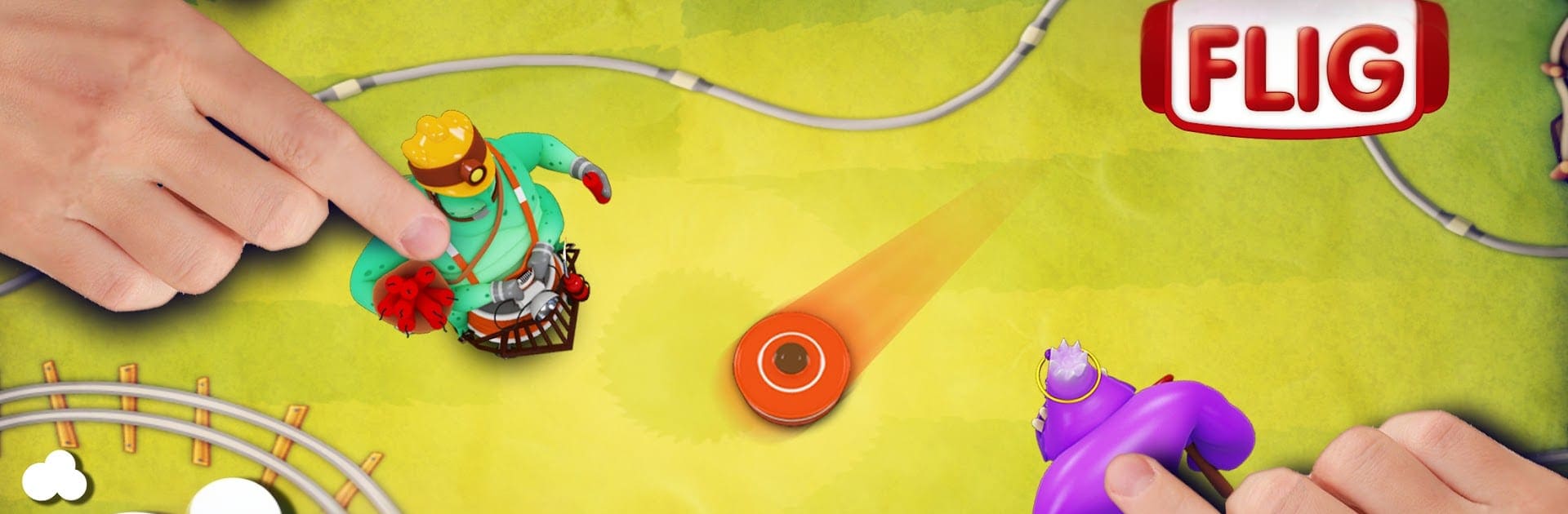
2 Player Game: 1v1 Two Player is a fast, face-to-face Adventure from RAD BROTHERS that mashes up air hockey, racing, and light puzzling into one wild party starter. It’s built for couch competition on a single device or a quick solo run when you’ve got a spare minute. Matches are short, physics feel snappy, and the whole thing is easy to pick up but hard to walk away from.

Game Features

  • Head-to-Head Air Hockey: Trade goals, bump the puck off the walls, and use shots to throw your opponent off their game.
  • Ammo Runner Rounds: Sprint through bite-size courses to grab cartridges and dodge hazards—what you collect powers your shots in the next hockey clash.
  • Maze Breath: Take brief maze detours that mix up the pace, snag a few goodies, and reset the rivalry.
  • Local 1v1 or Solo vs AI: Share one screen for instant multiplayer fun, or take on bots when you’re flying solo. No internet needed.
  • A Tour of Arenas: Play across 10 themed worlds and face 40 quirky opponents that keep every set fresh.
  • Difficulty Your Way: Pick from three challenge levels so kids, newcomers, and vets all feel right at home.
  • Puck Styles to Unlock: Try different puck looks with their own feel and flair to match your playstyle.
  • Snappy Feel: Tight physics, responsive controls, and optional vibration on big goals and bumping into obstacles.
  • Bright and Playful Look: Bold colors and silly animations keep the mood fun even when things get heated.
  • Built to Travel: Runs smoothly on phones and tablets and supports multiple languages for easy pick-up-and-play anywhere.
  • BlueStacks on PC: Prefer a bigger screen and keys? Fire it up on BlueStacks and keep those 1v1 sessions rolling.
  • Bragging Rights: Chase achievements and test your skills on leaderboards as your rivalry grows.

Ready to top the leaderboard? We bet you do. Let precise controls and sharp visuals optimized on BlueStacks lead you to victory.


Game Features

Enhancements

  • Macros
  • Multi Instance
  • Multi Instance Sync
  • Script
  • Enhancements
Macros

Macros

Automate the predictable in 2 Player Game: 1v1 Two Player and transform your gameplay with Macros. Get access to inventive Macros in the BlueStacks Macro Community
Multi Instance

Multi Instance

Play 2 Player Game: 1v1 Two Player on one window. And chat with your friend on the other. Press CTRL + Shift + 8 to open the Multi-Instance Manager. And start creating fresh instances or clone an existing one.
Multi Instance Sync

Multi Instance Sync

Play 2 Player Game: 1v1 Two Player with the power of Multi-Instance Sync. Replicate what you are doing on the main instance on all other instances. Level up faster, play more.
Script

Script

Script your way to gaming glory in 2 Player Game: 1v1 Two Player with BlueStacks Script. Write and run a set of commands to automate repeated tasks. Trigger the command by assigning it to any key.
Read More

How to Download and Play 2 Player Game: 1v1 Two Player on PC or Mac

  • Download and install BlueStacks on your PC or Mac

  • Complete Google sign-in to access the Play Store, or do it later

  • Look for 2 Player Game: 1v1 Two Player in the search bar at the top right corner

  • Click to install 2 Player Game: 1v1 Two Player from the search results

  • Complete Google sign-in (if you skipped step 2) to install 2 Player Game: 1v1 Two Player

  • Click the 2 Player Game: 1v1 Two Player icon on the home screen to start playing

video
Watch Video

Minimum System Requirements

With BlueStacks 5, you can get started on a PC that fulfills the following requirements.

  • Operating System

    Microsoft Windows 7 or above, macOS 11 (Big Sur) or above

  • Processor

    Intel, AMD or Apple Silicon Processor

  • RAM

    at least 4GB

  • HDD

    10GB Free Disk Space

Note:

* You must be an Administrator on your PC. Up to date graphics drivers from Microsoft or the chipset vendor.

2 Player Game: 1v1 Two Player - FAQs

  • How to play 2 Player Game: 1v1 Two Player on Windows PC & Mac?

    Play 2 Player Game: 1v1 Two Player on your PC or Mac by following these simple steps.

    • Click on 'Play 2 Player Game: 1v1 Two Player on PC’ to download BlueStacks
    • Install it and log-in to Google Play Store
    • Launch and play the game.
  • Why is BlueStacks the fastest and safest platform to play games on PC?

    BlueStacks respects your privacy and is always safe and secure to use. It does not carry any malware, spyware, or any sort of additional software that could harm your PC.

    It is engineered to optimize speed and performance for a seamless gaming experience.

  • What are 2 Player Game: 1v1 Two Player PC requirements?

    Minimum requirement to run 2 Player Game: 1v1 Two Player on your PC

    • OS: Microsoft Windows 7 or above MacOS 11 (Big Sur) or above
    • Processor: Intel, AMD or Apple Silicon Processor
    • RAM: Your PC must have at least 4GB of RAM. (Note that having 4GB or more disk space is not a substitute for RAM)
    • HDD: 10GB Free Disk Space.
    • You must be an Administrator on your PC.