Adventure: Undying Diamond

Adventure: Undying Diamond

Adventure

| Naamotelum Cemttuoma

Play on PC with BlueStacks or from our cloud

  • Overview
  • Game Features
  • How to Play

Page Modified On: June 09, 2026

Play Adventure: Undying Diamond on PC or Mac

Explore a whole new adventure with Adventure: Undying Diamond, a Adventure game created by Naamotelum Cemttuoma. Experience great gameplay with BlueStacks, the most popular gaming platform to play Android games on your PC or Mac.

About the Game

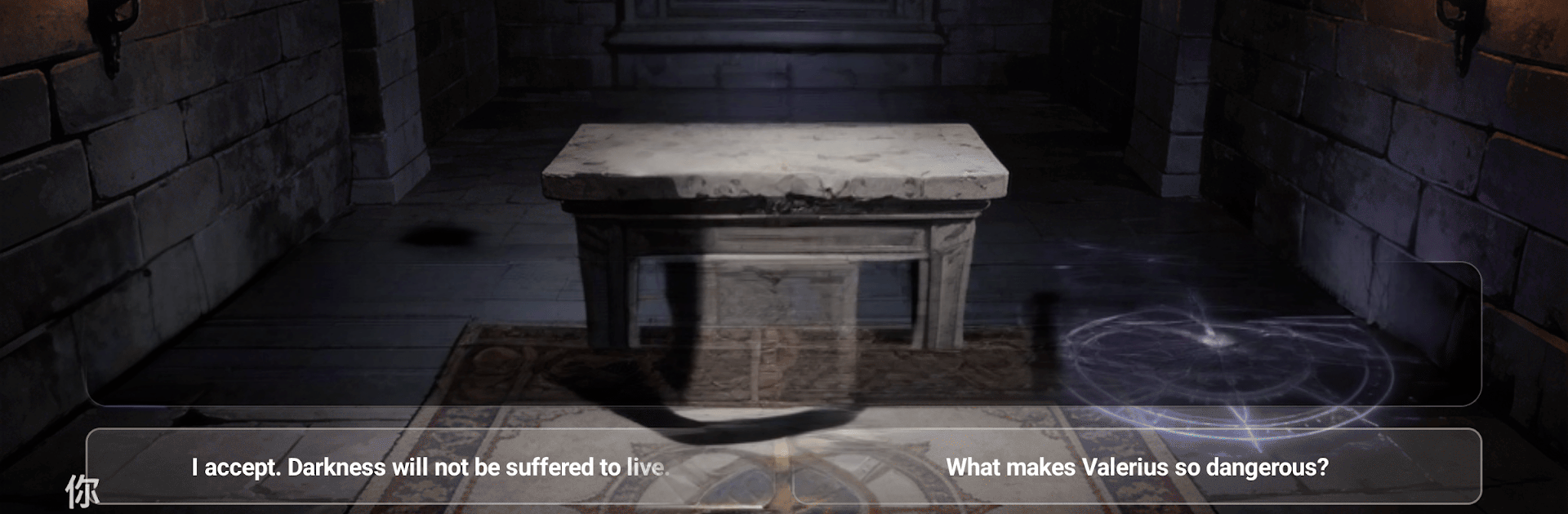
Adventure: Undying Diamond is a story-first Adventure set in fog-soaked Victorian Britain, where your bloodline is the last thing standing between humanity and an ancient coven. You’ll juggle high-born responsibilities with monster hunting, grooming heirs to carry the fight as decades pass. Expect strategy, tough choices, and a creeping sense that every victory has a price.

Game Features

  • Generational Legacy: Raise heirs, shape their traits, and pass down relics so each new leader inherits both strengths and scars from the last.
  • House Management: Run your estate, manage resources, and strike careful alliances that keep your influence intact without inviting betrayal.
  • Strategic Vampire Hunts: Track powerful lords with distinct strengths, plan your approach, and pick the right companions and tools before you move in for the kill.
  • Word-Driven Combat: Outsmart immortal foes in tactical, word-focused battles where sharp decisions—and sharper vocabulary—turn the tide.
  • Gothic Britain to Explore: Creep through candlelit manors, foggy moors, and back-alley chapels while uncovering secrets best left buried.
  • Choices with Bite: Protect the innocent, safeguard your legacy, or gamble everything on a single night—the story remembers, and so do your enemies.
  • Evolving Threats: Surviving vampires adapt, reputations follow you, and old mistakes come back with fangs.
  • Smooth on PC with BlueStacks: Prefer a keyboard and a bigger screen? Play comfortably on BlueStacks without changing how the game feels.

BlueStacks gives you more room to focus on the game and less time adjusting around mobile limitations.


Game Features

Enhancements

  • Macros
  • Multi Instance
  • Multi Instance Sync
  • Script
  • Enhancements
Macros

Macros

Automate the predictable in Adventure: Undying Diamond and transform your gameplay with Macros. Get access to inventive Macros in the BlueStacks Macro Community
Multi Instance

Multi Instance

Play Adventure: Undying Diamond on one window. And chat with your friend on the other. Press CTRL + Shift + 8 to open the Multi-Instance Manager. And start creating fresh instances or clone an existing one.
Multi Instance Sync

Multi Instance Sync

Play Adventure: Undying Diamond with the power of Multi-Instance Sync. Replicate what you are doing on the main instance on all other instances. Level up faster, play more.
Script

Script

Script your way to gaming glory in Adventure: Undying Diamond with BlueStacks Script. Write and run a set of commands to automate repeated tasks. Trigger the command by assigning it to any key.
Read More

How to Download and Play Adventure: Undying Diamond on PC or Mac

  • Download and install BlueStacks on your PC or Mac

  • Complete Google sign-in to access the Play Store, or do it later

  • Look for Adventure: Undying Diamond in the search bar at the top right corner

  • Click to install Adventure: Undying Diamond from the search results

  • Complete Google sign-in (if you skipped step 2) to install Adventure: Undying Diamond

  • Click the Adventure: Undying Diamond icon on the home screen to start playing

video
Watch Video

Minimum System Requirements

With BlueStacks 5, you can get started on a PC that fulfills the following requirements.

  • Operating System

    Microsoft Windows 7 or above, macOS 11 (Big Sur) or above

  • Processor

    Intel, AMD or Apple Silicon Processor

  • RAM

    at least 4GB

  • HDD

    10GB Free Disk Space

Note:

* You must be an Administrator on your PC. Up to date graphics drivers from Microsoft or the chipset vendor.

Adventure: Undying Diamond - FAQs

  • How to play Adventure: Undying Diamond on Windows PC & Mac?

    Play Adventure: Undying Diamond on your PC or Mac by following these simple steps.

    • Click on 'Play Adventure: Undying Diamond on PC’ to download BlueStacks
    • Install it and log-in to Google Play Store
    • Launch and play the game.
  • Why is BlueStacks the fastest and safest platform to play games on PC?

    BlueStacks respects your privacy and is always safe and secure to use. It does not carry any malware, spyware, or any sort of additional software that could harm your PC.

    It is engineered to optimize speed and performance for a seamless gaming experience.

  • What are Adventure: Undying Diamond PC requirements?

    Minimum requirement to run Adventure: Undying Diamond on your PC

    • OS: Microsoft Windows 7 or above MacOS 11 (Big Sur) or above
    • Processor: Intel, AMD or Apple Silicon Processor
    • RAM: Your PC must have at least 4GB of RAM. (Note that having 4GB or more disk space is not a substitute for RAM)
    • HDD: 10GB Free Disk Space.
    • You must be an Administrator on your PC.