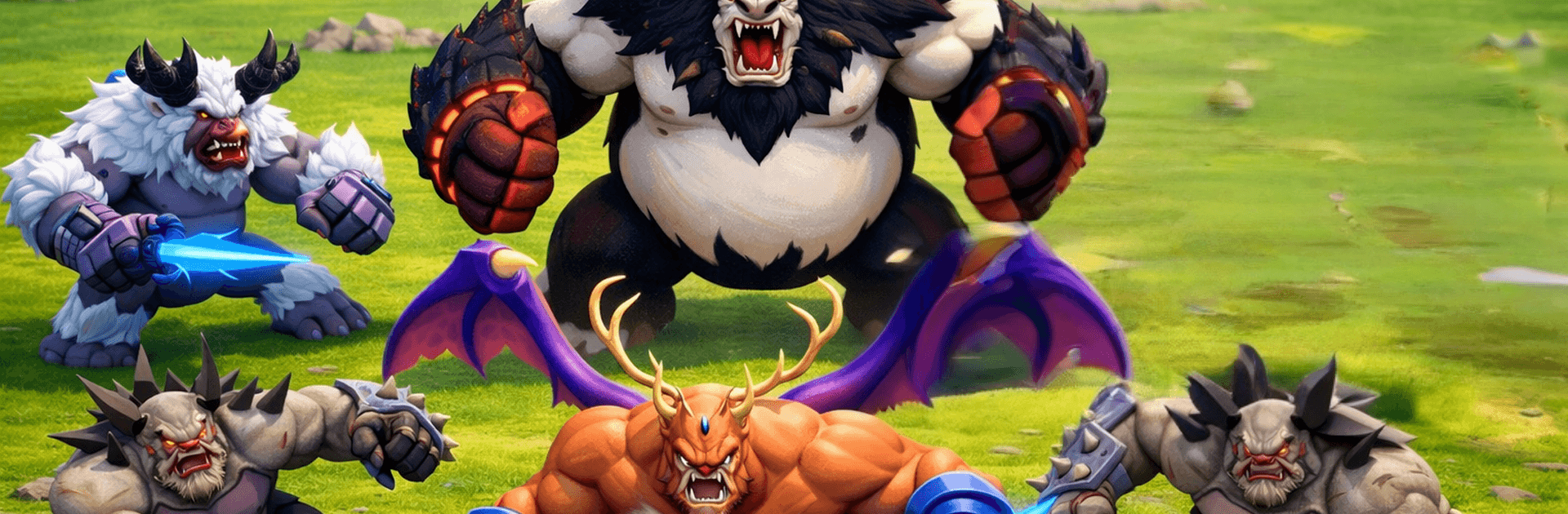
Ape Runner Evolution

Ape Runner Evolution

Adventure

| IntelliVerse Tech LLC

Play on PC with BlueStacks or from our cloud

  • Overview
  • Game Features
  • How to Play

Page Modified On: April 24, 2026

Play Ape Runner Evolution on PC or Mac

Step into the World of Ape Runner Evolution, a thrilling Adventure game from the house of IntelliVerse Tech LLC. Play this Android game on BlueStacks App Player and experience immersive gaming on PC or Mac.

About the Game

Ape Runner Evolution is an Adventure runner from IntelliVerse Tech LLC where you start out scrappy and aim to finish like a powerhouse. You’ll weave through jungle lanes, snack on apes your size (or smaller) to grow, dodge the big bruisers, and grab a Hammer when you need to smash through trouble. Prefer a keyboard? It also feels great on BlueStacks.

Game Features

  • Swipe-and-slide controls: Smooth left/right swipes keep you moving fast and reacting quicker than the next obstacle.
  • On-the-run evolution: Eat equal or lower-level apes to bulk up mid-race, opening new options while changing what’s safe to tackle.
  • Smart risk, big reward: Bigger apes and traps are always lurking. One bad call can end a run, so planning a clean line actually matters.
  • Hammer pickup: Nab the Hammer to shred barriers and carve a safer route when things get tight.
  • Boosters that count: Power-ups and helpful trackers speed growth and make it easier to pick the right targets.
  • Satisfying growth curve: Every size jump feels noticeable—movement, presence, and confidence all ramp up until you cross the line as a hulking gorilla.
  • Fresh jungle routes: Lush paths, shifting hazards, and snappy pacing keep each run feeling a little different from the last.
  • Quick-play friendly: Short, high-energy sessions that are perfect for one-more-try moments—on the go or on BlueStacks.

Start your journey now. Download the game on BlueStacks, invite your friends, and march on a new adventure.


Game Features

Enhancements

  • Macros
  • Multi Instance
  • Multi Instance Sync
  • Script
  • Enhancements
Macros

Macros

Automate the predictable in Ape Runner Evolution and transform your gameplay with Macros. Get access to inventive Macros in the BlueStacks Macro Community
Multi Instance

Multi Instance

Play Ape Runner Evolution on one window. And chat with your friend on the other. Press CTRL + Shift + 8 to open the Multi-Instance Manager. And start creating fresh instances or clone an existing one.
Multi Instance Sync

Multi Instance Sync

Play Ape Runner Evolution with the power of Multi-Instance Sync. Replicate what you are doing on the main instance on all other instances. Level up faster, play more.
Script

Script

Script your way to gaming glory in Ape Runner Evolution with BlueStacks Script. Write and run a set of commands to automate repeated tasks. Trigger the command by assigning it to any key.
Read More

How to Download and Play Ape Runner Evolution on PC or Mac

  • Download and install BlueStacks on your PC or Mac

  • Complete Google sign-in to access the Play Store, or do it later

  • Look for Ape Runner Evolution in the search bar at the top right corner

  • Click to install Ape Runner Evolution from the search results

  • Complete Google sign-in (if you skipped step 2) to install Ape Runner Evolution

  • Click the Ape Runner Evolution icon on the home screen to start playing

video
Watch Video

Minimum System Requirements

With BlueStacks 5, you can get started on a PC that fulfills the following requirements.

  • Operating System

    Microsoft Windows 7 or above, macOS 11 (Big Sur) or above

  • Processor

    Intel, AMD or Apple Silicon Processor

  • RAM

    at least 4GB

  • HDD

    10GB Free Disk Space

Note:

* You must be an Administrator on your PC. Up to date graphics drivers from Microsoft or the chipset vendor.

Ape Runner Evolution - FAQs

  • How to play Ape Runner Evolution on Windows PC & Mac?

    Play Ape Runner Evolution on your PC or Mac by following these simple steps.

    • Click on 'Play Ape Runner Evolution on PC’ to download BlueStacks
    • Install it and log-in to Google Play Store
    • Launch and play the game.
  • Why is BlueStacks the fastest and safest platform to play games on PC?

    BlueStacks respects your privacy and is always safe and secure to use. It does not carry any malware, spyware, or any sort of additional software that could harm your PC.

    It is engineered to optimize speed and performance for a seamless gaming experience.

  • What are Ape Runner Evolution PC requirements?

    Minimum requirement to run Ape Runner Evolution on your PC

    • OS: Microsoft Windows 7 or above MacOS 11 (Big Sur) or above
    • Processor: Intel, AMD or Apple Silicon Processor
    • RAM: Your PC must have at least 4GB of RAM. (Note that having 4GB or more disk space is not a substitute for RAM)
    • HDD: 10GB Free Disk Space.
    • You must be an Administrator on your PC.