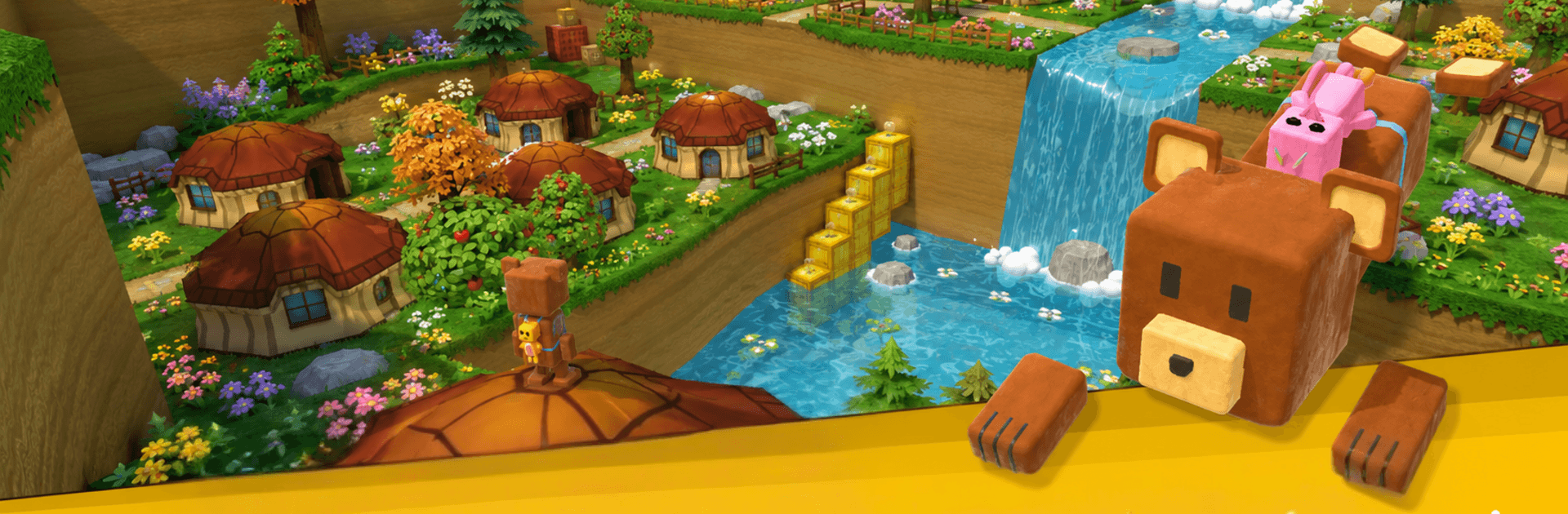
Bear Super Adventure

Bear Super Adventure

Adventure

| TapTonic Games

Play on PC with BlueStacks or from our cloud

  • Overview
  • Game Features
  • How to Play

Page Modified On: June 25, 2026

Play Bear Super Adventure on PC or Mac

Bear Super Adventure by TapTonic Games has plenty to keep you busy. BlueStacks lets you play it on PC or Mac with more screen space, better control, and fewer mobile limits.

About the Game

Bear Super Adventure is a breezy, side-scrolling Adventure game starring a plucky little bear on a big trek. It’s all about clean jumps, smart timing, and poking around for secrets as you wander through bright, storybook-style worlds. Expect cozy vibes, a steady challenge, and plenty of shiny things to snag along the way.

Game Features

  • Play a brave bear: Guide a determined fuzzball through tricky paths, goofy foes, and the occasional “who put spikes here?” moment.
  • Classic platforming feel: Run, hop, bounce off enemies, and thread your way across moving platforms with tight, responsive controls.
  • Distinct worlds: Wander lush forests, echoing caves, snowy ridges, and enchanted zones—each area adds its own twists and hazards.
  • Collectibles everywhere: Scoop up coins and stars, uncover hidden rooms, and sniff out secret routes that reward your curiosity.
  • Power-ups and perks: Grab handy boosts that shake up how you move or help you shrug off trouble for a bit.
  • Smooth and friendly controls: Easy to learn, satisfying to master—great for newcomers and anyone who loves a clean platforming groove.
  • Enemies and obstacles: Outmaneuver crafty traps, ride lifts, dodge falling bits, and bonk cranky critters when the timing’s right.
  • A fair challenge curve: Starts relaxed, then steadily raises the bar so each new stage feels fresh without being unfair.
  • Colorful look, upbeat sound: Bright visuals and bouncy effects keep the tone light while you focus on the next jump.
  • Play anywhere: Quick sessions or longer runs both work—and it feels right at home on BlueStacks if you’re playing at a desk.

Start your journey now. Download the game on BlueStacks, invite your friends, and march on a new adventure.


Game Features

Enhancements

  • Macros
  • Multi Instance
  • Multi Instance Sync
  • Script
  • Enhancements
Macros

Macros

Automate the predictable in Bear Super Adventure and transform your gameplay with Macros. Get access to inventive Macros in the BlueStacks Macro Community
Multi Instance

Multi Instance

Play Bear Super Adventure on one window. And chat with your friend on the other. Press CTRL + Shift + 8 to open the Multi-Instance Manager. And start creating fresh instances or clone an existing one.
Multi Instance Sync

Multi Instance Sync

Play Bear Super Adventure with the power of Multi-Instance Sync. Replicate what you are doing on the main instance on all other instances. Level up faster, play more.
Script

Script

Script your way to gaming glory in Bear Super Adventure with BlueStacks Script. Write and run a set of commands to automate repeated tasks. Trigger the command by assigning it to any key.
Read More

How to Download and Play Bear Super Adventure on PC or Mac

  • Download and install BlueStacks on your PC or Mac

  • Complete Google sign-in to access the Play Store, or do it later

  • Look for Bear Super Adventure in the search bar at the top right corner

  • Click to install Bear Super Adventure from the search results

  • Complete Google sign-in (if you skipped step 2) to install Bear Super Adventure

  • Click the Bear Super Adventure icon on the home screen to start playing

video
Watch Video

Minimum System Requirements

With BlueStacks 5, you can get started on a PC that fulfills the following requirements.

  • Operating System

    Microsoft Windows 7 or above, macOS 11 (Big Sur) or above

  • Processor

    Intel, AMD or Apple Silicon Processor

  • RAM

    at least 4GB

  • HDD

    10GB Free Disk Space

Note:

* You must be an Administrator on your PC. Up to date graphics drivers from Microsoft or the chipset vendor.

Bear Super Adventure - FAQs

  • How to play Bear Super Adventure on Windows PC & Mac?

    Play Bear Super Adventure on your PC or Mac by following these simple steps.

    • Click on 'Play Bear Super Adventure on PC’ to download BlueStacks
    • Install it and log-in to Google Play Store
    • Launch and play the game.
  • Why is BlueStacks the fastest and safest platform to play games on PC?

    BlueStacks respects your privacy and is always safe and secure to use. It does not carry any malware, spyware, or any sort of additional software that could harm your PC.

    It is engineered to optimize speed and performance for a seamless gaming experience.

  • What are Bear Super Adventure PC requirements?

    Minimum requirement to run Bear Super Adventure on your PC

    • OS: Microsoft Windows 7 or above MacOS 11 (Big Sur) or above
    • Processor: Intel, AMD or Apple Silicon Processor
    • RAM: Your PC must have at least 4GB of RAM. (Note that having 4GB or more disk space is not a substitute for RAM)
    • HDD: 10GB Free Disk Space.
    • You must be an Administrator on your PC.