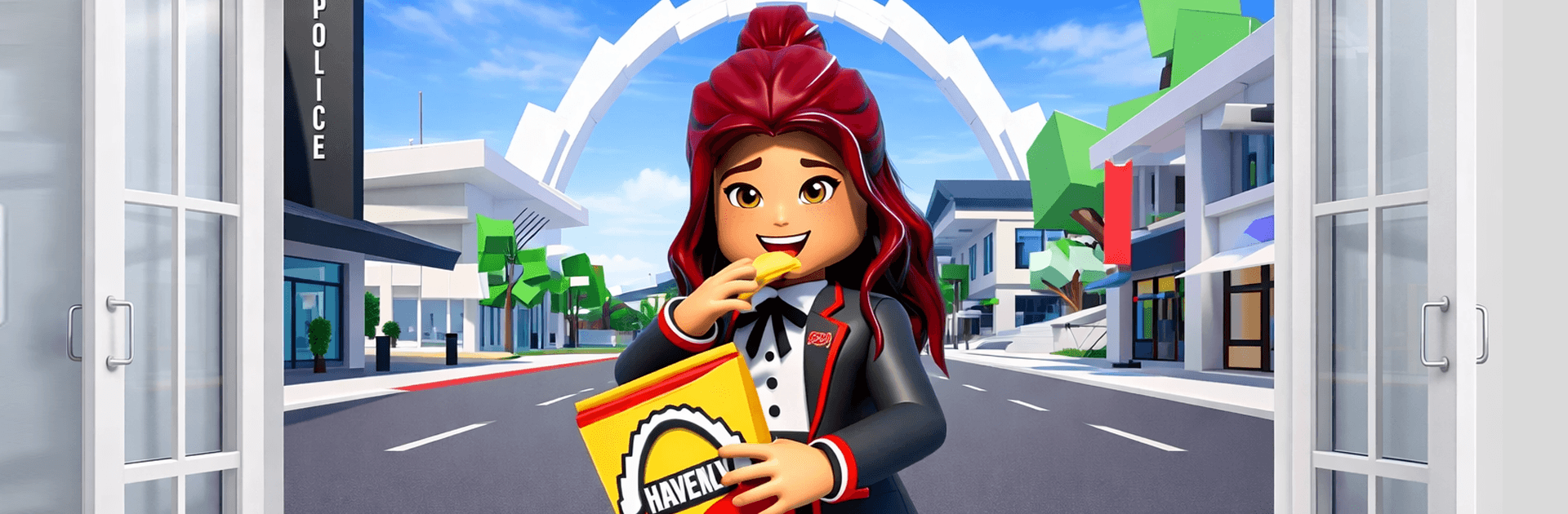
BrookTopia Haven: RP Game

BrookTopia Haven: RP Game

Adventure

| PlayMax Games

Play on PC with BlueStacks or from our cloud

  • Overview
  • Game Features
  • How to Play

Page Modified On: April 21, 2026

Play BrookTopia Haven: RP Game on PC or Mac

Bring your A-game to BrookTopia Haven: RP Game, the Adventure game sensation from PlayMax Games. Give your gameplay the much-needed boost with precise game controls, high FPS graphics, and top-tier features on your PC or Mac with BlueStacks.

About the Game

BrookTopia Haven: RP Game is a laid-back, city-sized sandbox where you build a life that actually feels like yours. Design cozy homes, cruise around town, adopt a pet, or chase down daring missions—it’s your pace, your vibe. Made by PlayMax Games, this Adventure game lets you switch between chill roleplay and action whenever the mood changes. Prefer a bigger screen? It also plays nicely on BlueStacks.

Game Features

  • Build Your Place: Craft stylish houses room by room, arrange furniture just right, and turn empty lots into neighborhoods that feel lived-in.
  • A City That Feels Alive: Roam busy streets, pop into cafés, relax in parks, and meet quirky NPCs. There’s always another corner worth poking around.
  • Weather That Sets the Mood: Sunshine, storms, and gentle snowfall roll in and out, changing the look and feel of the city as you explore.
  • Adopt a Pet Buddy: Pick a furry companion, care for them, and let them tag along on your daily adventures—cute chaos included.
  • Missions with Momentum: Tackle bite-size challenges and story tasks to earn rewards and open up new spots around town.
  • Drive and Discover: Jump into cars and other rides to get around faster—or just cruise for the vibes.
  • Your Style, Your Rules: Go peaceful and creative, or bring out weapons for more intense moments. Switch paths anytime.
  • Character Customization: Shape your avatar with outfits, accessories, and emotes that match your mood.
  • Sandbox Freedom: Place props, experiment with layouts, and roleplay however you like—no strict path to follow.
  • Play with Friends: Hang out, build together, or split up for different activities while sharing the same lively city.

Start your journey now. Download the game on BlueStacks, invite your friends, and march on a new adventure.


Game Features

Enhancements

  • Macros
  • Multi Instance
  • Multi Instance Sync
  • Script
  • Enhancements
Macros

Macros

Automate the predictable in BrookTopia Haven: RP Game and transform your gameplay with Macros. Get access to inventive Macros in the BlueStacks Macro Community
Multi Instance

Multi Instance

Play BrookTopia Haven: RP Game on one window. And chat with your friend on the other. Press CTRL + Shift + 8 to open the Multi-Instance Manager. And start creating fresh instances or clone an existing one.
Multi Instance Sync

Multi Instance Sync

Play BrookTopia Haven: RP Game with the power of Multi-Instance Sync. Replicate what you are doing on the main instance on all other instances. Level up faster, play more.
Script

Script

Script your way to gaming glory in BrookTopia Haven: RP Game with BlueStacks Script. Write and run a set of commands to automate repeated tasks. Trigger the command by assigning it to any key.
Read More

How to Download and Play BrookTopia Haven: RP Game on PC or Mac

  • Download and install BlueStacks on your PC or Mac

  • Complete Google sign-in to access the Play Store, or do it later

  • Look for BrookTopia Haven: RP Game in the search bar at the top right corner

  • Click to install BrookTopia Haven: RP Game from the search results

  • Complete Google sign-in (if you skipped step 2) to install BrookTopia Haven: RP Game

  • Click the BrookTopia Haven: RP Game icon on the home screen to start playing

video
Watch Video

Minimum System Requirements

With BlueStacks 5, you can get started on a PC that fulfills the following requirements.

  • Operating System

    Microsoft Windows 7 or above, macOS 11 (Big Sur) or above

  • Processor

    Intel, AMD or Apple Silicon Processor

  • RAM

    at least 4GB

  • HDD

    10GB Free Disk Space

Note:

* You must be an Administrator on your PC. Up to date graphics drivers from Microsoft or the chipset vendor.

BrookTopia Haven: RP Game - FAQs

  • How to play BrookTopia Haven: RP Game on Windows PC & Mac?

    Play BrookTopia Haven: RP Game on your PC or Mac by following these simple steps.

    • Click on 'Play BrookTopia Haven: RP Game on PC’ to download BlueStacks
    • Install it and log-in to Google Play Store
    • Launch and play the game.
  • Why is BlueStacks the fastest and safest platform to play games on PC?

    BlueStacks respects your privacy and is always safe and secure to use. It does not carry any malware, spyware, or any sort of additional software that could harm your PC.

    It is engineered to optimize speed and performance for a seamless gaming experience.

  • What are BrookTopia Haven: RP Game PC requirements?

    Minimum requirement to run BrookTopia Haven: RP Game on your PC

    • OS: Microsoft Windows 7 or above MacOS 11 (Big Sur) or above
    • Processor: Intel, AMD or Apple Silicon Processor
    • RAM: Your PC must have at least 4GB of RAM. (Note that having 4GB or more disk space is not a substitute for RAM)
    • HDD: 10GB Free Disk Space.
    • You must be an Administrator on your PC.