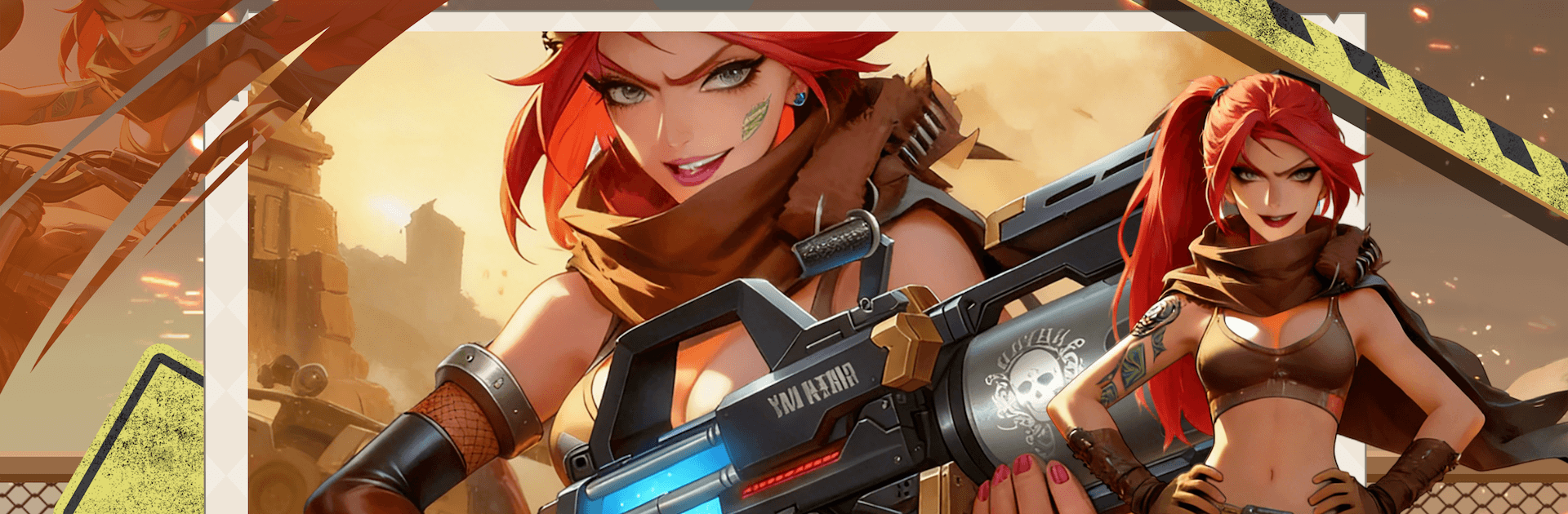
Chrome Cyclone
Chrome Cyclone

Chrome Cyclone

Adventure

| BdTech Sunar Bangla

Play on PC with BlueStacks or from our cloud

  • Overview
  • Game Features
  • How to Play

Page Modified On: April 07, 2026

Play Chrome Cyclone on PC or Mac

Bring your A-game to Chrome Cyclone, the Adventure game sensation from BdTech Sunar Bangla. Give your gameplay the much-needed boost with precise game controls, high FPS graphics, and top-tier features on your PC or Mac with BlueStacks.

About the Game

Chrome Cyclone is an Adventure from BdTech Sunar Bangla that throws you into a neon-soaked future where the machines wrote the rules—and you break them. You play as the Anomaly, a storm-born hybrid of alloy and code, built to disrupt perfect logic with raw, unpredictable power. Expect tight action, moody exploration, and a city that hums with danger around every corner.

Game Features

  • Be the Anomaly: Step into the role of a storm-forged outlier, the one glitch the machine gospel can’t explain.
  • High-impact combat: Chain crackling slashes, shock bursts, and perfectly-timed parries to turn enemy swarms into sparking scrap.
  • Neon city to explore: Creep through rain-slick alleys, climb humming rooftops, and pick through rusted factories hiding off-the-grid secrets.
  • Smarter enemies: Drones scout, walkers lock down lanes, and towering preachers try to overwrite your HUD. Bosses love changing the rules mid-fight.
  • Build and tune: Slot cores, swap augments, and shape a playstyle—from lightning-fast glass cannon to heavy, thunder-soaked brawler.
  • Movement with intent: Snap-dodge through gaps, slide to reposition, and use quick vertical routes to outmaneuver bigger threats.
  • Story in the static: Piece together what happened from broken broadcasts, corrupted terminals, and eerie machine sermons.
  • Sound and spectacle: Sparks, rain, and rumbling basslines make every clash feel physical, from quiet stalks to full-blown storms.
  • Play it your way: Touch controls feel responsive on mobile, and you can also run Chrome Cyclone on PC with BlueStacks if you want more space and flexible inputs.

Make your gaming sessions memorable with precise controls that give you an edge in close combats and visuals that pop up, bringing every character to life.


Game Features

Enhancements

  • Macros
  • Multi Instance
  • Multi Instance Sync
  • Script
  • Enhancements
Macros

Macros

Automate the predictable in Chrome Cyclone and transform your gameplay with Macros. Get access to inventive Macros in the BlueStacks Macro Community
Multi Instance

Multi Instance

Play Chrome Cyclone on one window. And chat with your friend on the other. Press CTRL + Shift + 8 to open the Multi-Instance Manager. And start creating fresh instances or clone an existing one.
Multi Instance Sync

Multi Instance Sync

Play Chrome Cyclone with the power of Multi-Instance Sync. Replicate what you are doing on the main instance on all other instances. Level up faster, play more.
Script

Script

Script your way to gaming glory in Chrome Cyclone with BlueStacks Script. Write and run a set of commands to automate repeated tasks. Trigger the command by assigning it to any key.
Read More

How to Download and Play Chrome Cyclone on PC or Mac

  • Download and install BlueStacks on your PC or Mac

  • Complete Google sign-in to access the Play Store, or do it later

  • Look for Chrome Cyclone in the search bar at the top right corner

  • Click to install Chrome Cyclone from the search results

  • Complete Google sign-in (if you skipped step 2) to install Chrome Cyclone

  • Click the Chrome Cyclone icon on the home screen to start playing

video
Watch Video

Minimum System Requirements

With BlueStacks 5, you can get started on a PC that fulfills the following requirements.

  • Operating System

    Microsoft Windows 7 or above, macOS 11 (Big Sur) or above

  • Processor

    Intel, AMD or Apple Silicon Processor

  • RAM

    at least 4GB

  • HDD

    10GB Free Disk Space

Note:

* You must be an Administrator on your PC. Up to date graphics drivers from Microsoft or the chipset vendor.

Chrome Cyclone - FAQs

  • How to play Chrome Cyclone on Windows PC & Mac?

    Play Chrome Cyclone on your PC or Mac by following these simple steps.

    • Click on 'Play Chrome Cyclone on PC’ to download BlueStacks
    • Install it and log-in to Google Play Store
    • Launch and play the game.
  • Why is BlueStacks the fastest and safest platform to play games on PC?

    BlueStacks respects your privacy and is always safe and secure to use. It does not carry any malware, spyware, or any sort of additional software that could harm your PC.

    It is engineered to optimize speed and performance for a seamless gaming experience.

  • What are Chrome Cyclone PC requirements?

    Minimum requirement to run Chrome Cyclone on your PC

    • OS: Microsoft Windows 7 or above MacOS 11 (Big Sur) or above
    • Processor: Intel, AMD or Apple Silicon Processor
    • RAM: Your PC must have at least 4GB of RAM. (Note that having 4GB or more disk space is not a substitute for RAM)
    • HDD: 10GB Free Disk Space.
    • You must be an Administrator on your PC.