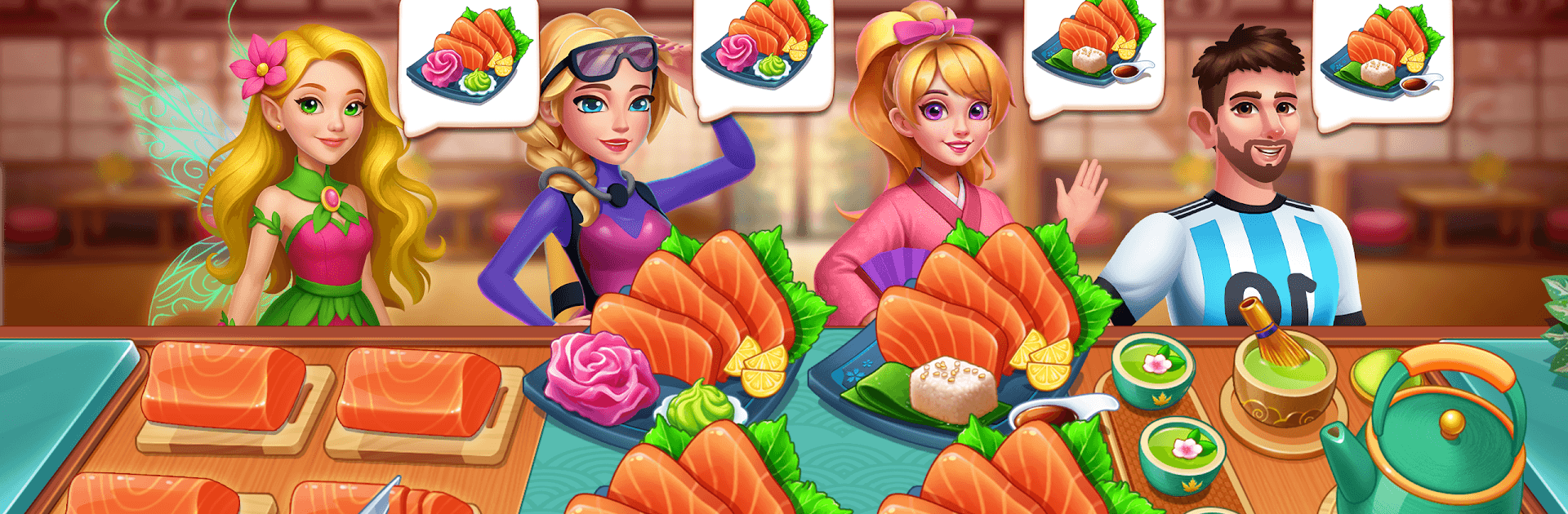
Cooking Japan: Restaurant Game

Cooking Japan: Restaurant Game

Adventure

| CSCMobi Publishing

Play on PC with BlueStacks or from our cloud

  • Overview
  • Game Features
  • How to Play

Page Modified On: April 13, 2026

Play Cooking Japan: Restaurant Game on PC or Mac

Explore a whole new adventure with Cooking Japan: Restaurant Game, a Adventure game created by CSCMobi Publishing. Experience great gameplay with BlueStacks, the most popular gaming platform to play Android games on your PC or Mac.

About the Game

Cooking Japan: Restaurant Game from CSCMobi Publishing turns hectic kitchen shifts into a snappy Adventure you can jump into anytime. Start in Japan, master favorites like sushi, ramen, tempura, and bento, then take your talents to new cities as the orders stack up. It’s a quick-tap, time-management challenge where every second—and every satisfied customer—counts.

Game Features

  • Rapid-fire service: Tap to prep, cook, plate, and serve while juggling timers, stations, and impatient diners. Hit rush hours head-on and push for those 3-star finishes.
  • World tour, new menus: Unlock restaurants across iconic cities and switch up your lineup—from Japanese staples to American classics, European comforts, and Asian street food.
  • Combos and big tips: String together perfect orders to build streaks, earn extra coins, and keep your tip jar happy during the craziest shifts.
  • Deep upgrades: Boost appliances, streamline kitchen equipment, improve ingredients, unlock fresh recipes, and refresh interiors to cook faster and handle bigger crowds.
  • Loads to master: Tackle hundreds of levels, clear tricky missions, and rack up achievements that reward skillful play.
  • Smart customer flow: Keep an eye on patience bars, prioritize tables, and choose the right moment to send out multi-dish orders.
  • Play your way: Smooth on mobile and crisp on BlueStacks if you prefer keyboard-and-mouse precision for quick taps and tidy station control.

Start your journey now. Download the game on BlueStacks, invite your friends, and march on a new adventure.


Game Features

Enhancements

  • Macros
  • Multi Instance
  • Multi Instance Sync
  • Script
  • Enhancements
Macros

Macros

Automate the predictable in Cooking Japan: Restaurant Game and transform your gameplay with Macros. Get access to inventive Macros in the BlueStacks Macro Community
Multi Instance

Multi Instance

Play Cooking Japan: Restaurant Game on one window. And chat with your friend on the other. Press CTRL + Shift + 8 to open the Multi-Instance Manager. And start creating fresh instances or clone an existing one.
Multi Instance Sync

Multi Instance Sync

Play Cooking Japan: Restaurant Game with the power of Multi-Instance Sync. Replicate what you are doing on the main instance on all other instances. Level up faster, play more.
Script

Script

Script your way to gaming glory in Cooking Japan: Restaurant Game with BlueStacks Script. Write and run a set of commands to automate repeated tasks. Trigger the command by assigning it to any key.
Read More

How to Download and Play Cooking Japan: Restaurant Game on PC or Mac

  • Download and install BlueStacks on your PC or Mac

  • Complete Google sign-in to access the Play Store, or do it later

  • Look for Cooking Japan: Restaurant Game in the search bar at the top right corner

  • Click to install Cooking Japan: Restaurant Game from the search results

  • Complete Google sign-in (if you skipped step 2) to install Cooking Japan: Restaurant Game

  • Click the Cooking Japan: Restaurant Game icon on the home screen to start playing

video
Watch Video

Minimum System Requirements

With BlueStacks 5, you can get started on a PC that fulfills the following requirements.

  • Operating System

    Microsoft Windows 7 or above, macOS 11 (Big Sur) or above

  • Processor

    Intel, AMD or Apple Silicon Processor

  • RAM

    at least 4GB

  • HDD

    10GB Free Disk Space

Note:

* You must be an Administrator on your PC. Up to date graphics drivers from Microsoft or the chipset vendor.

Cooking Japan: Restaurant Game - FAQs

  • How to play Cooking Japan: Restaurant Game on Windows PC & Mac?

    Play Cooking Japan: Restaurant Game on your PC or Mac by following these simple steps.

    • Click on 'Play Cooking Japan: Restaurant Game on PC’ to download BlueStacks
    • Install it and log-in to Google Play Store
    • Launch and play the game.
  • Why is BlueStacks the fastest and safest platform to play games on PC?

    BlueStacks respects your privacy and is always safe and secure to use. It does not carry any malware, spyware, or any sort of additional software that could harm your PC.

    It is engineered to optimize speed and performance for a seamless gaming experience.

  • What are Cooking Japan: Restaurant Game PC requirements?

    Minimum requirement to run Cooking Japan: Restaurant Game on your PC

    • OS: Microsoft Windows 7 or above MacOS 11 (Big Sur) or above
    • Processor: Intel, AMD or Apple Silicon Processor
    • RAM: Your PC must have at least 4GB of RAM. (Note that having 4GB or more disk space is not a substitute for RAM)
    • HDD: 10GB Free Disk Space.
    • You must be an Administrator on your PC.