Counter Strike : Gun Commando

Counter Strike : Gun Commando

Adventure

| Shooting Gun Game

Play on PC with BlueStacks or from our cloud

  • Overview
  • Game Features
  • How to Play

Page Modified On: May 25, 2026

Play Counter Strike : Gun Commando on PC or Mac

Play Counter Strike : Gun Commando by Shooting Gun Game on PC or Mac with BlueStacks. Use a bigger screen, mouse and keyboard controls, and smoother performance while you play.

About the Game

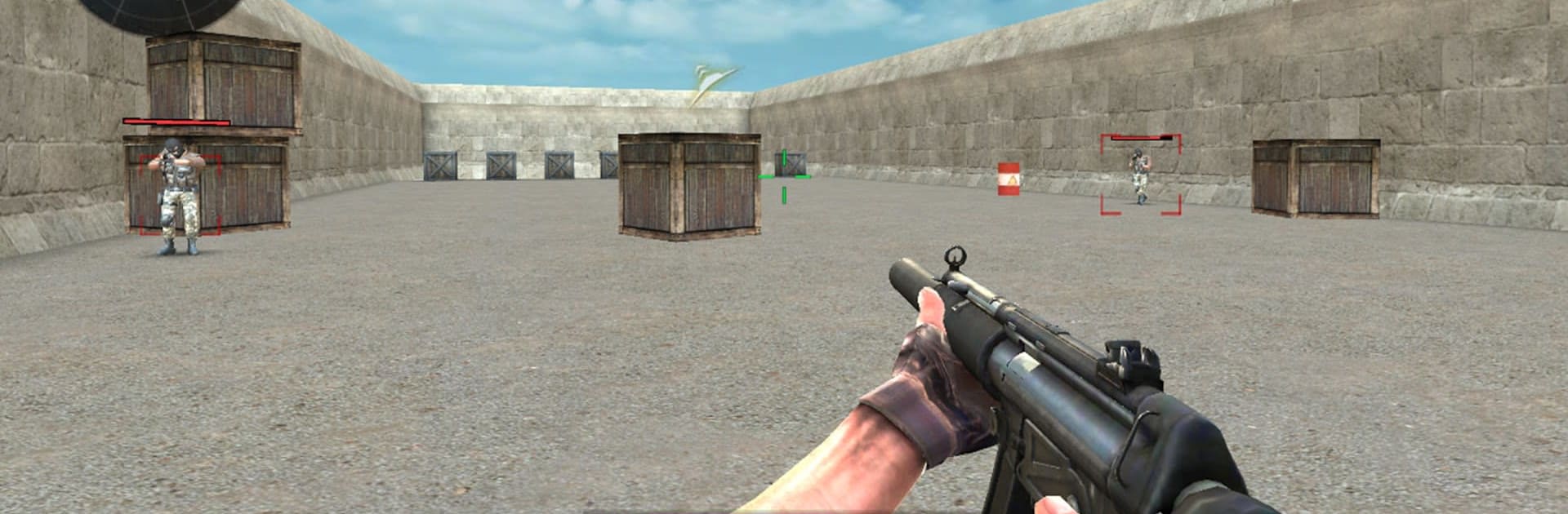
Counter Strike : Gun Commando is a fast, first-person Adventure shooter that rewards smart positioning and clean aim. Jump into tense firefights across city blocks, dusty outposts, and open fields, swapping between competitive PvP matches and focused solo missions when you want to practice or chill. Prefer a bigger view and mouse precision? BlueStacks makes that setup feel natural.

Game Features

  • Tactical PvP: Go head‑to‑head with real players in tight, high‑stakes shootouts. Team up with friends, hold angles, and make the clutch play.
  • Offline Missions: Play solo with clear objectives—protect a VIP, track a target, or slip behind enemy lines for a clean takedown.
  • Authentic Gunplay: Snappy ADS, crisp recoil, and satisfying feedback keep every shot meaningful, whether you’re tapping or spraying.
  • Modern Arsenal: Pick from reliable assault rifles, hard‑hitting snipers, close‑quarters favorites, and utility to back up the plan.
  • Distinct Maps: Fight through compact alleys, sun‑baked deserts, and open fields that reward smart routes and crossfires.
  • Smooth Controls: Simple, responsive touch controls let you focus on timing and movement instead of wrestling with buttons.
  • Real 3D Visuals: Clear sightlines, believable lighting, and detailed environments make targets and cover easy to read at a glance.
  • Immersive Audio: Footsteps, reloads, and distant fire give you the cues you need to rotate, pre‑aim, or hold your nerve.
  • Squad‑Based Action: Roll with a veteran team in certain missions and coordinate pushes to break stalemates.
  • Interactive Combat Spaces: Work cover, peek corners, take elevated positions, and use the map to outthink the opposition.

Ready to top the leaderboard? We bet you do. Let precise controls and sharp visuals optimized on BlueStacks lead you to victory.


Game Features

Enhancements

  • Macros
  • Multi Instance
  • Multi Instance Sync
  • Script
  • Enhancements
Macros

Macros

Automate the predictable in Counter Strike : Gun Commando and transform your gameplay with Macros. Get access to inventive Macros in the BlueStacks Macro Community
Multi Instance

Multi Instance

Play Counter Strike : Gun Commando on one window. And chat with your friend on the other. Press CTRL + Shift + 8 to open the Multi-Instance Manager. And start creating fresh instances or clone an existing one.
Multi Instance Sync

Multi Instance Sync

Play Counter Strike : Gun Commando with the power of Multi-Instance Sync. Replicate what you are doing on the main instance on all other instances. Level up faster, play more.
Script

Script

Script your way to gaming glory in Counter Strike : Gun Commando with BlueStacks Script. Write and run a set of commands to automate repeated tasks. Trigger the command by assigning it to any key.
Read More

How to Download and Play Counter Strike : Gun Commando on PC or Mac

  • Download and install BlueStacks on your PC or Mac

  • Complete Google sign-in to access the Play Store, or do it later

  • Look for Counter Strike : Gun Commando in the search bar at the top right corner

  • Click to install Counter Strike : Gun Commando from the search results

  • Complete Google sign-in (if you skipped step 2) to install Counter Strike : Gun Commando

  • Click the Counter Strike : Gun Commando icon on the home screen to start playing

video
Watch Video

Minimum System Requirements

With BlueStacks 5, you can get started on a PC that fulfills the following requirements.

  • Operating System

    Microsoft Windows 7 or above, macOS 11 (Big Sur) or above

  • Processor

    Intel, AMD or Apple Silicon Processor

  • RAM

    at least 4GB

  • HDD

    10GB Free Disk Space

Note:

* You must be an Administrator on your PC. Up to date graphics drivers from Microsoft or the chipset vendor.

Counter Strike : Gun Commando - FAQs

  • How to play Counter Strike : Gun Commando on Windows PC & Mac?

    Play Counter Strike : Gun Commando on your PC or Mac by following these simple steps.

    • Click on 'Play Counter Strike : Gun Commando on PC’ to download BlueStacks
    • Install it and log-in to Google Play Store
    • Launch and play the game.
  • Why is BlueStacks the fastest and safest platform to play games on PC?

    BlueStacks respects your privacy and is always safe and secure to use. It does not carry any malware, spyware, or any sort of additional software that could harm your PC.

    It is engineered to optimize speed and performance for a seamless gaming experience.

  • What are Counter Strike : Gun Commando PC requirements?

    Minimum requirement to run Counter Strike : Gun Commando on your PC

    • OS: Microsoft Windows 7 or above MacOS 11 (Big Sur) or above
    • Processor: Intel, AMD or Apple Silicon Processor
    • RAM: Your PC must have at least 4GB of RAM. (Note that having 4GB or more disk space is not a substitute for RAM)
    • HDD: 10GB Free Disk Space.
    • You must be an Administrator on your PC.