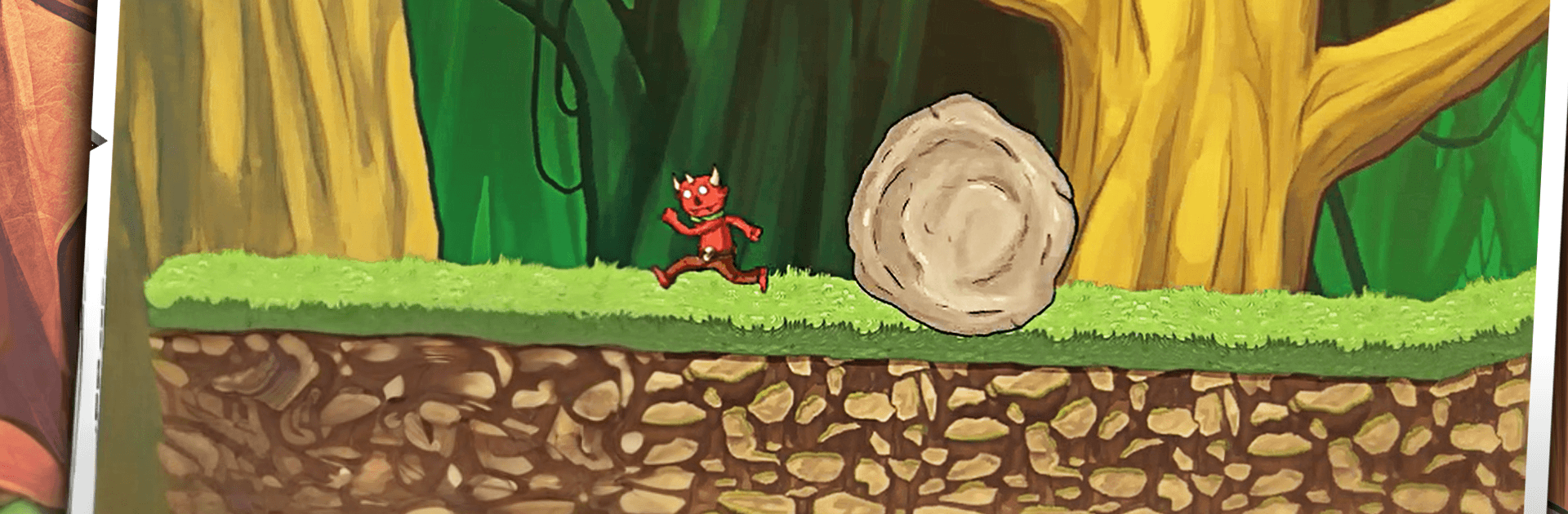
Daemonia - 2D Adventure Platform Game

Daemonia - 2D Adventure Platform Game

Adventure

| Levelance

Play on PC with BlueStacks or from our cloud

  • Overview
  • Game Features
  • How to Play

Page Modified On: April 24, 2026

Play Daemonia - 2D Adventure Platform Game on PC or Mac

Daemonia – 2D Adventure Platform Game brings the Adventure genre to life, and throws up exciting challenges for gamers. Developed by Levelance, this Android game is best experienced on BlueStacks, the World’s #1 app player for PC and Mac users.

About the Game

Daemonia – 2D Adventure Platform Game drops you into a strange, shadowy realm where nothing plays nice. You wake up as Vinnie—suddenly stuck in a small demon body—and you’ve got a choice to make: learn the ropes of this harsh world or find a way back out. It’s a fast, side-scrolling mix of precision jumps, quick-thinking combat, and smart little puzzles with a nostalgic twist. This Adventure from Levelance keeps the focus on tight movement and clean, old-school challenge without the fluff.

Game Features

  • Handcrafted Worlds: Tackle 20+ stages spread across three distinct regions, each with its own hazards, tricks, and vibe.
  • Platforming Meets Puzzles: Hop, dodge, and think your way around traps and brain teasers that reward timing and observation.
  • Boss Showdowns: Face unique, pattern-based bosses and memorable enemies that push both reflexes and patience.
  • Close-Quarters Combat: Use quick melee strikes and handy weapons to clear a path when running won’t cut it.
  • Snappy, Smooth Controls: Responsive movement and jumps make every near-miss and perfect landing feel earned.
  • Hidden Goodies: Hunt for collectables scattered off the beaten path—curiosity pays off here.
  • Classic Feel, Modern Flow: A throwback style that respects your time and skill while keeping everything crisp and readable.
  • Truly Free: No ads, no in-app purchases—just pure gameplay from start to finish.
  • Play on Your Terms: Prefer a bigger screen? It runs great on PC with BlueStacks if that’s your thing.

Ready to top the leaderboard? We bet you do. Let precise controls and sharp visuals optimized on BlueStacks lead you to victory.


Game Features

Enhancements

  • Macros
  • Multi Instance
  • Multi Instance Sync
  • Script
  • Enhancements
Macros

Macros

Automate the predictable in Daemonia - 2D Adventure Platform Game and transform your gameplay with Macros. Get access to inventive Macros in the BlueStacks Macro Community
Multi Instance

Multi Instance

Play Daemonia - 2D Adventure Platform Game on one window. And chat with your friend on the other. Press CTRL + Shift + 8 to open the Multi-Instance Manager. And start creating fresh instances or clone an existing one.
Multi Instance Sync

Multi Instance Sync

Play Daemonia - 2D Adventure Platform Game with the power of Multi-Instance Sync. Replicate what you are doing on the main instance on all other instances. Level up faster, play more.
Script

Script

Script your way to gaming glory in Daemonia - 2D Adventure Platform Game with BlueStacks Script. Write and run a set of commands to automate repeated tasks. Trigger the command by assigning it to any key.
Read More

How to Download and Play Daemonia - 2D Adventure Platform Game on PC or Mac

  • Download and install BlueStacks on your PC or Mac

  • Complete Google sign-in to access the Play Store, or do it later

  • Look for Daemonia - 2D Adventure Platform Game in the search bar at the top right corner

  • Click to install Daemonia - 2D Adventure Platform Game from the search results

  • Complete Google sign-in (if you skipped step 2) to install Daemonia - 2D Adventure Platform Game

  • Click the Daemonia - 2D Adventure Platform Game icon on the home screen to start playing

video
Watch Video

Minimum System Requirements

With BlueStacks 5, you can get started on a PC that fulfills the following requirements.

  • Operating System

    Microsoft Windows 7 or above, macOS 11 (Big Sur) or above

  • Processor

    Intel, AMD or Apple Silicon Processor

  • RAM

    at least 4GB

  • HDD

    10GB Free Disk Space

Note:

* You must be an Administrator on your PC. Up to date graphics drivers from Microsoft or the chipset vendor.

Daemonia - 2D Adventure Platform Game - FAQs

  • How to play Daemonia - 2D Adventure Platform Game on Windows PC & Mac?

    Play Daemonia - 2D Adventure Platform Game on your PC or Mac by following these simple steps.

    • Click on 'Play Daemonia - 2D Adventure Platform Game on PC’ to download BlueStacks
    • Install it and log-in to Google Play Store
    • Launch and play the game.
  • Why is BlueStacks the fastest and safest platform to play games on PC?

    BlueStacks respects your privacy and is always safe and secure to use. It does not carry any malware, spyware, or any sort of additional software that could harm your PC.

    It is engineered to optimize speed and performance for a seamless gaming experience.

  • What are Daemonia - 2D Adventure Platform Game PC requirements?

    Minimum requirement to run Daemonia - 2D Adventure Platform Game on your PC

    • OS: Microsoft Windows 7 or above MacOS 11 (Big Sur) or above
    • Processor: Intel, AMD or Apple Silicon Processor
    • RAM: Your PC must have at least 4GB of RAM. (Note that having 4GB or more disk space is not a substitute for RAM)
    • HDD: 10GB Free Disk Space.
    • You must be an Administrator on your PC.