Harry Potter: Hogwarts Mystery

Harry Potter: Hogwarts Mystery

Adventure

| Jam City, Inc.

BlueStacks Verified

Play on PC with BlueStacks or from our cloud

  • Overview
  • Tips & Tricks
  • Game Features
  • How to Play

Page Modified On: April 09, 2026

Play Harry Potter: Hogwarts Mystery on PC or Mac

Bring your A-game to Harry Potter: Hogwarts Mystery, the Adventure game sensation from Jam City, Inc.. Give your gameplay the much-needed boost with precise game controls, high FPS graphics, and top-tier features on your PC or Mac with BlueStacks.

About the Game

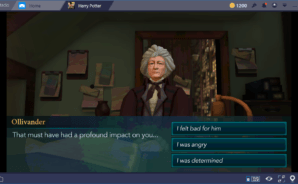
Hogwarts is calling, and this time you’re not just watching from the sidelines—you’re the student. In Harry Potter: Hogwarts Mystery, every class you attend, friend you make, and secret you chase adds to a personal tale set within the castle’s moving staircases and whispering corridors. It’s an Adventure from Jam City, Inc. where your choices actually steer what happens next.

Game Features

  • Choose Your House: Answer the Sorting Hat’s questions and start your journey as a proud Gryffindor, Slytherin, Ravenclaw, or Hufflepuff.
  • Classes and Spells: Master charms, transfiguration, and potions with familiar professors, unlocking new spells and rooms as you move through the school years.
  • A Castle Full of Secrets: Investigate an original Hogwarts mystery, uncover the truth behind the Cursed Vaults, and follow clues tied to your family.
  • Choices That Matter: Pick dialogue, actions, and alliances that shape friendships, rivalries, and how key moments play out.
  • Friends and Romance: Team up with classmates for quests, strengthen bonds, and explore romance as your story grows.
  • Quidditch and Special Events: Take the pitch, join time-limited events, and rally your House in the race for the Cup.
  • Duels and Defense: Face off against rivals, learn smart tactics, and call on a Patronus when dark forces close in.
  • Magical Creatures: Meet and befriend creatures—from mischievous Nifflers to other fantastic companions.
  • Look the Part: Customize your character with new hair, outfits, and accessories, then decorate a dorm that screams House pride.
  • Year-by-Year Progress: Advance through Hogwarts, unlocking new lessons, locations, and challenges as your studies continue.
  • Play Where You Want: Prefer a bigger screen? Harry Potter: Hogwarts Mystery runs smoothly on BlueStacks if you’re playing on PC.

Slay your opponents with your epic moves. Play it your way on BlueStacks and dominate the battlefield.


Game Features

Game controls

  • Movement
  • Tap Spots

Enhancements

  • Macros
  • Multi Instance
  • Multi Instance Sync
  • Script
  • Game controls
  • Enhancements
Movement
Tap Spots
Macros

Macros

Automate the predictable in Harry Potter: Hogwarts Mystery and transform your gameplay with Macros. Get access to inventive Macros in the BlueStacks Macro Community
Multi Instance

Multi Instance

Play Harry Potter: Hogwarts Mystery on one window. And chat with your friend on the other. Press CTRL + Shift + 8 to open the Multi-Instance Manager. And start creating fresh instances or clone an existing one.
Multi Instance Sync

Multi Instance Sync

Play Harry Potter: Hogwarts Mystery with the power of Multi-Instance Sync. Replicate what you are doing on the main instance on all other instances. Level up faster, play more.
Script

Script

Script your way to gaming glory in Harry Potter: Hogwarts Mystery with BlueStacks Script. Write and run a set of commands to automate repeated tasks. Trigger the command by assigning it to any key.
Read More

How to Download and Play Harry Potter: Hogwarts Mystery on PC or Mac

  • Download and install BlueStacks on your PC or Mac

  • Complete Google sign-in to access the Play Store, or do it later

  • Look for Harry Potter: Hogwarts Mystery in the search bar at the top right corner

  • Click to install Harry Potter: Hogwarts Mystery from the search results

  • Complete Google sign-in (if you skipped step 2) to install Harry Potter: Hogwarts Mystery

  • Click the Harry Potter: Hogwarts Mystery icon on the home screen to start playing

video
Watch Video

Minimum System Requirements

With BlueStacks 5, you can get started on a PC that fulfills the following requirements.

  • Operating System

    Microsoft Windows 7 or above, macOS 11 (Big Sur) or above

  • Processor

    Intel, AMD or Apple Silicon Processor

  • RAM

    at least 4GB

  • HDD

    10GB Free Disk Space

Note:

* You must be an Administrator on your PC. Up to date graphics drivers from Microsoft or the chipset vendor.

Harry Potter: Hogwarts Mystery - FAQs

  • How to play Harry Potter: Hogwarts Mystery on Windows PC & Mac?

    Play Harry Potter: Hogwarts Mystery on your PC or Mac by following these simple steps.

    • Click on 'Play Harry Potter: Hogwarts Mystery on PC’ to download BlueStacks
    • Install it and log-in to Google Play Store
    • Launch and play the game.
  • Why is BlueStacks the fastest and safest platform to play games on PC?

    BlueStacks respects your privacy and is always safe and secure to use. It does not carry any malware, spyware, or any sort of additional software that could harm your PC.

    It is engineered to optimize speed and performance for a seamless gaming experience.

  • What are Harry Potter: Hogwarts Mystery PC requirements?

    Minimum requirement to run Harry Potter: Hogwarts Mystery on your PC

    • OS: Microsoft Windows 7 or above MacOS 11 (Big Sur) or above
    • Processor: Intel, AMD or Apple Silicon Processor
    • RAM: Your PC must have at least 4GB of RAM. (Note that having 4GB or more disk space is not a substitute for RAM)
    • HDD: 10GB Free Disk Space.
    • You must be an Administrator on your PC.