Dawn of Hope: Frozen Soul

Dawn of Hope: Frozen Soul

Adventure

| Friendly Fox Games

Play on PC with BlueStacks or from our cloud

  • Overview
  • Game Features
  • How to Play

Page Modified On: January 02, 2026

Play Dawn of Hope: Frozen Soul on PC or Mac

From the innovators and creators at Friendly Fox Games, Dawn of Hope: Frozen Soul is another fun addition to the World of Adventure games. Go beyond your mobile screen and play it bigger and better on your PC or Mac. An immersive experience awaits you.

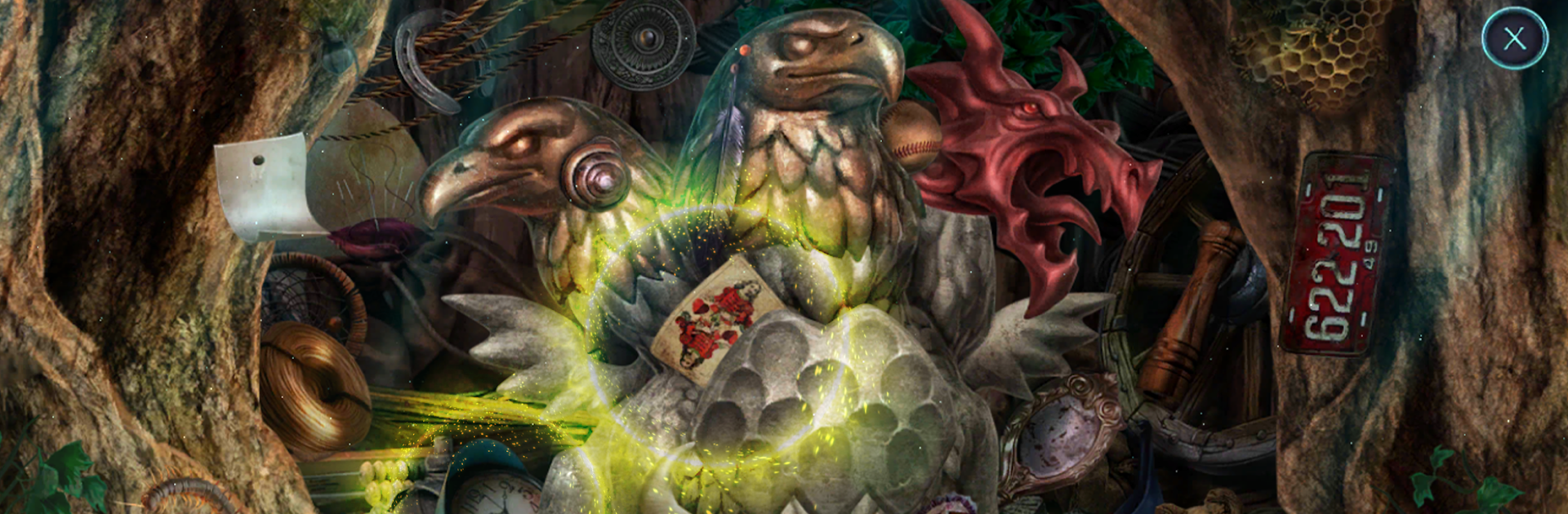
Dawn of Hope: Frozen Soul plays like a fantasy mystery where winter keeps creeping in and the powerful folks are not exactly friendly. The setup is simple to follow but has some nice turns. An oppressive elite, a surprise attack, and an Elven Queen who might be the only way out. The world looks cold but pretty, with frosted towns, glowing crystals, and those small environmental details that make the next screen worth peeking into. Nothing drags too long. A story scene, then a puzzle, then a hidden object search, then back to the plot. It keeps a good rhythm.

The gameplay leans on classic seek and find scenes tied together with logic puzzles and mini games that feel fair. Many puzzles are the type where a player looks at a contraption and knows what the goal is, it is just about figuring the sequence. There is a strategy guide built in if someone gets stuck, and collectibles and morphing objects are tucked around the edges for people who like to sweep every area. The bonus chapter acts like an extra case with new locations, which helps the world feel bigger. On PC with BlueStacks, using a mouse makes hunting the tiny items easier, and the art looks clean at higher resolution. The game lets players try a chunk of scenes first, then unlocks the full adventure, so it is not a total blind buy. Fans of hidden object stories, light detective beats, and chill puzzle pacing will notice the effort that went into the 40 plus locations and the steady variety.

Make your gaming sessions memorable with precise controls that give you an edge in close combats and visuals that pop up, bringing every character to life.


Game Features

Enhancements

  • Macros
  • Multi Instance
  • Multi Instance Sync
  • Script
  • Enhancements
Macros

Macros

Automate the predictable in Dawn of Hope: Frozen Soul and transform your gameplay with Macros. Get access to inventive Macros in the BlueStacks Macro Community
Multi Instance

Multi Instance

Play Dawn of Hope: Frozen Soul on one window. And chat with your friend on the other. Press CTRL + Shift + 8 to open the Multi-Instance Manager. And start creating fresh instances or clone an existing one.
Multi Instance Sync

Multi Instance Sync

Play Dawn of Hope: Frozen Soul with the power of Multi-Instance Sync. Replicate what you are doing on the main instance on all other instances. Level up faster, play more.
Script

Script

Script your way to gaming glory in Dawn of Hope: Frozen Soul with BlueStacks Script. Write and run a set of commands to automate repeated tasks. Trigger the command by assigning it to any key.
Read More

How to Download and Play Dawn of Hope: Frozen Soul on PC or Mac

  • Download and install BlueStacks on your PC or Mac

  • Complete Google sign-in to access the Play Store, or do it later

  • Look for Dawn of Hope: Frozen Soul in the search bar at the top right corner

  • Click to install Dawn of Hope: Frozen Soul from the search results

  • Complete Google sign-in (if you skipped step 2) to install Dawn of Hope: Frozen Soul

  • Click the Dawn of Hope: Frozen Soul icon on the home screen to start playing

video
Watch Video

Minimum System Requirements

With BlueStacks 5, you can get started on a PC that fulfills the following requirements.

  • Operating System

    Microsoft Windows 7 or above, macOS 11 (Big Sur) or above

  • Processor

    Intel, AMD or Apple Silicon Processor

  • RAM

    at least 4GB

  • HDD

    10GB Free Disk Space

Note:

* You must be an Administrator on your PC. Up to date graphics drivers from Microsoft or the chipset vendor.

Dawn of Hope: Frozen Soul - FAQs

  • How to play Dawn of Hope: Frozen Soul on Windows PC & Mac?

    Play Dawn of Hope: Frozen Soul on your PC or Mac by following these simple steps.

    • Click on 'Play Dawn of Hope: Frozen Soul on PC’ to download BlueStacks
    • Install it and log-in to Google Play Store
    • Launch and play the game.
  • Why is BlueStacks the fastest and safest platform to play games on PC?

    BlueStacks respects your privacy and is always safe and secure to use. It does not carry any malware, spyware, or any sort of additional software that could harm your PC.

    It is engineered to optimize speed and performance for a seamless gaming experience.

  • What are Dawn of Hope: Frozen Soul PC requirements?

    Minimum requirement to run Dawn of Hope: Frozen Soul on your PC

    • OS: Microsoft Windows 7 or above MacOS 11 (Big Sur) or above
    • Processor: Intel, AMD or Apple Silicon Processor
    • RAM: Your PC must have at least 4GB of RAM. (Note that having 4GB or more disk space is not a substitute for RAM)
    • HDD: 10GB Free Disk Space.
    • You must be an Administrator on your PC.