Detectives United 2・The Shrine

Detectives United 2・The Shrine

Adventure

| Elephant Games AR LLC

Play on PC with BlueStacks or from our cloud

  • Overview
  • Game Features
  • How to Play

Page Modified On: November 10, 2025

Play Detectives United 2・The Shrine on PC or Mac

Join millions to experience Detectives United 2・The Shrine, an exciting Adventure game from Elephant Games AR LLC. With BlueStacks App Player, you are always a step ahead of your opponent, ready to outplay them with faster gameplay and better control with the mouse and keyboard on your PC or Mac.

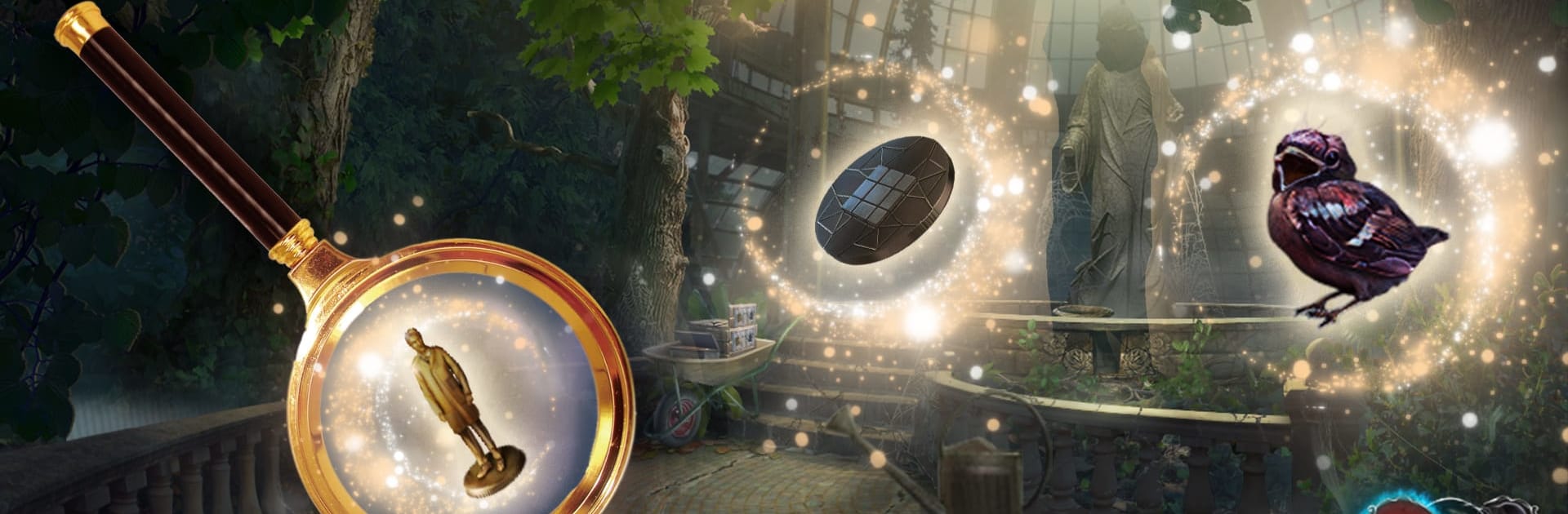
Detectives United 2・The Shrine is a hidden object mystery that pulls three fan-favorite detectives into one crossover case. A spooky gadget flags supernatural trouble in three places, so the team splits up and returns to familiar spots like St. Mary’s Orphanage, Blackhill, and Schneider’s Hotel. The mood is eerie without being gross, more candlelight and whispers than jump scares. Players poke through cluttered scenes to spot items, then use them to fix machines, open odd locks, and inch toward what a secret group called S.H.R.I.N.E. is really doing. Notes, cutscenes, and little character moments keep the story moving, with that slightly pulpy, old-school Elephant Games feel.

The loop is classic HOPA. Hidden object scenes swap styles, sometimes a straight list, sometimes silhouettes or piece assembly. Mini-games lean on patterns, wires, rotating rings, sliders. Nothing brutal, and hints recharge fast if someone stalls. There is a map for fast travel and the inventory has simple combine steps, so backtracking does not drag too much, though there is some. On PC through BlueStacks, the bigger screen makes tiny objects easier to spot and the mouse clicks feel more exact, which helps on those busy scenes with a hundred trinkets piled up. The art is crisp and colorful, music stays low and creepy, voice lines are serviceable, a little melodramatic here and there. It offers a free trial that stops right when things heat up, then a one-time unlock for the full story, with a Collector’s Edition that adds a bonus chapter and lets players replay hidden object scenes and mini-games. For someone who likes relaxed supernatural detective stories, gentle puzzles, and revisiting familiar locations that hide new secrets, this hits a nice cozy groove, even if a couple puzzle types repeat and a clue or two is a bit obvious.

Get ready for a buttery smooth, high-performance gaming action only on BlueStacks.

Game Features

Enhancements

  • Macros
  • Multi Instance
  • Multi Instance Sync
  • Script
  • Enhancements
Macros

Macros

Automate the predictable in Detectives United 2・The Shrine and transform your gameplay with Macros. Get access to inventive Macros in the BlueStacks Macro Community
Multi Instance

Multi Instance

Play Detectives United 2・The Shrine on one window. And chat with your friend on the other. Press CTRL + Shift + 8 to open the Multi-Instance Manager. And start creating fresh instances or clone an existing one.
Multi Instance Sync

Multi Instance Sync

Play Detectives United 2・The Shrine with the power of Multi-Instance Sync. Replicate what you are doing on the main instance on all other instances. Level up faster, play more.
Script

Script

Script your way to gaming glory in Detectives United 2・The Shrine with BlueStacks Script. Write and run a set of commands to automate repeated tasks. Trigger the command by assigning it to any key.
Read More

How to Download and Play Detectives United 2・The Shrine on PC or Mac

  • Download and install BlueStacks on your PC or Mac

  • Complete Google sign-in to access the Play Store, or do it later

  • Look for Detectives United 2・The Shrine in the search bar at the top right corner

  • Click to install Detectives United 2・The Shrine from the search results

  • Complete Google sign-in (if you skipped step 2) to install Detectives United 2・The Shrine

  • Click the Detectives United 2・The Shrine icon on the home screen to start playing

video
Watch Video

Minimum System Requirements

With BlueStacks 5, you can get started on a PC that fulfills the following requirements.

  • Operating System

    Microsoft Windows 7 or above, macOS 11 (Big Sur) or above

  • Processor

    Intel, AMD or Apple Silicon Processor

  • RAM

    at least 4GB

  • HDD

    10GB Free Disk Space

Note:

* You must be an Administrator on your PC. Up to date graphics drivers from Microsoft or the chipset vendor.

Detectives United 2・The Shrine - FAQs

  • How to play Detectives United 2・The Shrine on Windows PC & Mac?

    Play Detectives United 2・The Shrine on your PC or Mac by following these simple steps.

    • Click on 'Play Detectives United 2・The Shrine on PC’ to download BlueStacks
    • Install it and log-in to Google Play Store
    • Launch and play the game.
  • Why is BlueStacks the fastest and safest platform to play games on PC?

    BlueStacks respects your privacy and is always safe and secure to use. It does not carry any malware, spyware, or any sort of additional software that could harm your PC.

    It is engineered to optimize speed and performance for a seamless gaming experience.

  • What are Detectives United 2・The Shrine PC requirements?

    Minimum requirement to run Detectives United 2・The Shrine on your PC

    • OS: Microsoft Windows 7 or above MacOS 11 (Big Sur) or above
    • Processor: Intel, AMD or Apple Silicon Processor
    • RAM: Your PC must have at least 4GB of RAM. (Note that having 4GB or more disk space is not a substitute for RAM)
    • HDD: 10GB Free Disk Space.
    • You must be an Administrator on your PC.