Dexter Stardust
Dexter Stardust

Dexter Stardust

Adventure

| Snapbreak

Play on PC with BlueStacks or from our cloud

  • Overview
  • Game Features
  • How to Play

Page Modified On: January 02, 2026

Play Dexter Stardust on PC or Mac

From the innovators and creators at Snapbreak, Dexter Stardust is another fun addition to the World of Adventure games. Go beyond your mobile screen and play it bigger and better on your PC or Mac. An immersive experience awaits you.

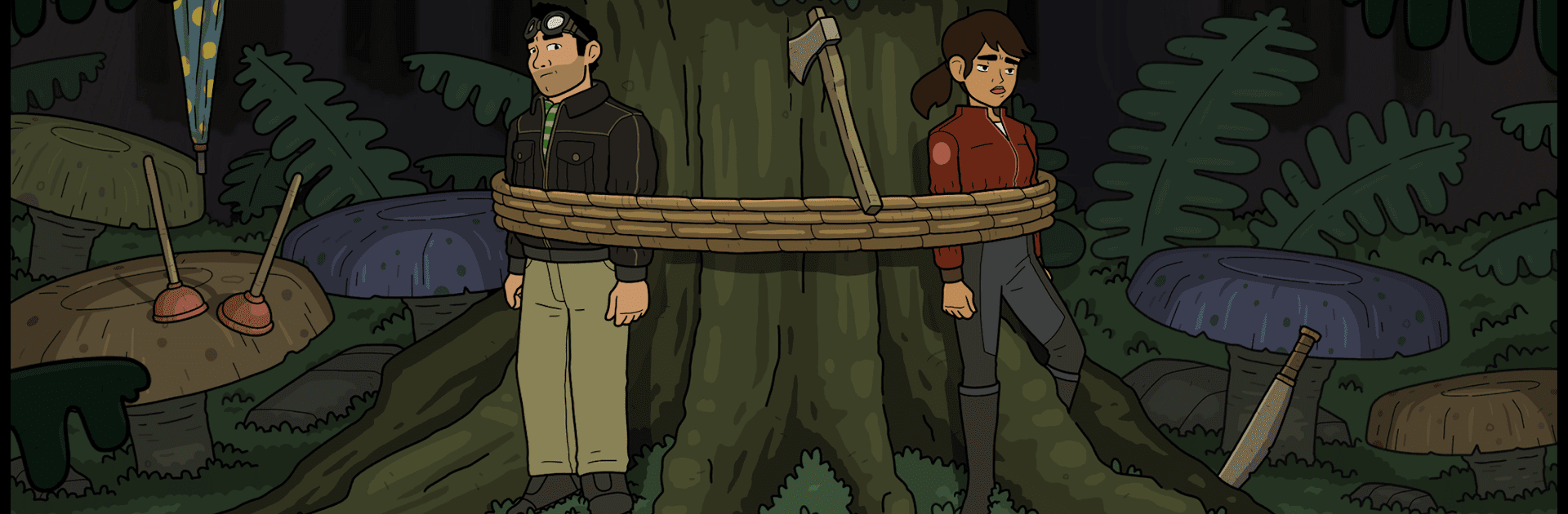
Dexter Stardust is a cheerful point and click space adventure that feels like a Saturday morning cartoon grew up a little. The setup is simple and fun. Years after robots from Planet X tried to wipe out Earth, a mechanical visitor shows up with a message that puts Dexter at the center of saving both humans and the Vreesians. He teams up with Aurora, bounces between planets, chats with oddballs, and solves a pile of puzzles that lean more clever than cruel. It is chapter based, five episodes in one, so the story moves in nice chunks without dragging.

The whole thing is hand animated, frame by frame, with bold colors and clean lines that really pop on a PC monitor. The voice acting sells the jokes, the taco gags keep coming, and yes, there is even a little ukulele learning bit. Gameplay is classic adventure logic. Click to explore, talk to characters, grab items, combine them, try something goofy, then notice the tiny detail that opens the next scene. There is a lot of scenes across several planets, with enough variety to keep it feeling fresh. On BlueStacks with a mouse, it feels natural and smooth, since there is no twitch timing, just relaxed puzzle solving. Hints are tucked into dialogue, so getting stuck does not feel punishing, just nudge forward. There is also a lot of exclamation points, on purpose.

Ready to top the leaderboard? We bet you do. Let precise controls and sharp visuals optimized on BlueStacks lead you to victory.


Game Features

Enhancements

  • Macros
  • Multi Instance
  • Multi Instance Sync
  • Script
  • Enhancements
Macros

Macros

Automate the predictable in Dexter Stardust and transform your gameplay with Macros. Get access to inventive Macros in the BlueStacks Macro Community
Multi Instance

Multi Instance

Play Dexter Stardust on one window. And chat with your friend on the other. Press CTRL + Shift + 8 to open the Multi-Instance Manager. And start creating fresh instances or clone an existing one.
Multi Instance Sync

Multi Instance Sync

Play Dexter Stardust with the power of Multi-Instance Sync. Replicate what you are doing on the main instance on all other instances. Level up faster, play more.
Script

Script

Script your way to gaming glory in Dexter Stardust with BlueStacks Script. Write and run a set of commands to automate repeated tasks. Trigger the command by assigning it to any key.
Read More

How to Download and Play Dexter Stardust on PC or Mac

  • Download and install BlueStacks on your PC or Mac

  • Complete Google sign-in to access the Play Store, or do it later

  • Look for Dexter Stardust in the search bar at the top right corner

  • Click to install Dexter Stardust from the search results

  • Complete Google sign-in (if you skipped step 2) to install Dexter Stardust

  • Click the Dexter Stardust icon on the home screen to start playing

video
Watch Video

Minimum System Requirements

With BlueStacks 5, you can get started on a PC that fulfills the following requirements.

  • Operating System

    Microsoft Windows 7 or above, macOS 11 (Big Sur) or above

  • Processor

    Intel, AMD or Apple Silicon Processor

  • RAM

    at least 4GB

  • HDD

    10GB Free Disk Space

Note:

* You must be an Administrator on your PC. Up to date graphics drivers from Microsoft or the chipset vendor.

Dexter Stardust - FAQs

  • How to play Dexter Stardust on Windows PC & Mac?

    Play Dexter Stardust on your PC or Mac by following these simple steps.

    • Click on 'Play Dexter Stardust on PC’ to download BlueStacks
    • Install it and log-in to Google Play Store
    • Launch and play the game.
  • Why is BlueStacks the fastest and safest platform to play games on PC?

    BlueStacks respects your privacy and is always safe and secure to use. It does not carry any malware, spyware, or any sort of additional software that could harm your PC.

    It is engineered to optimize speed and performance for a seamless gaming experience.

  • What are Dexter Stardust PC requirements?

    Minimum requirement to run Dexter Stardust on your PC

    • OS: Microsoft Windows 7 or above MacOS 11 (Big Sur) or above
    • Processor: Intel, AMD or Apple Silicon Processor
    • RAM: Your PC must have at least 4GB of RAM. (Note that having 4GB or more disk space is not a substitute for RAM)
    • HDD: 10GB Free Disk Space.
    • You must be an Administrator on your PC.