Dino Clash Primal Beasts Game!

Dino Clash Primal Beasts Game!

Adventure

| GSM ARENA GAMES

Play on PC with BlueStacks or from our cloud

  • Overview
  • Game Features
  • How to Play

Page Modified On: May 18, 2026

Play Dino Clash Primal Beasts Game! on PC or Mac

Join millions to experience Dino Clash Primal Beasts Game!, an exciting Adventure game from GSM ARENA GAMES. With BlueStacks App Player, you are always a step ahead of your opponent, ready to outplay them with faster gameplay and better control with the mouse and keyboard on your PC or Mac.

About the Game

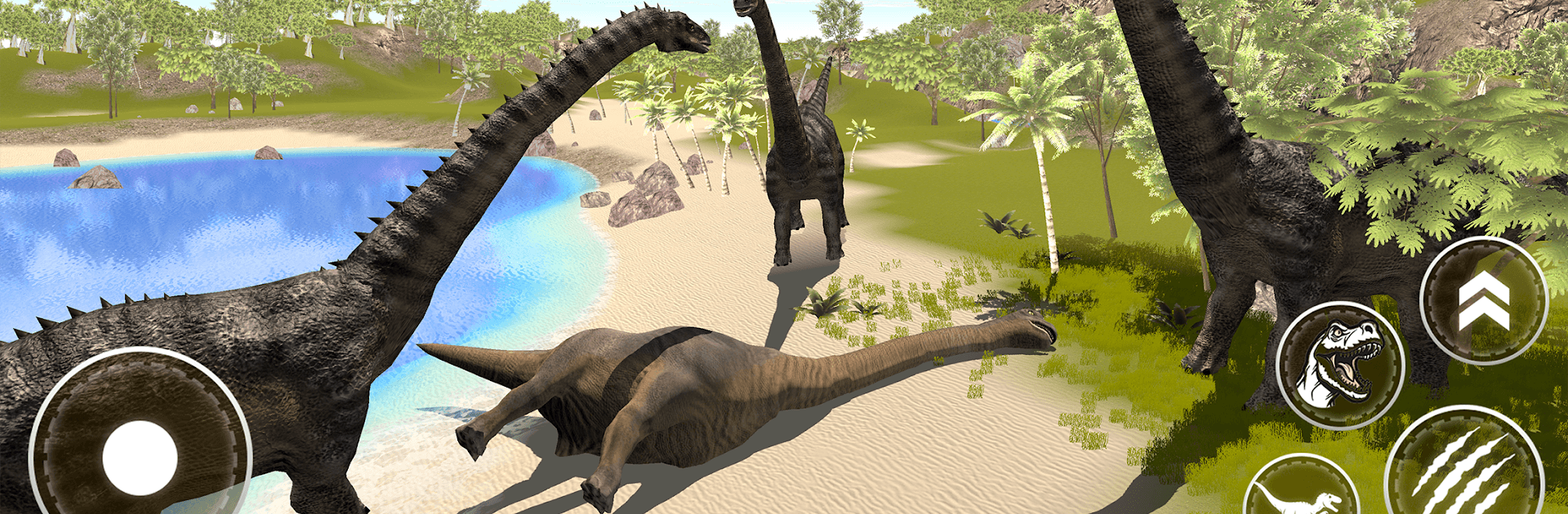
Dino Clash Primal Beasts Game! throws you onto a prehistoric battlefield where strategy meets stampede-level chaos. It’s an Adventure title from GSM ARENA GAMES that lets you build a squad of colossal creatures and send them into real-time clashes. Want to run it on a bigger screen? It plays nicely on PC with BlueStacks, too.

Game Features

  • Iconic Dinosaurs: Field a roster of legends like T-Rex, Velociraptor, Triceratops, Spinosaurus, Brachiosaurus, Stegosaurus, Ankylosaurus, Pteranodon, and more—each with a role you’ll want to master.
  • Tactical Battles: Position units, time abilities, and counter enemy waves with smart formations instead of just mashing attack.
  • Merge and Upgrade: Combine matching dinos to create stronger beasts, then enhance them to unlock rare, prehistoric heavy-hitters.
  • Modes that Push You: Tackle focused PvE missions or test your stamina in longer survival-style runs where every decision matters.
  • Prehistoric Locales: March your herd through jungles, volcanic zones, dusty deserts, and crumbling ruins that change how you approach each fight.
  • Fast, Punchy Fights: Battles are quick and tense, with clear feedback so you know when to commit, retreat, or swap your front line.
  • Easy to Pick Up: Simple tap controls make it welcoming for newcomers while still offering depth for seasoned strategists.
  • Rewards and Progression: Win matches, earn resources, unlock premium beasts, and climb the ranks as your dino command grows stronger.

Make your gaming sessions memorable with precise controls that give you an edge in close combats and visuals that pop up, bringing every character to life.


Game Features

Enhancements

  • Macros
  • Multi Instance
  • Multi Instance Sync
  • Script
  • Enhancements
Macros

Macros

Automate the predictable in Dino Clash Primal Beasts Game! and transform your gameplay with Macros. Get access to inventive Macros in the BlueStacks Macro Community
Multi Instance

Multi Instance

Play Dino Clash Primal Beasts Game! on one window. And chat with your friend on the other. Press CTRL + Shift + 8 to open the Multi-Instance Manager. And start creating fresh instances or clone an existing one.
Multi Instance Sync

Multi Instance Sync

Play Dino Clash Primal Beasts Game! with the power of Multi-Instance Sync. Replicate what you are doing on the main instance on all other instances. Level up faster, play more.
Script

Script

Script your way to gaming glory in Dino Clash Primal Beasts Game! with BlueStacks Script. Write and run a set of commands to automate repeated tasks. Trigger the command by assigning it to any key.
Read More

How to Download and Play Dino Clash Primal Beasts Game! on PC or Mac

  • Download and install BlueStacks on your PC or Mac

  • Complete Google sign-in to access the Play Store, or do it later

  • Look for Dino Clash Primal Beasts Game! in the search bar at the top right corner

  • Click to install Dino Clash Primal Beasts Game! from the search results

  • Complete Google sign-in (if you skipped step 2) to install Dino Clash Primal Beasts Game!

  • Click the Dino Clash Primal Beasts Game! icon on the home screen to start playing

video
Watch Video

Minimum System Requirements

With BlueStacks 5, you can get started on a PC that fulfills the following requirements.

  • Operating System

    Microsoft Windows 7 or above, macOS 11 (Big Sur) or above

  • Processor

    Intel, AMD or Apple Silicon Processor

  • RAM

    at least 4GB

  • HDD

    10GB Free Disk Space

Note:

* You must be an Administrator on your PC. Up to date graphics drivers from Microsoft or the chipset vendor.

Dino Clash Primal Beasts Game! - FAQs

  • How to play Dino Clash Primal Beasts Game! on Windows PC & Mac?

    Play Dino Clash Primal Beasts Game! on your PC or Mac by following these simple steps.

    • Click on 'Play Dino Clash Primal Beasts Game! on PC’ to download BlueStacks
    • Install it and log-in to Google Play Store
    • Launch and play the game.
  • Why is BlueStacks the fastest and safest platform to play games on PC?

    BlueStacks respects your privacy and is always safe and secure to use. It does not carry any malware, spyware, or any sort of additional software that could harm your PC.

    It is engineered to optimize speed and performance for a seamless gaming experience.

  • What are Dino Clash Primal Beasts Game! PC requirements?

    Minimum requirement to run Dino Clash Primal Beasts Game! on your PC

    • OS: Microsoft Windows 7 or above MacOS 11 (Big Sur) or above
    • Processor: Intel, AMD or Apple Silicon Processor
    • RAM: Your PC must have at least 4GB of RAM. (Note that having 4GB or more disk space is not a substitute for RAM)
    • HDD: 10GB Free Disk Space.
    • You must be an Administrator on your PC.