Dreamy Harvest: Farm Island

Dreamy Harvest: Farm Island

Adventure

| Leotive Studio

Play on PC with BlueStacks or from our cloud

  • Overview
  • Game Features
  • How to Play

Page Modified On: August 11, 2025

Play Dreamy Harvest: Farm Island on PC or Mac

Bring your A-game to Dreamy Harvest: Farm Island, the Adventure game sensation from Leotive Studio. Give your gameplay the much-needed boost with precise game controls, high FPS graphics, and top-tier features on your PC or Mac with BlueStacks.

About the Game

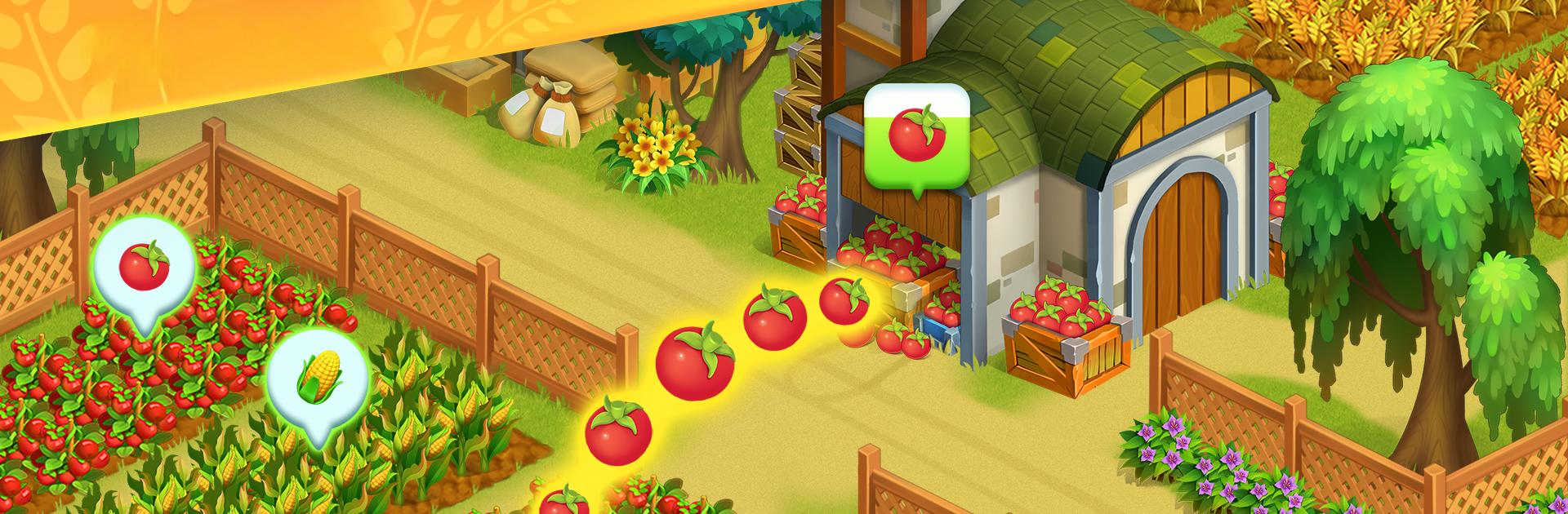
Dreamy Harvest: Farm Island from Leotive Studio gently whisks you away to a world where running your own magical farm is only a tap away. This Adventure game is all about the slow, satisfying rhythm of country life—planting, building, exploring, and finding moments of peace within your favorite little spot on the map. Whether you’re the type who loves planning the perfect garden or gets caught up meeting quirky farm animals, there’s a cozy space for everyone.

Game Features

  • Grow and Nurture Your Dream Farm
    Start with a humble patch of land and build it up with lush crops and cute animals. Looking for a relaxed space to shape your perfect farm? You can choose what to plant, when to harvest, and create your version of rural bliss.

  • Charming Animals and Crafting
    Ever wanted to watch cows graze or collect eggs from your own chickens? Here, your furry and feathered friends actually make a difference. Milk turns into butter, and everything you raise or grow can be traded or used around the farm.

  • Build, Design, and Upgrade
    Unlock new buildings, upgrade homes, and fill your island with personality. Want a cozy cottage or maybe a stylish new workshop? You get to pick, place, and decorate all sorts of structures to turn your farm into a living, breathing homestead.

  • Explore Mysterious Islands
    Once you’re ready, set out to discover hidden lands just waiting off the edge of your map. New islands offer surprises, rare goods, and plenty of chances to expand your farming adventure.

  • Soothing Sights and Sounds
    The art’s soft colors, relaxing tunes, and gentle animations create a mood that makes you want to stay. Whether you’re planting fields or fishing by the river, it’s all easy on the eyes and ear.

  • Mini-Games and Crafty Quests
    Feel like switching things up? Jump into handy mini-games or take on special crafting quests for rewards and shortcuts—great for mixing in a little extra excitement.

  • Play at Your Own Pace
    There’s no rush here. Wander, decorate, or just listen to birdsong as you play. Plus, you can keep your farm growing even if you step away for a bit—and for those on PC, BlueStacks makes playing outside your phone a smooth ride.

Ready to top the leaderboard? We bet you do. Let precise controls and sharp visuals optimized on BlueStacks lead you to victory.


Game Features

Enhancements

  • Macros
  • Multi Instance
  • Multi Instance Sync
  • Script
  • Enhancements
Macros

Macros

Automate the predictable in Dreamy Harvest: Farm Island and transform your gameplay with Macros. Get access to inventive Macros in the BlueStacks Macro Community
Multi Instance

Multi Instance

Play Dreamy Harvest: Farm Island on one window. And chat with your friend on the other. Press CTRL + Shift + 8 to open the Multi-Instance Manager. And start creating fresh instances or clone an existing one.
Multi Instance Sync

Multi Instance Sync

Play Dreamy Harvest: Farm Island with the power of Multi-Instance Sync. Replicate what you are doing on the main instance on all other instances. Level up faster, play more.
Script

Script

Script your way to gaming glory in Dreamy Harvest: Farm Island with BlueStacks Script. Write and run a set of commands to automate repeated tasks. Trigger the command by assigning it to any key.
Read More

How to Download and Play Dreamy Harvest: Farm Island on PC or Mac

  • Download and install BlueStacks on your PC or Mac

  • Complete Google sign-in to access the Play Store, or do it later

  • Look for Dreamy Harvest: Farm Island in the search bar at the top right corner

  • Click to install Dreamy Harvest: Farm Island from the search results

  • Complete Google sign-in (if you skipped step 2) to install Dreamy Harvest: Farm Island

  • Click the Dreamy Harvest: Farm Island icon on the home screen to start playing

video
Watch Video

Minimum System Requirements

With BlueStacks 5, you can get started on a PC that fulfills the following requirements.

  • Operating System

    Microsoft Windows 7 or above, macOS 11 (Big Sur) or above

  • Processor

    Intel, AMD or Apple Silicon Processor

  • RAM

    at least 4GB

  • HDD

    10GB Free Disk Space

Note:

* You must be an Administrator on your PC. Up to date graphics drivers from Microsoft or the chipset vendor.

Dreamy Harvest: Farm Island - FAQs

  • How to play Dreamy Harvest: Farm Island on Windows PC & Mac?

    Play Dreamy Harvest: Farm Island on your PC or Mac by following these simple steps.

    • Click on 'Play Dreamy Harvest: Farm Island on PC’ to download BlueStacks
    • Install it and log-in to Google Play Store
    • Launch and play the game.
  • Why is BlueStacks the fastest and safest platform to play games on PC?

    BlueStacks respects your privacy and is always safe and secure to use. It does not carry any malware, spyware, or any sort of additional software that could harm your PC.

    It is engineered to optimize speed and performance for a seamless gaming experience.

  • What are Dreamy Harvest: Farm Island PC requirements?

    Minimum requirement to run Dreamy Harvest: Farm Island on your PC

    • OS: Microsoft Windows 7 or above MacOS 11 (Big Sur) or above
    • Processor: Intel, AMD or Apple Silicon Processor
    • RAM: Your PC must have at least 4GB of RAM. (Note that having 4GB or more disk space is not a substitute for RAM)
    • HDD: 10GB Free Disk Space.
    • You must be an Administrator on your PC.