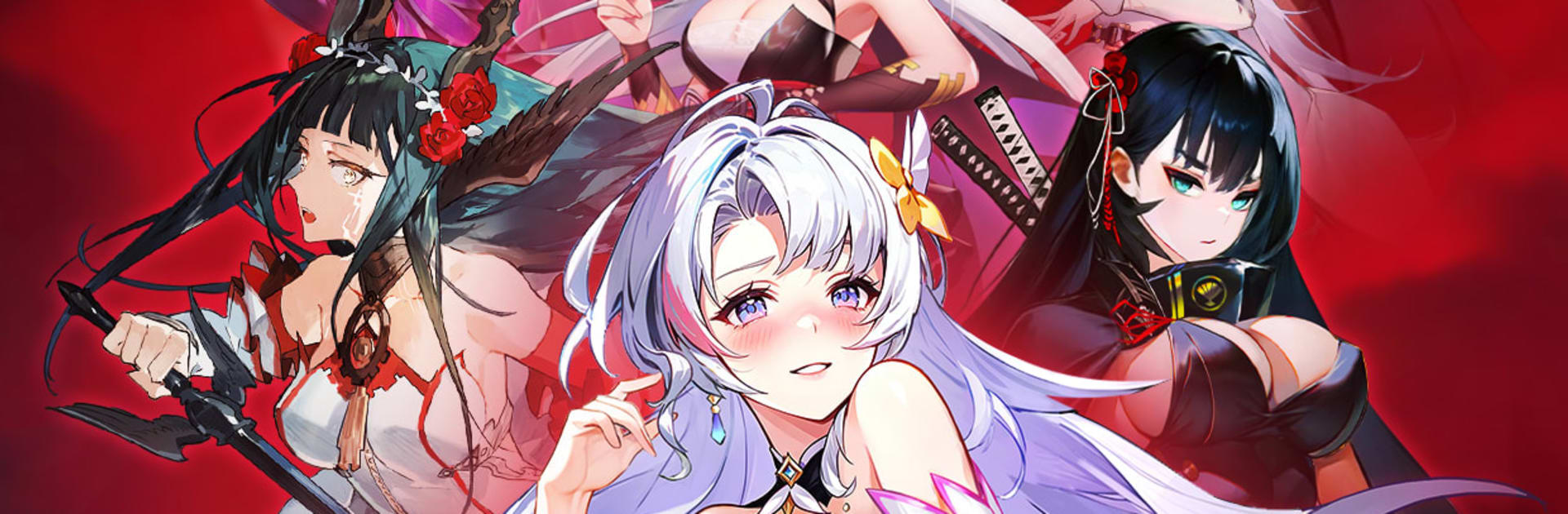
Eileen Saga: The Crush Girl

Eileen Saga: The Crush Girl

Adventure

| YOFUN GAMES

Play on PC with BlueStacks or from our cloud

  • Overview
  • Game Features
  • How to Play

Page Modified On: September 07, 2026

Play Eileen Saga: The Crush Girl on PC or Mac

Explore a whole new adventure with Eileen Saga: The Crush Girl, a Adventure game created by YOFUN GAMES. Experience great gameplay with BlueStacks, the most popular gaming platform to play Android games on your PC or Mac.

About the Game

Eileen Saga: The Crush Girl is an Adventure that kicks off with a quirky contract between you and a bunch of otherworldly visitors. From there, it’s all about recruiting unforgettable characters, building a smart formation, and winning turn-by-turn battles with clever tactics. Expect a mix of story chapters, PvP showdowns, and steady growth for your team—great on its own or on a bigger screen with BlueStacks.

Game Features

  • Interdimensional roster: Collect 100+ heroes from far-flung worlds—blade experts, elemental scholars, divine agents, stealthy assassins, and more—each with distinct artwork and signature abilities.
  • Formation matters: Position tanks up front, keep damage dealers and healers protected in back, and set turn order to counter enemy traits and control the pace of every fight.
  • Team synergies: Pair certain heroes to trigger linked skills and extra effects—surprising combos that can flip tight battles when timed right.
  • Growth that feels good: Upgrade attributes, push past level caps, enhance skills, and swap in better gear to see clear, immediate gains without grindy whiplash.
  • Idle-friendly progress: Pick up resources even when you’re away, then jump back in to invest them where it counts and keep momentum rolling.
  • Competitive arena: Face lineups of similar strength in quick auto-resolved matches, climb through tiers, and earn season rewards that fuel long-term goals.
  • Story in chapters: Tackle a main campaign that moves from a mysterious rift to deep into another realm, meeting odd allies, sharp rivals, and plenty of boss surprises.
  • Play your style: Go hands-on to micromanage every turn or let smart auto-battle handle the basics while you focus on team-building and tactics.

Ready to top the leaderboard? We bet you do. Let precise controls and sharp visuals optimized on BlueStacks lead you to victory.


Game Features

Enhancements

  • Macros
  • Multi Instance
  • Multi Instance Sync
  • Script
  • Enhancements
Macros

Macros

Automate the predictable in Eileen Saga: The Crush Girl and transform your gameplay with Macros. Get access to inventive Macros in the BlueStacks Macro Community
Multi Instance

Multi Instance

Play Eileen Saga: The Crush Girl on one window. And chat with your friend on the other. Press CTRL + Shift + 8 to open the Multi-Instance Manager. And start creating fresh instances or clone an existing one.
Multi Instance Sync

Multi Instance Sync

Play Eileen Saga: The Crush Girl with the power of Multi-Instance Sync. Replicate what you are doing on the main instance on all other instances. Level up faster, play more.
Script

Script

Script your way to gaming glory in Eileen Saga: The Crush Girl with BlueStacks Script. Write and run a set of commands to automate repeated tasks. Trigger the command by assigning it to any key.
Read More

How to Download and Play Eileen Saga: The Crush Girl on PC or Mac

  • Download and install BlueStacks on your PC or Mac

  • Complete Google sign-in to access the Play Store, or do it later

  • Look for Eileen Saga: The Crush Girl in the search bar at the top right corner

  • Click to install Eileen Saga: The Crush Girl from the search results

  • Complete Google sign-in (if you skipped step 2) to install Eileen Saga: The Crush Girl

  • Click the Eileen Saga: The Crush Girl icon on the home screen to start playing

video
Watch Video

Minimum System Requirements

With BlueStacks 5, you can get started on a PC that fulfills the following requirements.

  • Operating System

    Microsoft Windows 7 or above, macOS 11 (Big Sur) or above

  • Processor

    Intel, AMD or Apple Silicon Processor

  • RAM

    at least 4GB

  • HDD

    10GB Free Disk Space

Note:

* You must be an Administrator on your PC. Up to date graphics drivers from Microsoft or the chipset vendor.

Eileen Saga: The Crush Girl - FAQs

  • How to play Eileen Saga: The Crush Girl on Windows PC & Mac?

    Play Eileen Saga: The Crush Girl on your PC or Mac by following these simple steps.

    • Click on 'Play Eileen Saga: The Crush Girl on PC’ to download BlueStacks
    • Install it and log-in to Google Play Store
    • Launch and play the game.
  • Why is BlueStacks the fastest and safest platform to play games on PC?

    BlueStacks respects your privacy and is always safe and secure to use. It does not carry any malware, spyware, or any sort of additional software that could harm your PC.

    It is engineered to optimize speed and performance for a seamless gaming experience.

  • What are Eileen Saga: The Crush Girl PC requirements?

    Minimum requirement to run Eileen Saga: The Crush Girl on your PC

    • OS: Microsoft Windows 7 or above MacOS 11 (Big Sur) or above
    • Processor: Intel, AMD or Apple Silicon Processor
    • RAM: Your PC must have at least 4GB of RAM. (Note that having 4GB or more disk space is not a substitute for RAM)
    • HDD: 10GB Free Disk Space.
    • You must be an Administrator on your PC.