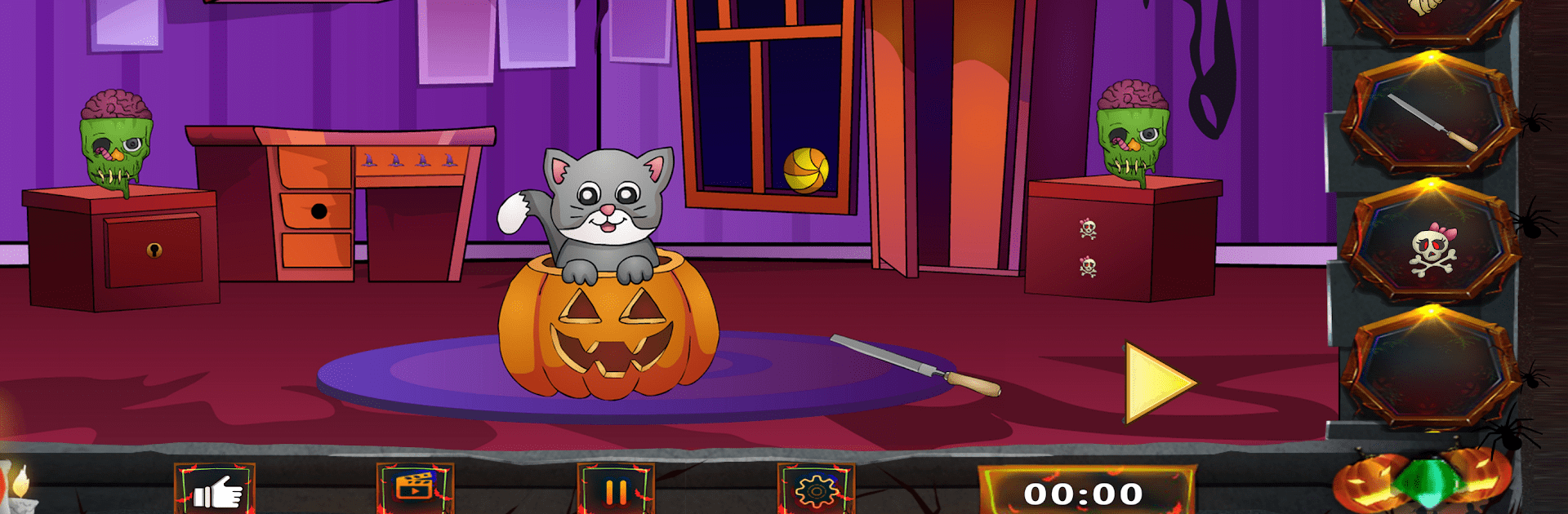
Scary Escape Room:Dark monster

Scary Escape Room:Dark monster

Adventure

| TGS Game Studio

Play on PC with BlueStacks or from our cloud

  • Overview
  • Game Features
  • How to Play

Page Modified On: May 01, 2025

Play Scary Escape Room:Dark monster on PC or Mac

Scary Escape Room:Dark monster brings the Adventure genre to life, and throws up exciting challenges for gamers. Developed by TGS Game Studio, this Android game is best experienced on BlueStacks, the World’s #1 app player for PC and Mac users.

About the Game

Scary Escape Room:Dark monster is where your nerves—and sharp thinking—get put to the test. Picture this: you find yourself locked in a spooky house, shadows flickering across the walls, with one goal in mind—get out before the darkness closes in. There are secrets waiting behind every locked door and only your puzzle-solving skills stand between you and what lurks in those rooms. If you love challenging your brain while dodging spine-tingling scares, this adventure from TGS Game Studio will keep you on your toes. And yep, firing it up on BlueStacks lets you really soak in the creepy vibes.

Game Features

  • Plenty of Locked Doors
    Every room is a new challenge, packed with riddles and clever puzzles—sometimes you’ll breeze through, other times you’ll stare at a lock, second-guessing every decision.

  • Detective-Style Storyline
    Untangle the mystery behind this strange house. Clues aren’t just lying around—you’ll need to dig deep and think like a true detective as you piece together the plot.

  • Varied Endings
    Your choices really do change what happens next. Miss a clue, or find a hidden detail, and the story might twist in ways you didn’t see coming.

  • Atmospheric Graphics and Sound
    Crisp visuals and unsettling audio set the mood perfectly. Shadows, flickering lights, and those little creaks? They’re all part of the fun.

  • Hint System
    Stumped on a puzzle? There’s a little help on hand so you never totally hit a dead end (unless you want to, of course).

  • 100 Brainy Levels
    One room after another, with each level ramping up the challenge—think you’ll make it to the end?

  • Hidden Objects Galore
    Not everything’s in plain sight. You’ll need a sharp pair of eyes to spot important items buried among the clutter.

  • Weird, Creepy Locations
    From eerie basements to rooms straight out of a nightmare, there’s always something unsettling waiting around the next corner.

  • Replay Value
    With multiple ways to escape and twists to discover, each playthrough feels fresh—especially if you’re hungry for more puzzles.

  • Perfect for Puzzle and Adventure Fans
    Whether you’re a horror buff or just love flexing your brain muscles, Scary Escape Room:Dark monster offers up that classic, goosebump-raising adventure vibe.

Get ready for a buttery smooth, high-performance gaming action only on BlueStacks.

Game Features

Enhancements

  • Macros
  • Multi Instance
  • Multi Instance Sync
  • Script
  • Enhancements
Macros

Macros

Automate the predictable in Scary Escape Room:Dark monster and transform your gameplay with Macros. Get access to inventive Macros in the BlueStacks Macro Community
Multi Instance

Multi Instance

Play Scary Escape Room:Dark monster on one window. And chat with your friend on the other. Press CTRL + Shift + 8 to open the Multi-Instance Manager. And start creating fresh instances or clone an existing one.
Multi Instance Sync

Multi Instance Sync

Play Scary Escape Room:Dark monster with the power of Multi-Instance Sync. Replicate what you are doing on the main instance on all other instances. Level up faster, play more.
Script

Script

Script your way to gaming glory in Scary Escape Room:Dark monster with BlueStacks Script. Write and run a set of commands to automate repeated tasks. Trigger the command by assigning it to any key.
Read More

How to Download and Play Scary Escape Room:Dark monster on PC or Mac

  • Download and install BlueStacks on your PC or Mac

  • Complete Google sign-in to access the Play Store, or do it later

  • Look for Scary Escape Room:Dark monster in the search bar at the top right corner

  • Click to install Scary Escape Room:Dark monster from the search results

  • Complete Google sign-in (if you skipped step 2) to install Scary Escape Room:Dark monster

  • Click the Scary Escape Room:Dark monster icon on the home screen to start playing

video
Watch Video

Minimum System Requirements

With BlueStacks 5, you can get started on a PC that fulfills the following requirements.

  • Operating System

    Microsoft Windows 7 or above, macOS 11 (Big Sur) or above

  • Processor

    Intel, AMD or Apple Silicon Processor

  • RAM

    at least 4GB

  • HDD

    10GB Free Disk Space

Note:

* You must be an Administrator on your PC. Up to date graphics drivers from Microsoft or the chipset vendor.

Scary Escape Room:Dark monster - FAQs

  • How to play Scary Escape Room:Dark monster on Windows PC & Mac?

    Play Scary Escape Room:Dark monster on your PC or Mac by following these simple steps.

    • Click on 'Play Scary Escape Room:Dark monster on PC’ to download BlueStacks
    • Install it and log-in to Google Play Store
    • Launch and play the game.
  • Why is BlueStacks the fastest and safest platform to play games on PC?

    BlueStacks respects your privacy and is always safe and secure to use. It does not carry any malware, spyware, or any sort of additional software that could harm your PC.

    It is engineered to optimize speed and performance for a seamless gaming experience.

  • What are Scary Escape Room:Dark monster PC requirements?

    Minimum requirement to run Scary Escape Room:Dark monster on your PC

    • OS: Microsoft Windows 7 or above MacOS 11 (Big Sur) or above
    • Processor: Intel, AMD or Apple Silicon Processor
    • RAM: Your PC must have at least 4GB of RAM. (Note that having 4GB or more disk space is not a substitute for RAM)
    • HDD: 10GB Free Disk Space.
    • You must be an Administrator on your PC.