
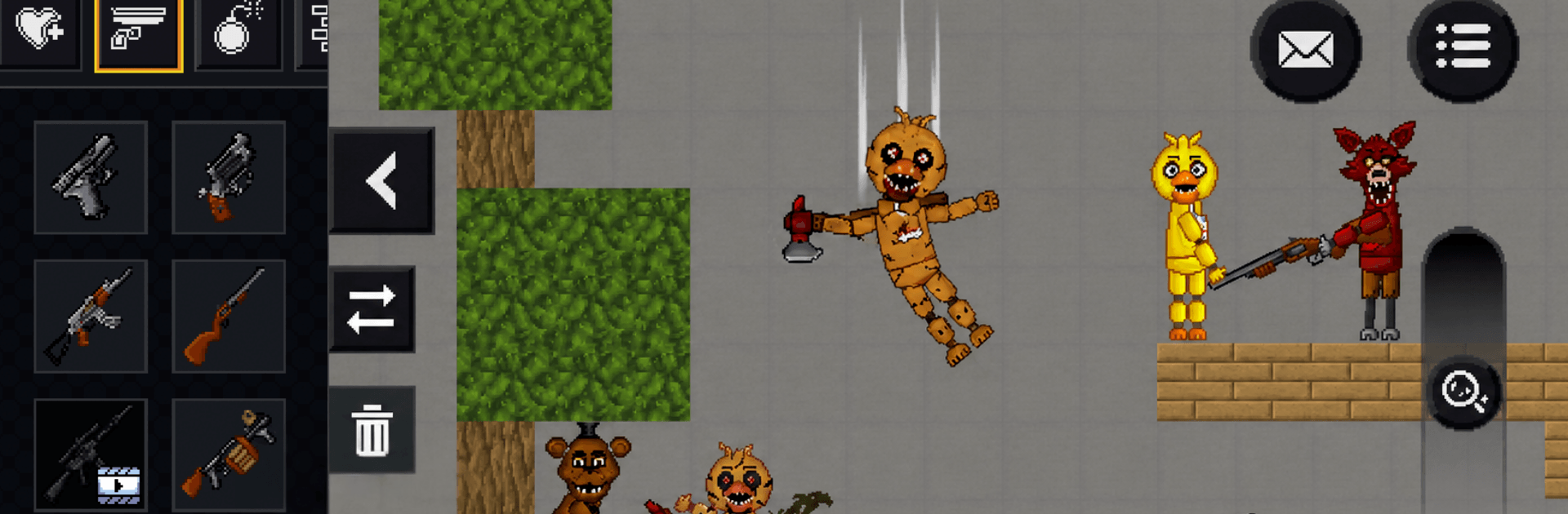
FNAF Sandbox Playground Game

FNAF Sandbox Playground Game

Adventure

| IAAMAR EL WAHA

Play on PC with BlueStacks or from our cloud

  • Overview
  • Game Features
  • How to Play

Page Modified On: August 03, 2026

Play FNAF Sandbox Playground Game on PC or Mac

FNAF Sandbox Playground Game by IAAMAR EL WAHA has plenty to keep you busy. BlueStacks lets you play it on PC or Mac with more screen space, better control, and fewer mobile limits.

About the Game

FNAF Sandbox Playground Game is an Adventure survival-sandbox where the calm of daytime prep flips into tense, unpredictable nights. You’ll roam a wild, uncharted wilderness, turn scrap into tools, and carve out a safe haven before the lights go out and the pressure ramps up. Prefer a bigger screen and keyboard? It plays smoothly on PC with BlueStacks.

Game Features

  • Your World, Your Pace — Wander a sprawling map packed with resources, eerie landmarks, and risky shortcuts. Explore, hunker down, or build something massive—your call.
  • Day Prep, Night Pressure — Stock up and craft while the sun’s out. When night falls, threats grow bolder and new problems show up, fast.
  • Crafting That Counts — Chop wood, gather materials, and assemble tools, traps, and upgrades that genuinely change your odds of surviving each night.
  • Build and Fortify — Design shelters, walls, and smart choke points. Reinforce over time to turn a flimsy shack into a fortress.
  • Evolving Encounters — Nights escalate with shifting events and roaming dangers, so no two runs feel exactly the same.
  • Resource Juggling — Balance food, materials, and stamina. Spend for short-term safety or save for a big upgrade later.
  • Multiple Playstyles — Go nomad, become a meticulous builder, or turtle up and outlast the clock—there’s room for all styles.
  • Strange Secrets to Uncover — Follow odd sounds, track strange signals, and sniff out hidden spots scattered through a mimic-touched landscape.
  • Adventure at Its Core — Open-ended survival and exploration wrapped in a tense, animatronic-flavored atmosphere that keeps you constantly planning your next move.

Get ready for a buttery smooth, high-performance gaming action only on BlueStacks.

Game Features

Enhancements

  • Macros
  • Multi Instance
  • Multi Instance Sync
  • Script
  • Enhancements
Macros

Macros

Automate the predictable in FNAF Sandbox Playground Game and transform your gameplay with Macros. Get access to inventive Macros in the BlueStacks Macro Community
Multi Instance

Multi Instance

Play FNAF Sandbox Playground Game on one window. And chat with your friend on the other. Press CTRL + Shift + 8 to open the Multi-Instance Manager. And start creating fresh instances or clone an existing one.
Multi Instance Sync

Multi Instance Sync

Play FNAF Sandbox Playground Game with the power of Multi-Instance Sync. Replicate what you are doing on the main instance on all other instances. Level up faster, play more.
Script

Script

Script your way to gaming glory in FNAF Sandbox Playground Game with BlueStacks Script. Write and run a set of commands to automate repeated tasks. Trigger the command by assigning it to any key.
Read More

How to Download and Play FNAF Sandbox Playground Game on PC or Mac

  • Download and install BlueStacks on your PC or Mac

  • Complete Google sign-in to access the Play Store, or do it later

  • Look for FNAF Sandbox Playground Game in the search bar at the top right corner

  • Click to install FNAF Sandbox Playground Game from the search results

  • Complete Google sign-in (if you skipped step 2) to install FNAF Sandbox Playground Game

  • Click the FNAF Sandbox Playground Game icon on the home screen to start playing

video
Watch Video

Minimum System Requirements

With BlueStacks 5, you can get started on a PC that fulfills the following requirements.

  • Operating System

    Microsoft Windows 7 or above, macOS 11 (Big Sur) or above

  • Processor

    Intel, AMD or Apple Silicon Processor

  • RAM

    at least 4GB

  • HDD

    10GB Free Disk Space

Note:

* You must be an Administrator on your PC. Up to date graphics drivers from Microsoft or the chipset vendor.

FNAF Sandbox Playground Game - FAQs

  • How to play FNAF Sandbox Playground Game on Windows PC & Mac?

    Play FNAF Sandbox Playground Game on your PC or Mac by following these simple steps.

    • Click on 'Play FNAF Sandbox Playground Game on PC’ to download BlueStacks
    • Install it and log-in to Google Play Store
    • Launch and play the game.
  • Why is BlueStacks the fastest and safest platform to play games on PC?

    BlueStacks respects your privacy and is always safe and secure to use. It does not carry any malware, spyware, or any sort of additional software that could harm your PC.

    It is engineered to optimize speed and performance for a seamless gaming experience.

  • What are FNAF Sandbox Playground Game PC requirements?

    Minimum requirement to run FNAF Sandbox Playground Game on your PC

    • OS: Microsoft Windows 7 or above MacOS 11 (Big Sur) or above
    • Processor: Intel, AMD or Apple Silicon Processor
    • RAM: Your PC must have at least 4GB of RAM. (Note that having 4GB or more disk space is not a substitute for RAM)
    • HDD: 10GB Free Disk Space.
    • You must be an Administrator on your PC.








