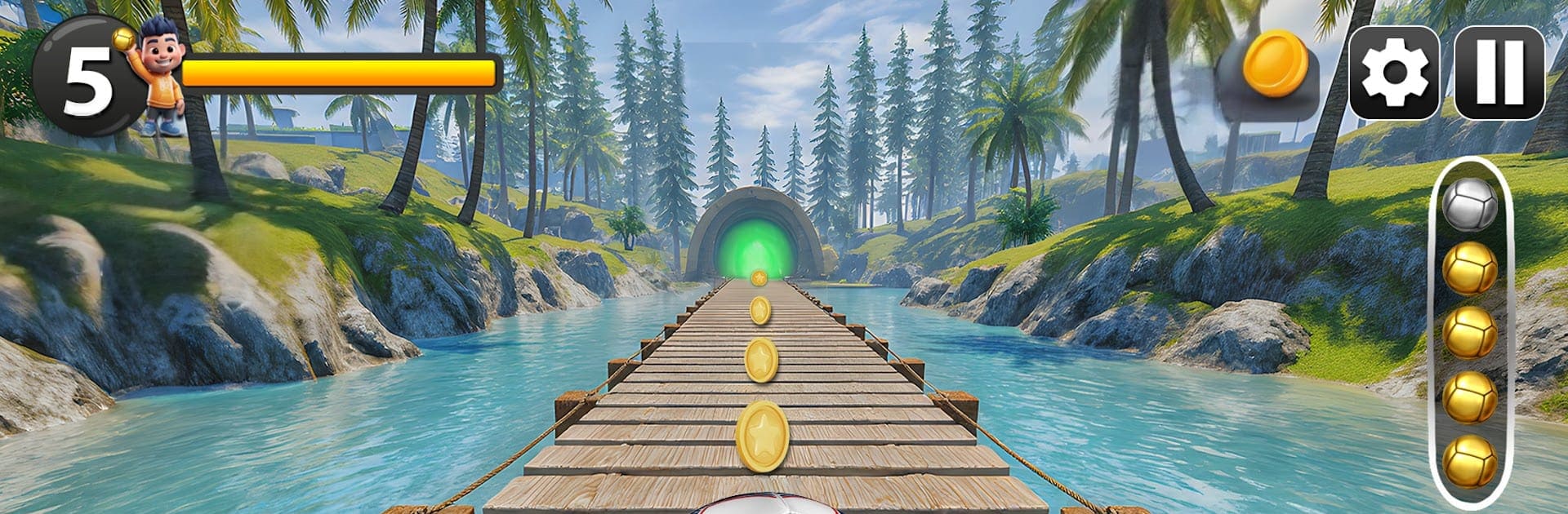
Going Rolling Ball Adventure

Going Rolling Ball Adventure

Adventure

| Wawe Technology

Play on PC with BlueStacks or from our cloud

  • Overview
  • Game Features
  • How to Play

Page Modified On: January 10, 2026

Play Going Rolling Ball Adventure on PC or Mac

Join millions to experience Going Rolling Ball Adventure, an exciting Adventure game from Wawe Technology. With BlueStacks App Player, you are always a step ahead of your opponent, ready to outplay them with faster gameplay and better control with the mouse and keyboard on your PC or Mac.

Going Rolling Ball Adventure is a physics platformer where a glossy ball gets pushed along narrow sky tracks and floating platforms. The player nudges the ball forward, fights momentum on slopes, lines up small jumps, and tries not to slip off the edge into the clouds. It starts simple with wide paths, then mixes in trickier bits like moving floors, bumpers, spring pads, and gaps that look harmless until speed builds up. The camrea sits close enough to read angles and turns with the ball, so lining up a ramp or a tight corner feels like a tiny puzzle more than a race.

What stands out is the weight of the ball. It is light enough to respond fast, but heavy enough that braking takes space, so balance and patience beat pure speed. Stages lean on clean, bright colors and shiny surfaces, which makes spotting hazards easy. Expect a lot of retrying the same turn until the timing clicks, not because the control are stiff, but because the physics punishes greedy inputs. On PC with BlueStacks, arrow keys or WASD make the roll feel steadier than swipes, and quick mouse nudges help with blind drops or sketchy platforms. It has that classic Ballance vibe in 3D, with momentum to manage, edges to respect, and the constant push to go a little faster without flying off into nothing.

Make your gaming sessions memorable with precise controls that give you an edge in close combats and visuals that pop up, bringing every character to life.


Game Features

Enhancements

  • Macros
  • Multi Instance
  • Multi Instance Sync
  • Script
  • Enhancements
Macros

Macros

Automate the predictable in Going Rolling Ball Adventure and transform your gameplay with Macros. Get access to inventive Macros in the BlueStacks Macro Community
Multi Instance

Multi Instance

Play Going Rolling Ball Adventure on one window. And chat with your friend on the other. Press CTRL + Shift + 8 to open the Multi-Instance Manager. And start creating fresh instances or clone an existing one.
Multi Instance Sync

Multi Instance Sync

Play Going Rolling Ball Adventure with the power of Multi-Instance Sync. Replicate what you are doing on the main instance on all other instances. Level up faster, play more.
Script

Script

Script your way to gaming glory in Going Rolling Ball Adventure with BlueStacks Script. Write and run a set of commands to automate repeated tasks. Trigger the command by assigning it to any key.
Read More

How to Download and Play Going Rolling Ball Adventure on PC or Mac

  • Download and install BlueStacks on your PC or Mac

  • Complete Google sign-in to access the Play Store, or do it later

  • Look for Going Rolling Ball Adventure in the search bar at the top right corner

  • Click to install Going Rolling Ball Adventure from the search results

  • Complete Google sign-in (if you skipped step 2) to install Going Rolling Ball Adventure

  • Click the Going Rolling Ball Adventure icon on the home screen to start playing

video
Watch Video

Minimum System Requirements

With BlueStacks 5, you can get started on a PC that fulfills the following requirements.

  • Operating System

    Microsoft Windows 7 or above, macOS 11 (Big Sur) or above

  • Processor

    Intel, AMD or Apple Silicon Processor

  • RAM

    at least 4GB

  • HDD

    10GB Free Disk Space

Note:

* You must be an Administrator on your PC. Up to date graphics drivers from Microsoft or the chipset vendor.

Going Rolling Ball Adventure - FAQs

  • How to play Going Rolling Ball Adventure on Windows PC & Mac?

    Play Going Rolling Ball Adventure on your PC or Mac by following these simple steps.

    • Click on 'Play Going Rolling Ball Adventure on PC’ to download BlueStacks
    • Install it and log-in to Google Play Store
    • Launch and play the game.
  • Why is BlueStacks the fastest and safest platform to play games on PC?

    BlueStacks respects your privacy and is always safe and secure to use. It does not carry any malware, spyware, or any sort of additional software that could harm your PC.

    It is engineered to optimize speed and performance for a seamless gaming experience.

  • What are Going Rolling Ball Adventure PC requirements?

    Minimum requirement to run Going Rolling Ball Adventure on your PC

    • OS: Microsoft Windows 7 or above MacOS 11 (Big Sur) or above
    • Processor: Intel, AMD or Apple Silicon Processor
    • RAM: Your PC must have at least 4GB of RAM. (Note that having 4GB or more disk space is not a substitute for RAM)
    • HDD: 10GB Free Disk Space.
    • You must be an Administrator on your PC.