Gun Games FPS Shooting Offline

Gun Games FPS Shooting Offline

Adventure

| Mine Games Ltd

Play on PC with BlueStacks or from our cloud

  • Overview
  • Game Features
  • How to Play

Page Modified On: April 21, 2026

Play Gun Games FPS Shooting Offline on PC or Mac

Step into the World of Gun Games FPS Shooting Offline, a thrilling Adventure game from the house of Mine Games Ltd. Play this Android game on BlueStacks App Player and experience immersive gaming on PC or Mac.

About the Game

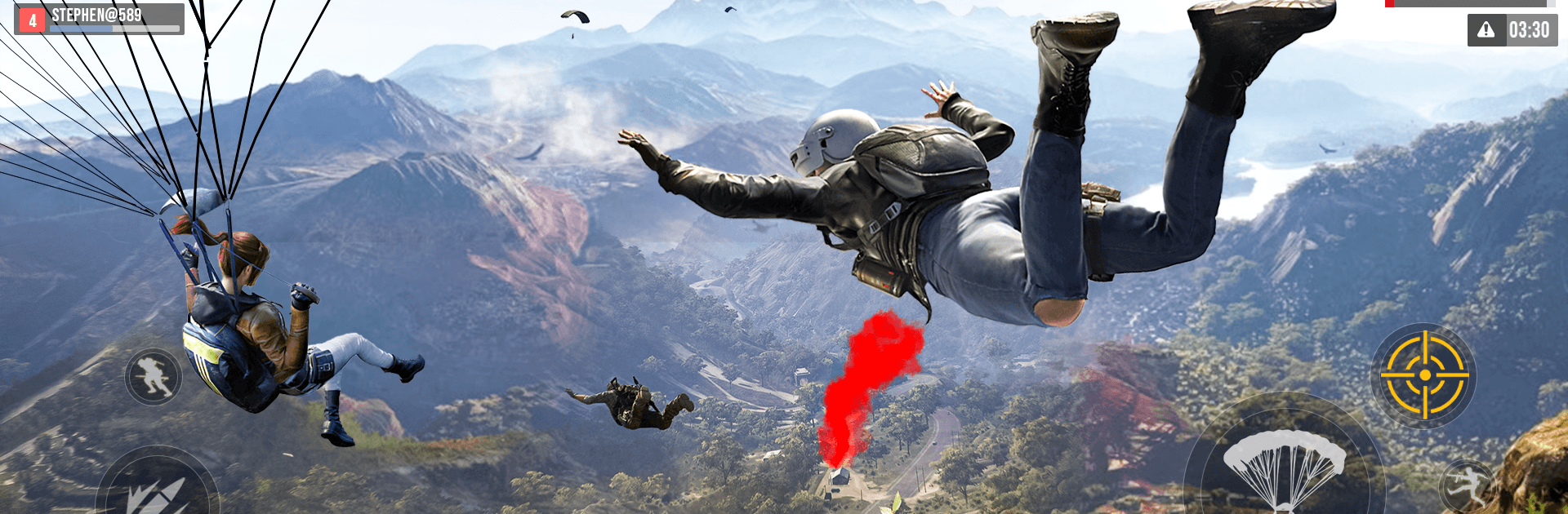
Gun Games FPS Shooting Offline is a fast, no-nonsense shooter from Mine Games Ltd that blends commando ops, sniper showdowns, and undead mayhem into one punchy Adventure package. You can run full missions without Wi‑Fi, then flip to quick multiplayer rounds when you want a scrap with real players. It’s all about tight gunplay, modern weapons, and that “one more run” feeling when a headshot lands just right.

Game Features

  • Multiple Ways to Play: Tackle an offline campaign, squad up for team deathmatch, jump into assault playlists, or switch to dedicated sniper and zombie modes whenever you want a change of pace.
  • Sniper Missions with Slow‑Mo: Line up distant shots, control your breathing, and watch the payoff with slick slow‑motion bullet cams when you nail the perfect hit.
  • Zombie Showdowns & Boss Fights: Hold the line against rushing hordes and tough bosses; smart positioning and quick reloads matter when the arena gets crowded.
  • Modern Weapons, Your Style: Pick from assault rifles, shotguns, pistols, grenades, knives, and even the trusty frying pan—choose what fits the mission and your mood.
  • Commando Ops, Quick Hits: Short, focused objectives keep the pressure on—breach, clear, and exfil without wasting a second.
  • Realistic 3D Graphics: Crisp visuals and punchy effects bring firefights to life across varied arenas that feel busy and reactive.
  • Smooth, Simple Controls: Snappy aiming, quick swaps, and easy-to-grasp inputs let you focus on winning the fight instead of wrestling menus.
  • Offline-Friendly Action: Play anywhere with no connection needed for the main modes, perfect for train rides, waiting rooms, or late-night sessions.
  • BlueStacks Friendly: Prefer a mouse and keyboard? It runs great on BlueStacks if you want that PC-style control setup.

Slay your opponents with your epic moves. Play it your way on BlueStacks and dominate the battlefield.


Game Features

Enhancements

  • Macros
  • Multi Instance
  • Multi Instance Sync
  • Script
  • Enhancements
Macros

Macros

Automate the predictable in Gun Games FPS Shooting Offline and transform your gameplay with Macros. Get access to inventive Macros in the BlueStacks Macro Community
Multi Instance

Multi Instance

Play Gun Games FPS Shooting Offline on one window. And chat with your friend on the other. Press CTRL + Shift + 8 to open the Multi-Instance Manager. And start creating fresh instances or clone an existing one.
Multi Instance Sync

Multi Instance Sync

Play Gun Games FPS Shooting Offline with the power of Multi-Instance Sync. Replicate what you are doing on the main instance on all other instances. Level up faster, play more.
Script

Script

Script your way to gaming glory in Gun Games FPS Shooting Offline with BlueStacks Script. Write and run a set of commands to automate repeated tasks. Trigger the command by assigning it to any key.
Read More

How to Download and Play Gun Games FPS Shooting Offline on PC or Mac

  • Download and install BlueStacks on your PC or Mac

  • Complete Google sign-in to access the Play Store, or do it later

  • Look for Gun Games FPS Shooting Offline in the search bar at the top right corner

  • Click to install Gun Games FPS Shooting Offline from the search results

  • Complete Google sign-in (if you skipped step 2) to install Gun Games FPS Shooting Offline

  • Click the Gun Games FPS Shooting Offline icon on the home screen to start playing

video
Watch Video

Minimum System Requirements

With BlueStacks 5, you can get started on a PC that fulfills the following requirements.

  • Operating System

    Microsoft Windows 7 or above, macOS 11 (Big Sur) or above

  • Processor

    Intel, AMD or Apple Silicon Processor

  • RAM

    at least 4GB

  • HDD

    10GB Free Disk Space

Note:

* You must be an Administrator on your PC. Up to date graphics drivers from Microsoft or the chipset vendor.

Gun Games FPS Shooting Offline - FAQs

  • How to play Gun Games FPS Shooting Offline on Windows PC & Mac?

    Play Gun Games FPS Shooting Offline on your PC or Mac by following these simple steps.

    • Click on 'Play Gun Games FPS Shooting Offline on PC’ to download BlueStacks
    • Install it and log-in to Google Play Store
    • Launch and play the game.
  • Why is BlueStacks the fastest and safest platform to play games on PC?

    BlueStacks respects your privacy and is always safe and secure to use. It does not carry any malware, spyware, or any sort of additional software that could harm your PC.

    It is engineered to optimize speed and performance for a seamless gaming experience.

  • What are Gun Games FPS Shooting Offline PC requirements?

    Minimum requirement to run Gun Games FPS Shooting Offline on your PC

    • OS: Microsoft Windows 7 or above MacOS 11 (Big Sur) or above
    • Processor: Intel, AMD or Apple Silicon Processor
    • RAM: Your PC must have at least 4GB of RAM. (Note that having 4GB or more disk space is not a substitute for RAM)
    • HDD: 10GB Free Disk Space.
    • You must be an Administrator on your PC.