
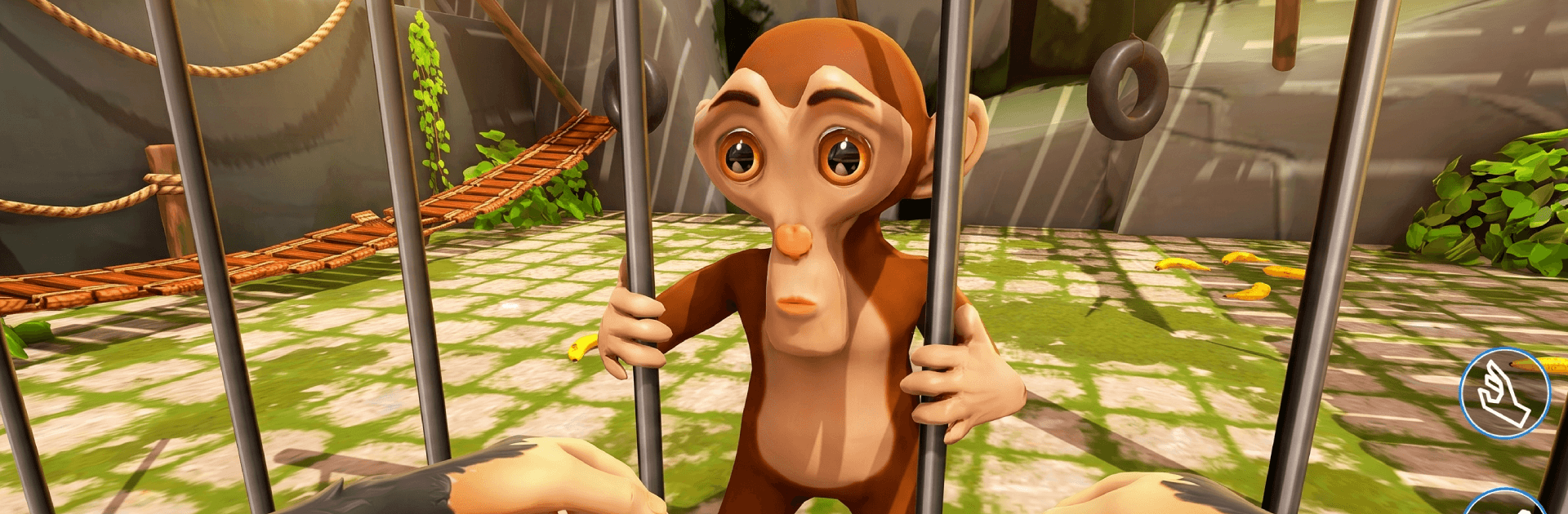
I'M Prankster Naughty Monkey

I'M Prankster Naughty Monkey

Adventure

| Glory Games Studio

Play on PC with BlueStacks or from our cloud

  • Overview
  • Game Features
  • How to Play

Page Modified On: August 10, 2026

Play I'M Prankster Naughty Monkey on PC or Mac

Explore a whole new adventure with I’M Prankster Naughty Monkey, a Adventure game created by Glory Games Studio. Experience great gameplay with BlueStacks, the most popular gaming platform to play Android games on your PC or Mac.

About the Game

I’M Prankster Naughty Monkey is an Adventure sandbox where being naughty is the whole point. You’re a crafty little monkey with a talent for mischief, sprinting between treetops and village streets to pull off ridiculous tricks and make a quick escape. It’s bright, fast, and full of goofy moments—perfect when you want a laugh and a little chaos.

Game Features

  • Be the cheeky troublemaker: Plan silly stunts, surprise anyone who crosses your path, and bolt before they figure out what just happened.
  • Big, free-roam playgrounds: Wander through lush forests, lively markets, and hidden corners packed with things to poke, push, and prank.
  • Pranks that escalate: Topple market stands, spook wandering tourists, tease dozy guards, and watch the commotion snowball.
  • Agile monkey moves: Climb trunks, swing across vines, hop rooftops, and weave through crowds with quick, responsive controls.
  • Make it yours: Unlock fun skins and dress up your furry menace to match your mood.
  • Grow your toolkit: Earn new abilities and upgrades that make your tricks sneakier, faster, and a lot more outrageous.
  • Missions and mayhem: Tackle short, punchy objectives—or ignore them and turn the map into your personal prank lab.
  • Bright look, smooth feel: Colorful visuals and clean performance keep the slapstick action easy to see and fun to play.
  • Play your way: Go handheld on your phone, or fire it up on BlueStacks when you want a bigger screen and comfy desktop controls.

Start playing I’M Prankster Naughty Monkey on BlueStacks and get a smoother, more comfortable PC or Mac setup.


Game Features

Enhancements

  • Macros
  • Multi Instance
  • Multi Instance Sync
  • Script
  • Enhancements
Macros

Macros

Automate the predictable in I'M Prankster Naughty Monkey and transform your gameplay with Macros. Get access to inventive Macros in the BlueStacks Macro Community
Multi Instance

Multi Instance

Play I'M Prankster Naughty Monkey on one window. And chat with your friend on the other. Press CTRL + Shift + 8 to open the Multi-Instance Manager. And start creating fresh instances or clone an existing one.
Multi Instance Sync

Multi Instance Sync

Play I'M Prankster Naughty Monkey with the power of Multi-Instance Sync. Replicate what you are doing on the main instance on all other instances. Level up faster, play more.
Script

Script

Script your way to gaming glory in I'M Prankster Naughty Monkey with BlueStacks Script. Write and run a set of commands to automate repeated tasks. Trigger the command by assigning it to any key.
Read More

How to Download and Play I'M Prankster Naughty Monkey on PC or Mac

  • Download and install BlueStacks on your PC or Mac

  • Complete Google sign-in to access the Play Store, or do it later

  • Look for I'M Prankster Naughty Monkey in the search bar at the top right corner

  • Click to install I'M Prankster Naughty Monkey from the search results

  • Complete Google sign-in (if you skipped step 2) to install I'M Prankster Naughty Monkey

  • Click the I'M Prankster Naughty Monkey icon on the home screen to start playing

video
Watch Video

Minimum System Requirements

With BlueStacks 5, you can get started on a PC that fulfills the following requirements.

  • Operating System

    Microsoft Windows 7 or above, macOS 11 (Big Sur) or above

  • Processor

    Intel, AMD or Apple Silicon Processor

  • RAM

    at least 4GB

  • HDD

    10GB Free Disk Space

Note:

* You must be an Administrator on your PC. Up to date graphics drivers from Microsoft or the chipset vendor.

I'M Prankster Naughty Monkey - FAQs

  • How to play I'M Prankster Naughty Monkey on Windows PC & Mac?

    Play I'M Prankster Naughty Monkey on your PC or Mac by following these simple steps.

    • Click on 'Play I'M Prankster Naughty Monkey on PC’ to download BlueStacks
    • Install it and log-in to Google Play Store
    • Launch and play the game.
  • Why is BlueStacks the fastest and safest platform to play games on PC?

    BlueStacks respects your privacy and is always safe and secure to use. It does not carry any malware, spyware, or any sort of additional software that could harm your PC.

    It is engineered to optimize speed and performance for a seamless gaming experience.

  • What are I'M Prankster Naughty Monkey PC requirements?

    Minimum requirement to run I'M Prankster Naughty Monkey on your PC

    • OS: Microsoft Windows 7 or above MacOS 11 (Big Sur) or above
    • Processor: Intel, AMD or Apple Silicon Processor
    • RAM: Your PC must have at least 4GB of RAM. (Note that having 4GB or more disk space is not a substitute for RAM)
    • HDD: 10GB Free Disk Space.
    • You must be an Administrator on your PC.







