Midnight Shift: Doppelganger

Midnight Shift: Doppelganger

Adventure

| waywe gaming

Play on PC with BlueStacks or from our cloud

  • Overview
  • Game Features
  • How to Play

Page Modified On: July 27, 2026

Play Midnight Shift: Doppelganger on PC or Mac

Step into the World of Midnight Shift: Doppelganger, a thrilling Adventure game from the house of waywe gaming. Play this Android game on BlueStacks App Player and experience immersive gaming on PC or Mac.

About the Game

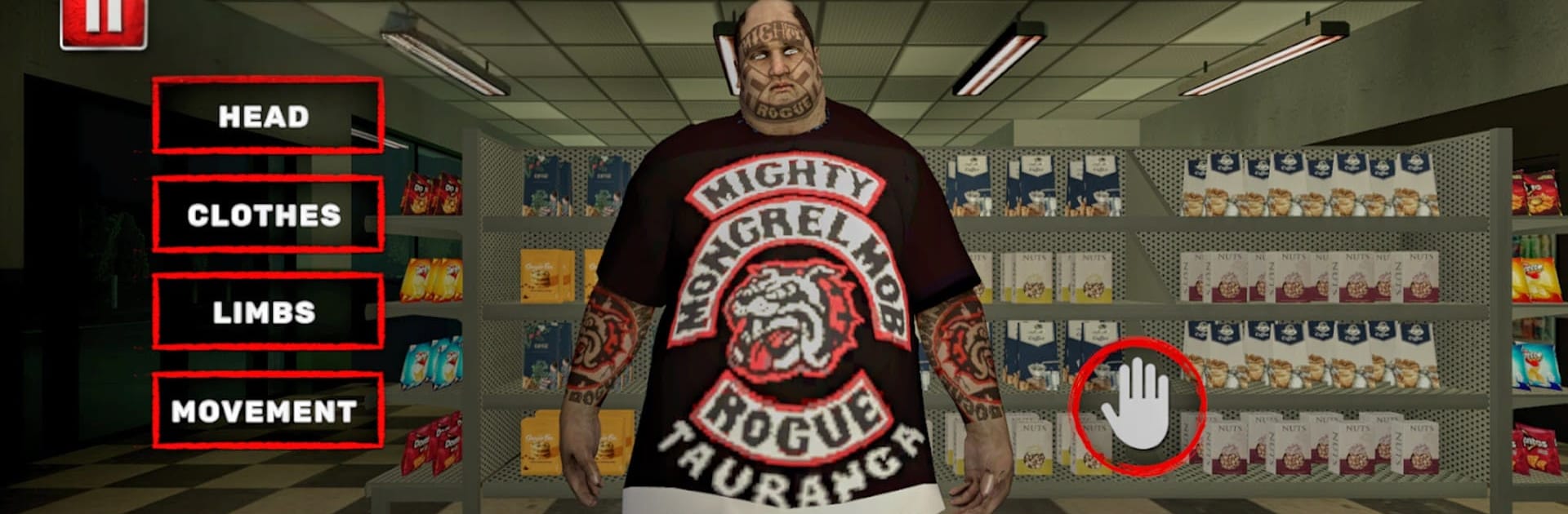
It’s just you, a quiet roadside store, and the ticking clock—until midnight hits. Midnight Shift: Doppelganger is an Adventure game that blends everyday shop management with creeping, psychological horror. You’ll scan groceries, restock shelves, and check cameras while something that looks a little too much like you prowls the aisles. Prefer a bigger screen and mouse control? It plays smoothly on BlueStacks.

Game Features

  • Late-shift routine with a twist: Serve customers, balance the till, handle deliveries, and lock up—while the lights stutter and the building feels… occupied.
  • The doppelganger problem: An uncanny impostor mirrors your habits, misleads customers, and messes with your head. Spot tells in reflections, camera feeds, and subtle behavior slips.
  • Storefront and pumps: Run the grocery counter and the gas pumps at the same time. Juggle spills, outages, and impatient drivers without letting the store fall apart.
  • Dynamic hauntings: Whispers from empty aisles, items that won’t stay where you left them, doors that insist on opening themselves. The later it gets, the bolder it gets.
  • Grounded systems: Use the cash register properly, price-check items, manage storage, restock endcaps, and keep the generator alive when the grid flakes out.
  • Security is your friend: Flip between CCTV angles, track movement in blind spots, and catch your look-alike slipping up on camera.
  • Pressure-driven choices: Do you calm a panicked customer or chase a noise in the backroom? Small calls spiral into bigger consequences as time runs short.
  • Expanding workload: Unlock new aisles, backrooms, and services that increase profits—and risk. More space to manage means more places for something to hide.
  • Sound that gets under your skin: Minimal HUD, heavy atmosphere, and audio cues that make you second-guess every step down a dark aisle.

Start playing Midnight Shift: Doppelganger on BlueStacks and get a smoother, more comfortable PC or Mac setup.


Game Features

Enhancements

  • Macros
  • Multi Instance
  • Multi Instance Sync
  • Script
  • Enhancements
Macros

Macros

Automate the predictable in Midnight Shift: Doppelganger and transform your gameplay with Macros. Get access to inventive Macros in the BlueStacks Macro Community
Multi Instance

Multi Instance

Play Midnight Shift: Doppelganger on one window. And chat with your friend on the other. Press CTRL + Shift + 8 to open the Multi-Instance Manager. And start creating fresh instances or clone an existing one.
Multi Instance Sync

Multi Instance Sync

Play Midnight Shift: Doppelganger with the power of Multi-Instance Sync. Replicate what you are doing on the main instance on all other instances. Level up faster, play more.
Script

Script

Script your way to gaming glory in Midnight Shift: Doppelganger with BlueStacks Script. Write and run a set of commands to automate repeated tasks. Trigger the command by assigning it to any key.
Read More

How to Download and Play Midnight Shift: Doppelganger on PC or Mac

  • Download and install BlueStacks on your PC or Mac

  • Complete Google sign-in to access the Play Store, or do it later

  • Look for Midnight Shift: Doppelganger in the search bar at the top right corner

  • Click to install Midnight Shift: Doppelganger from the search results

  • Complete Google sign-in (if you skipped step 2) to install Midnight Shift: Doppelganger

  • Click the Midnight Shift: Doppelganger icon on the home screen to start playing

video
Watch Video

Minimum System Requirements

With BlueStacks 5, you can get started on a PC that fulfills the following requirements.

  • Operating System

    Microsoft Windows 7 or above, macOS 11 (Big Sur) or above

  • Processor

    Intel, AMD or Apple Silicon Processor

  • RAM

    at least 4GB

  • HDD

    10GB Free Disk Space

Note:

* You must be an Administrator on your PC. Up to date graphics drivers from Microsoft or the chipset vendor.

Midnight Shift: Doppelganger - FAQs

  • How to play Midnight Shift: Doppelganger on Windows PC & Mac?

    Play Midnight Shift: Doppelganger on your PC or Mac by following these simple steps.

    • Click on 'Play Midnight Shift: Doppelganger on PC’ to download BlueStacks
    • Install it and log-in to Google Play Store
    • Launch and play the game.
  • Why is BlueStacks the fastest and safest platform to play games on PC?

    BlueStacks respects your privacy and is always safe and secure to use. It does not carry any malware, spyware, or any sort of additional software that could harm your PC.

    It is engineered to optimize speed and performance for a seamless gaming experience.

  • What are Midnight Shift: Doppelganger PC requirements?

    Minimum requirement to run Midnight Shift: Doppelganger on your PC

    • OS: Microsoft Windows 7 or above MacOS 11 (Big Sur) or above
    • Processor: Intel, AMD or Apple Silicon Processor
    • RAM: Your PC must have at least 4GB of RAM. (Note that having 4GB or more disk space is not a substitute for RAM)
    • HDD: 10GB Free Disk Space.
    • You must be an Administrator on your PC.