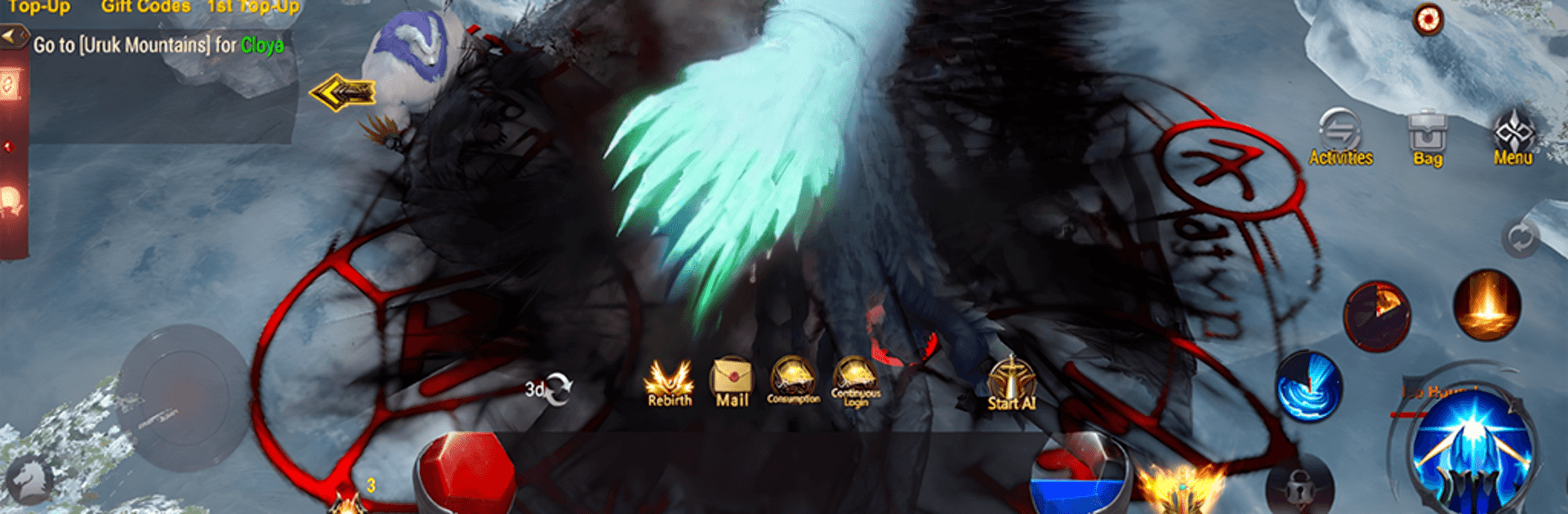
MU Dynasty MMORPG
MU Dynasty MMORPG

MU Dynasty MMORPG

Adventure

| Bolivene Devs

Play on PC with BlueStacks or from our cloud

  • Overview
  • Game Features
  • How to Play

Page Modified On: September 07, 2026

Play MU Dynasty MMORPG on PC or Mac

Explore a whole new adventure with MU Dynasty MMORPG, a Adventure game created by Bolivene Devs. Experience great gameplay with BlueStacks, the most popular gaming platform to play Android games on your PC or Mac.

About the Game

MU Dynasty MMORPG drops you into a brooding fantasy world where steel, sorcery, and style all matter. It’s an Adventure for players who want freedom—roam a vast land, chase legendary gear, and prove you can hold your own against bosses and real rivals. Prefer a bigger display and comfy controls? It also plays smoothly on PC with BlueStacks.

Game Features

  • Iconic Classes, Your Way: Pick from time-tested archetypes and shape them to your style with flexible skill builds, stat paths, and gear choices.
  • Wings That Change Everything: Earn and evolve ornate wings that don’t just look flashy—they boost your power and open up new ways to fight.
  • High-Stakes PvP and Castle Sieges: Step into the Arena for skill-first duels, jump into cross-server clashes, and rally your clan to storm and defend castles.
  • World Bosses and Brutal Dungeons: Team up to challenge hulking monstrosities and labyrinthine lairs, chasing rare loot and truly top-tier equipment.
  • Gear Growth With Real Impact: Enhance, refine, and optimize your loadout so every upgrade feels noticeable, whether you’re clearing mobs or facing elite opponents.
  • Player-Driven Trading: Buy, sell, or swap gear through a living in-game market; find deals, flip items, and build your fortune the social way.
  • Open World Worth Exploring: Trek across haunted ruins, cursed forests, and glittering strongholds, uncovering secrets and tough encounters as you go.
  • Clans, Friends, and Community: Join a clan, coordinate strategies, and make long-term allies—because the best victories are rarely solo.

BlueStacks gives you more room to focus on the game and less time adjusting around mobile limitations.


Game Features

Enhancements

  • Macros
  • Multi Instance
  • Multi Instance Sync
  • Script
  • Enhancements
Macros

Macros

Automate the predictable in MU Dynasty MMORPG and transform your gameplay with Macros. Get access to inventive Macros in the BlueStacks Macro Community
Multi Instance

Multi Instance

Play MU Dynasty MMORPG on one window. And chat with your friend on the other. Press CTRL + Shift + 8 to open the Multi-Instance Manager. And start creating fresh instances or clone an existing one.
Multi Instance Sync

Multi Instance Sync

Play MU Dynasty MMORPG with the power of Multi-Instance Sync. Replicate what you are doing on the main instance on all other instances. Level up faster, play more.
Script

Script

Script your way to gaming glory in MU Dynasty MMORPG with BlueStacks Script. Write and run a set of commands to automate repeated tasks. Trigger the command by assigning it to any key.
Read More

How to Download and Play MU Dynasty MMORPG on PC or Mac

  • Download and install BlueStacks on your PC or Mac

  • Complete Google sign-in to access the Play Store, or do it later

  • Look for MU Dynasty MMORPG in the search bar at the top right corner

  • Click to install MU Dynasty MMORPG from the search results

  • Complete Google sign-in (if you skipped step 2) to install MU Dynasty MMORPG

  • Click the MU Dynasty MMORPG icon on the home screen to start playing

video
Watch Video

Minimum System Requirements

With BlueStacks 5, you can get started on a PC that fulfills the following requirements.

  • Operating System

    Microsoft Windows 7 or above, macOS 11 (Big Sur) or above

  • Processor

    Intel, AMD or Apple Silicon Processor

  • RAM

    at least 4GB

  • HDD

    10GB Free Disk Space

Note:

* You must be an Administrator on your PC. Up to date graphics drivers from Microsoft or the chipset vendor.

MU Dynasty MMORPG - FAQs

  • How to play MU Dynasty MMORPG on Windows PC & Mac?

    Play MU Dynasty MMORPG on your PC or Mac by following these simple steps.

    • Click on 'Play MU Dynasty MMORPG on PC’ to download BlueStacks
    • Install it and log-in to Google Play Store
    • Launch and play the game.
  • Why is BlueStacks the fastest and safest platform to play games on PC?

    BlueStacks respects your privacy and is always safe and secure to use. It does not carry any malware, spyware, or any sort of additional software that could harm your PC.

    It is engineered to optimize speed and performance for a seamless gaming experience.

  • What are MU Dynasty MMORPG PC requirements?

    Minimum requirement to run MU Dynasty MMORPG on your PC

    • OS: Microsoft Windows 7 or above MacOS 11 (Big Sur) or above
    • Processor: Intel, AMD or Apple Silicon Processor
    • RAM: Your PC must have at least 4GB of RAM. (Note that having 4GB or more disk space is not a substitute for RAM)
    • HDD: 10GB Free Disk Space.
    • You must be an Administrator on your PC.