Mystery Detective Adventure 2

Mystery Detective Adventure 2

Adventure

| FIVE-BN GAMES

Play on PC with BlueStacks or from our cloud

  • Overview
  • Game Features
  • How to Play

Page Modified On: July 06, 2026

Play Mystery Detective Adventure 2 on PC or Mac

Bring your A-game to Mystery Detective Adventure 2, the Adventure game sensation from FIVE-BN GAMES. Give your gameplay the much-needed boost with precise game controls, high FPS graphics, and top-tier features on your PC or Mac with BlueStacks.

About the Game

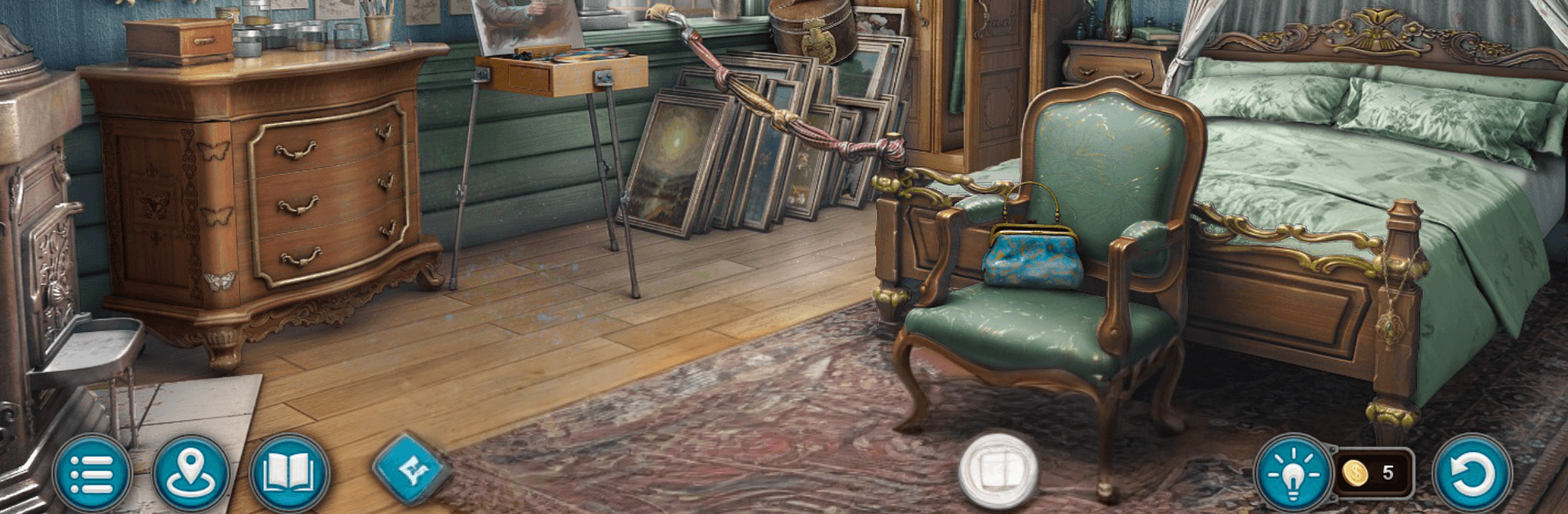
Mystery Detective Adventure 2 puts you in the trench coat of John Woodbrey, a sharp investigator whose cases keep drifting into the uncanny. He’s haunted by a past misstep and determined to set things right, even if it means chasing clues that refuse to play by ordinary rules. Expect a story-first Adventure with hidden-object hunts, brainy puzzles, and plenty of moments where your instincts matter as much as your evidence board.

Game Features

  • Three occult cases — Tackle a trio of separate investigations, each with its own tone, villains, and surprises that test your logic and nerve.
  • Hidden-object sleuthing — Scour layered, hand-crafted scenes to spot tricky items, parse visual hints, and catch what everyone else misses.
  • Puzzles and mini-games — Crack codes, align symbols, and tinker with curious mechanisms that weave naturally into each crime scene.
  • Choices under pressure — Twists arrive fast, pushing you to adapt, question assumptions, and pivot your strategy on the fly.
  • Memorable cast — Interrogate suspects, lean on old allies, and meet oddballs who might help, hinder, or mislead you.
  • Collections and lore — Assemble rare curios and story fragments to complete sets and uncover extra bits of backstory.
  • Rich locations — From creaking attics to rain-slick alleys and candlelit studies, every space hides narrative breadcrumbs.
  • Play your way — Touch-friendly on mobile and smooth with mouse-and-keyboard if you’re running it on BlueStacks.
  • Pacing that hooks — No filler; each scene nudges the plot, hides a clue, or locks a puzzle that begs to be solved.

Start your journey now. Download the game on BlueStacks, invite your friends, and march on a new adventure.


Game Features

Enhancements

  • Macros
  • Multi Instance
  • Multi Instance Sync
  • Script
  • Enhancements
Macros

Macros

Automate the predictable in Mystery Detective Adventure 2 and transform your gameplay with Macros. Get access to inventive Macros in the BlueStacks Macro Community
Multi Instance

Multi Instance

Play Mystery Detective Adventure 2 on one window. And chat with your friend on the other. Press CTRL + Shift + 8 to open the Multi-Instance Manager. And start creating fresh instances or clone an existing one.
Multi Instance Sync

Multi Instance Sync

Play Mystery Detective Adventure 2 with the power of Multi-Instance Sync. Replicate what you are doing on the main instance on all other instances. Level up faster, play more.
Script

Script

Script your way to gaming glory in Mystery Detective Adventure 2 with BlueStacks Script. Write and run a set of commands to automate repeated tasks. Trigger the command by assigning it to any key.
Read More

How to Download and Play Mystery Detective Adventure 2 on PC or Mac

  • Download and install BlueStacks on your PC or Mac

  • Complete Google sign-in to access the Play Store, or do it later

  • Look for Mystery Detective Adventure 2 in the search bar at the top right corner

  • Click to install Mystery Detective Adventure 2 from the search results

  • Complete Google sign-in (if you skipped step 2) to install Mystery Detective Adventure 2

  • Click the Mystery Detective Adventure 2 icon on the home screen to start playing

video
Watch Video

Minimum System Requirements

With BlueStacks 5, you can get started on a PC that fulfills the following requirements.

  • Operating System

    Microsoft Windows 7 or above, macOS 11 (Big Sur) or above

  • Processor

    Intel, AMD or Apple Silicon Processor

  • RAM

    at least 4GB

  • HDD

    10GB Free Disk Space

Note:

* You must be an Administrator on your PC. Up to date graphics drivers from Microsoft or the chipset vendor.

Mystery Detective Adventure 2 - FAQs

  • How to play Mystery Detective Adventure 2 on Windows PC & Mac?

    Play Mystery Detective Adventure 2 on your PC or Mac by following these simple steps.

    • Click on 'Play Mystery Detective Adventure 2 on PC’ to download BlueStacks
    • Install it and log-in to Google Play Store
    • Launch and play the game.
  • Why is BlueStacks the fastest and safest platform to play games on PC?

    BlueStacks respects your privacy and is always safe and secure to use. It does not carry any malware, spyware, or any sort of additional software that could harm your PC.

    It is engineered to optimize speed and performance for a seamless gaming experience.

  • What are Mystery Detective Adventure 2 PC requirements?

    Minimum requirement to run Mystery Detective Adventure 2 on your PC

    • OS: Microsoft Windows 7 or above MacOS 11 (Big Sur) or above
    • Processor: Intel, AMD or Apple Silicon Processor
    • RAM: Your PC must have at least 4GB of RAM. (Note that having 4GB or more disk space is not a substitute for RAM)
    • HDD: 10GB Free Disk Space.
    • You must be an Administrator on your PC.