Obsession: Erythros
Obsession: Erythros

Obsession: Erythros

Adventure

| keyneed

Play on PC with BlueStacks or from our cloud

  • Overview
  • Game Features
  • How to Play

Page Modified On: November 03, 2025

Play Obsession: Erythros on PC or Mac

Explore a whole new adventure with Obsession: Erythros, a Adventure game created by keyneed. Experience great gameplay with BlueStacks, the most popular gaming platform to play Android games on your PC or Mac.

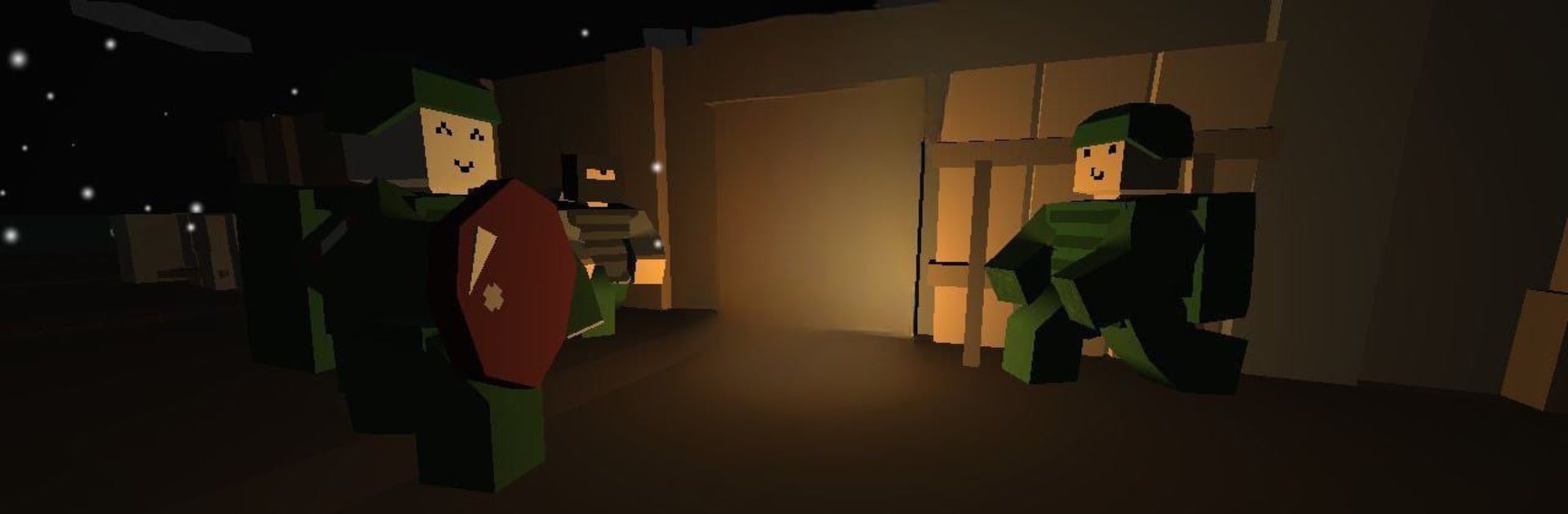
Obsession: Erythros is that gritty survival sandbox that sits somewhere between DayZ, STALKER and a lighter Tarkov. It used to go by a different name, and it still has that scrappy indie feel, which fits the whole zombie horror thing. The world is open and not friendly. Players roam half-ruined towns and back roads, grabbing whatever gear they can find while watching for noise, because the dead pull in fast and the living are often worse. Factions are out there, hostile as soon as they see movement, so every hill or doorway becomes a choice. Hide and wait it out, or take the shot and risk more trouble. Progress is slow and tense, and that is the point. Ammo actually matters, food and meds matter, and a bad fight can wipe a backpack full of hard-earned stuff.

Multiplayer changes the mood in a good way. Running with a couple friends gives room to plan, to bait and flank, to share supplies when someone has a rough run. Solo is colder and a bit scary, but it also feels cleaner and focused. Nothing super flashy on the UI, just what is needed, which makes the sound design and small details pop more. On PC with BlueStacks, the keyboard and mouse setup feels natural enough, aiming is steady, and it holds frames well, so the sneaking and quick shots are not a mess. If someone likes open-ended survival where mistakes actually cost and patience pays off, this has that flavor all the way through.

Slay your opponents with your epic moves. Play it your way on BlueStacks and dominate the battlefield.


Game Features

Enhancements

  • Macros
  • Multi Instance
  • Multi Instance Sync
  • Script
  • Enhancements
Macros

Macros

Automate the predictable in Obsession: Erythros and transform your gameplay with Macros. Get access to inventive Macros in the BlueStacks Macro Community
Multi Instance

Multi Instance

Play Obsession: Erythros on one window. And chat with your friend on the other. Press CTRL + Shift + 8 to open the Multi-Instance Manager. And start creating fresh instances or clone an existing one.
Multi Instance Sync

Multi Instance Sync

Play Obsession: Erythros with the power of Multi-Instance Sync. Replicate what you are doing on the main instance on all other instances. Level up faster, play more.
Script

Script

Script your way to gaming glory in Obsession: Erythros with BlueStacks Script. Write and run a set of commands to automate repeated tasks. Trigger the command by assigning it to any key.
Read More

How to Download and Play Obsession: Erythros on PC or Mac

  • Download and install BlueStacks on your PC or Mac

  • Complete Google sign-in to access the Play Store, or do it later

  • Look for Obsession: Erythros in the search bar at the top right corner

  • Click to install Obsession: Erythros from the search results

  • Complete Google sign-in (if you skipped step 2) to install Obsession: Erythros

  • Click the Obsession: Erythros icon on the home screen to start playing

video
Watch Video

Minimum System Requirements

With BlueStacks 5, you can get started on a PC that fulfills the following requirements.

  • Operating System

    Microsoft Windows 7 or above, macOS 11 (Big Sur) or above

  • Processor

    Intel, AMD or Apple Silicon Processor

  • RAM

    at least 4GB

  • HDD

    10GB Free Disk Space

Note:

* You must be an Administrator on your PC. Up to date graphics drivers from Microsoft or the chipset vendor.

Obsession: Erythros - FAQs

  • How to play Obsession: Erythros on Windows PC & Mac?

    Play Obsession: Erythros on your PC or Mac by following these simple steps.

    • Click on 'Play Obsession: Erythros on PC’ to download BlueStacks
    • Install it and log-in to Google Play Store
    • Launch and play the game.
  • Why is BlueStacks the fastest and safest platform to play games on PC?

    BlueStacks respects your privacy and is always safe and secure to use. It does not carry any malware, spyware, or any sort of additional software that could harm your PC.

    It is engineered to optimize speed and performance for a seamless gaming experience.

  • What are Obsession: Erythros PC requirements?

    Minimum requirement to run Obsession: Erythros on your PC

    • OS: Microsoft Windows 7 or above MacOS 11 (Big Sur) or above
    • Processor: Intel, AMD or Apple Silicon Processor
    • RAM: Your PC must have at least 4GB of RAM. (Note that having 4GB or more disk space is not a substitute for RAM)
    • HDD: 10GB Free Disk Space.
    • You must be an Administrator on your PC.