Erythros Lite
Erythros Lite

Erythros Lite

Adventure

| keyneed

Play on PC with BlueStacks or from our cloud

  • Overview
  • Game Features
  • How to Play

Page Modified On: November 20, 2025

Play Erythros Lite on PC or Mac

Erythros Lite brings the Adventure genre to life, and throws up exciting challenges for gamers. Developed by keyneed, this Android game is best experienced on BlueStacks, the World’s #1 app player for PC and Mac users.

About the Game

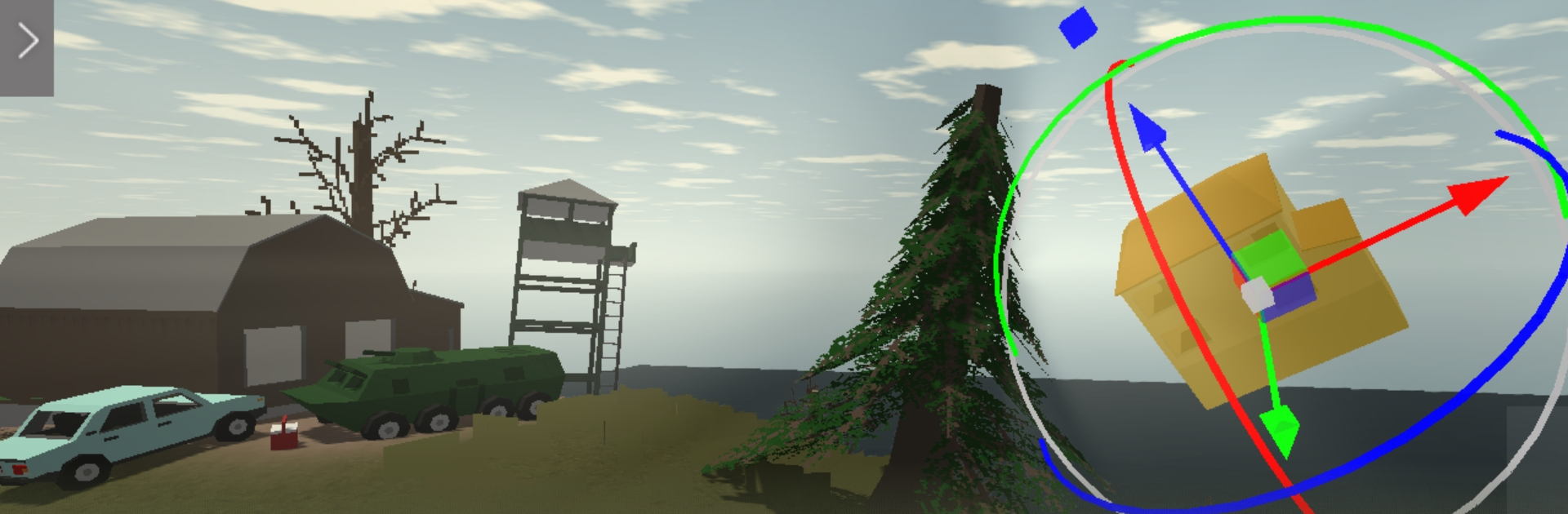
Erythros Lite from keyneed throws you onto a storm-battered island where the undead roam and every bolt, board, and scrap matters. This Adventure survival game is all about smart scavenging, crafty building, and tense run-ins—both with monsters and with other players who might be helpful… or not. Want keyboard-and-mouse control? You can also play it on PC with BlueStacks without making it a whole thing.

Game Features

  • Crafting That Counts: Turn wood, metal, and fabric into tools, barricades, meds, and serious firepower. From a makeshift hammer to a sturdy rifle or even a ride, everything you build changes how you survive.

  • Open-World Island: Pick your path through thick forests, crumbling towns, and locked-down military sites. Each area hides materials, threats, and shortcuts if you’re bold enough to look.

  • Day and Night, Different Fights: Daylight lets you scout and stock up. After dark, creatures get meaner and patrols tighten, so plan your runs—and your exits.

  • Combat Your Way: Swing a blade, line up a clean pistol shot, or go loud with explosives. Manage ammo and durability, pick your battles, and keep a backup plan.

  • Build a Base, Make It Yours: Throw together a shelter, fortify your corners, and keep your stash safe. It’s your little slice of not-getting-eaten.

  • Multiplayer Encounters: Cross paths with real players. Team up for supply hauls and boss fights, or keep your distance if someone looks sketchy.

  • Customize Your Survivor: Mix outfits and accessories to match your style—practical, weird, or both.

  • Always Something New: Regular updates keep the island evolving with fresh gear, zones, and tweaks to keep you thinking.

Start your journey now. Download the game on BlueStacks, invite your friends, and march on a new adventure.


Game Features

Enhancements

  • Macros
  • Multi Instance
  • Multi Instance Sync
  • Script
  • Enhancements
Macros

Macros

Automate the predictable in Erythros Lite and transform your gameplay with Macros. Get access to inventive Macros in the BlueStacks Macro Community
Multi Instance

Multi Instance

Play Erythros Lite on one window. And chat with your friend on the other. Press CTRL + Shift + 8 to open the Multi-Instance Manager. And start creating fresh instances or clone an existing one.
Multi Instance Sync

Multi Instance Sync

Play Erythros Lite with the power of Multi-Instance Sync. Replicate what you are doing on the main instance on all other instances. Level up faster, play more.
Script

Script

Script your way to gaming glory in Erythros Lite with BlueStacks Script. Write and run a set of commands to automate repeated tasks. Trigger the command by assigning it to any key.
Read More

How to Download and Play Erythros Lite on PC or Mac

  • Download and install BlueStacks on your PC or Mac

  • Complete Google sign-in to access the Play Store, or do it later

  • Look for Erythros Lite in the search bar at the top right corner

  • Click to install Erythros Lite from the search results

  • Complete Google sign-in (if you skipped step 2) to install Erythros Lite

  • Click the Erythros Lite icon on the home screen to start playing

video
Watch Video

Minimum System Requirements

With BlueStacks 5, you can get started on a PC that fulfills the following requirements.

  • Operating System

    Microsoft Windows 7 or above, macOS 11 (Big Sur) or above

  • Processor

    Intel, AMD or Apple Silicon Processor

  • RAM

    at least 4GB

  • HDD

    10GB Free Disk Space

Note:

* You must be an Administrator on your PC. Up to date graphics drivers from Microsoft or the chipset vendor.

Erythros Lite - FAQs

  • How to play Erythros Lite on Windows PC & Mac?

    Play Erythros Lite on your PC or Mac by following these simple steps.

    • Click on 'Play Erythros Lite on PC’ to download BlueStacks
    • Install it and log-in to Google Play Store
    • Launch and play the game.
  • Why is BlueStacks the fastest and safest platform to play games on PC?

    BlueStacks respects your privacy and is always safe and secure to use. It does not carry any malware, spyware, or any sort of additional software that could harm your PC.

    It is engineered to optimize speed and performance for a seamless gaming experience.

  • What are Erythros Lite PC requirements?

    Minimum requirement to run Erythros Lite on your PC

    • OS: Microsoft Windows 7 or above MacOS 11 (Big Sur) or above
    • Processor: Intel, AMD or Apple Silicon Processor
    • RAM: Your PC must have at least 4GB of RAM. (Note that having 4GB or more disk space is not a substitute for RAM)
    • HDD: 10GB Free Disk Space.
    • You must be an Administrator on your PC.